It's pretty easy to invite team members to your Lead Finesse account. To add new users to your team, follow the below step-by-step process:
- Access Admin Settings:
- On the dashboard, access Settings -> Admin Settings.
- Initiate the Invitation:
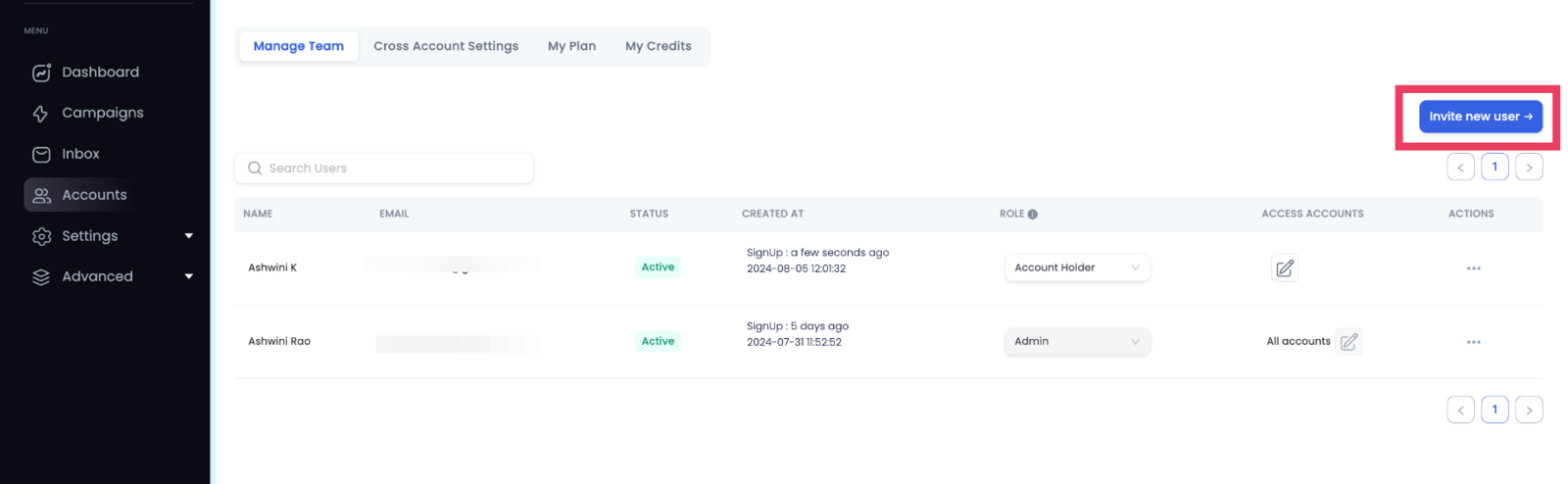
- Click the "Invite New User" button.
- **Enter User Details:
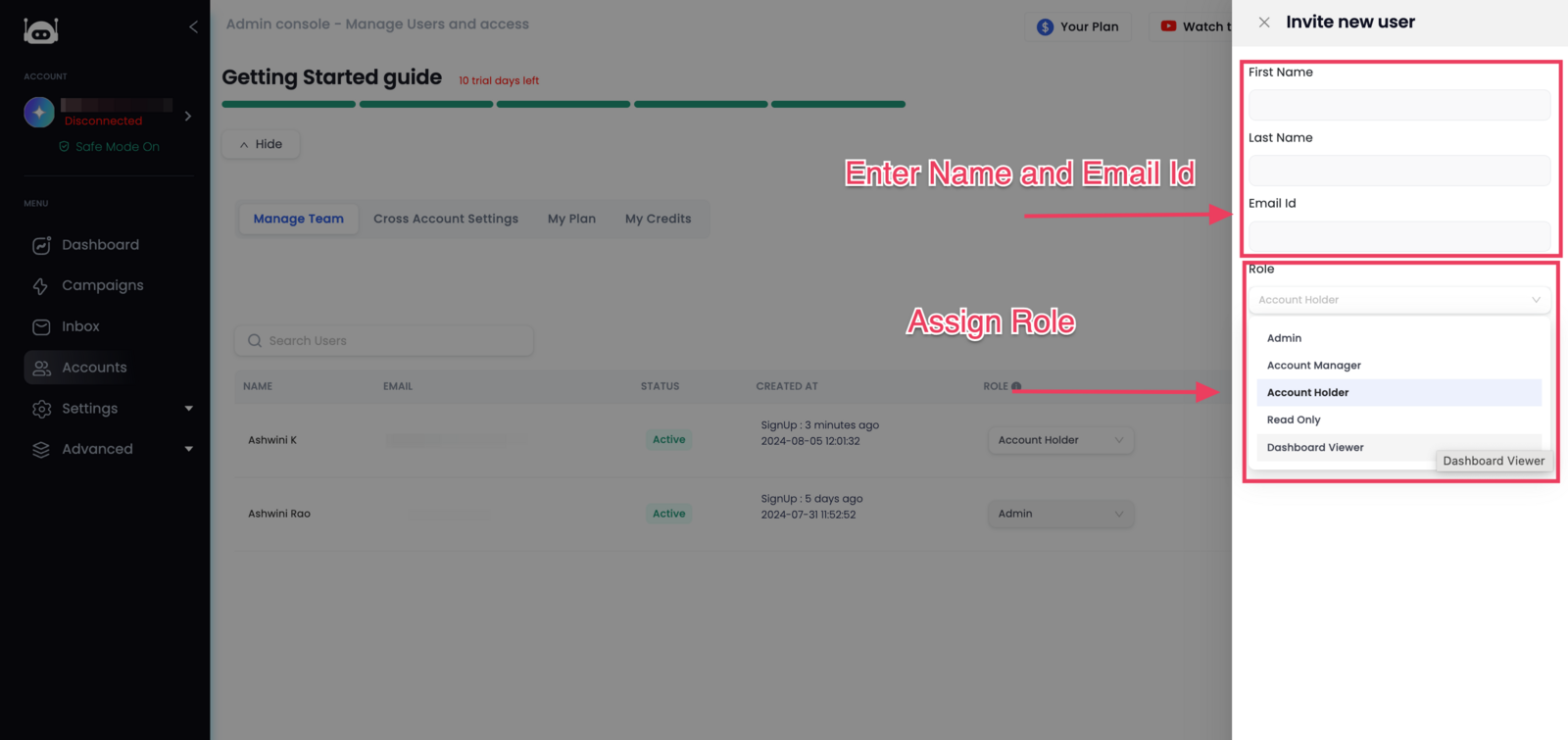
- First Name, Last Name and Email ID of the new team member.
- Assign a Role to the user from the ones available.
- Send Invite:
- Click on "Send Invite" to send an invitation to the email address provided.
- Get Invite Status:
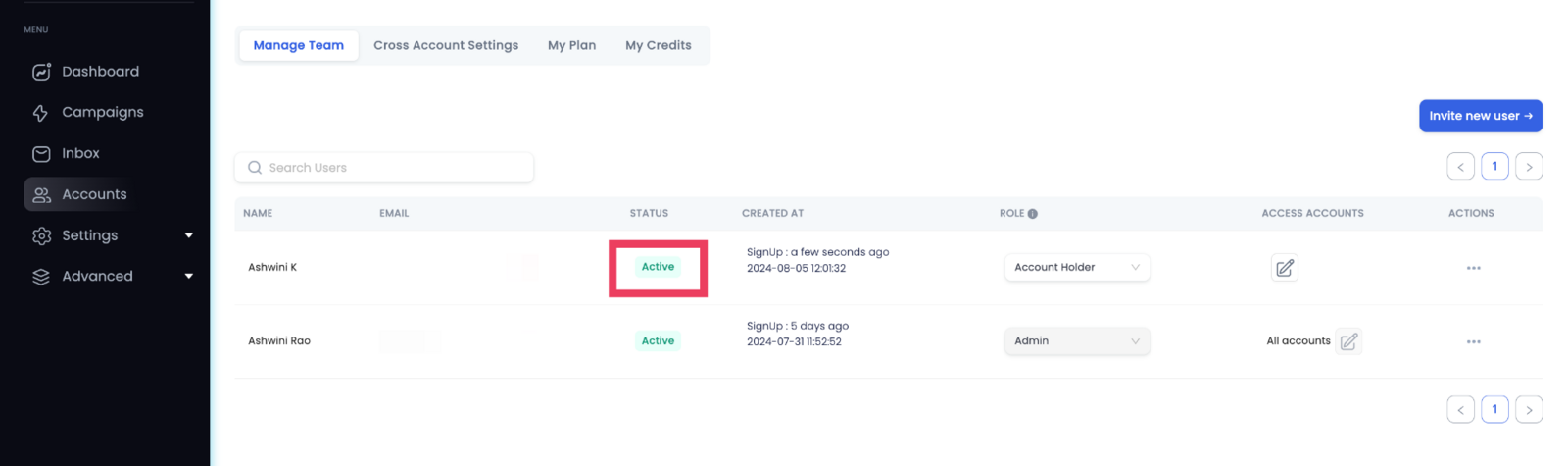
- On acceptance of his/her invitation, the user's status turns to "Active" in the Manage Team tab.
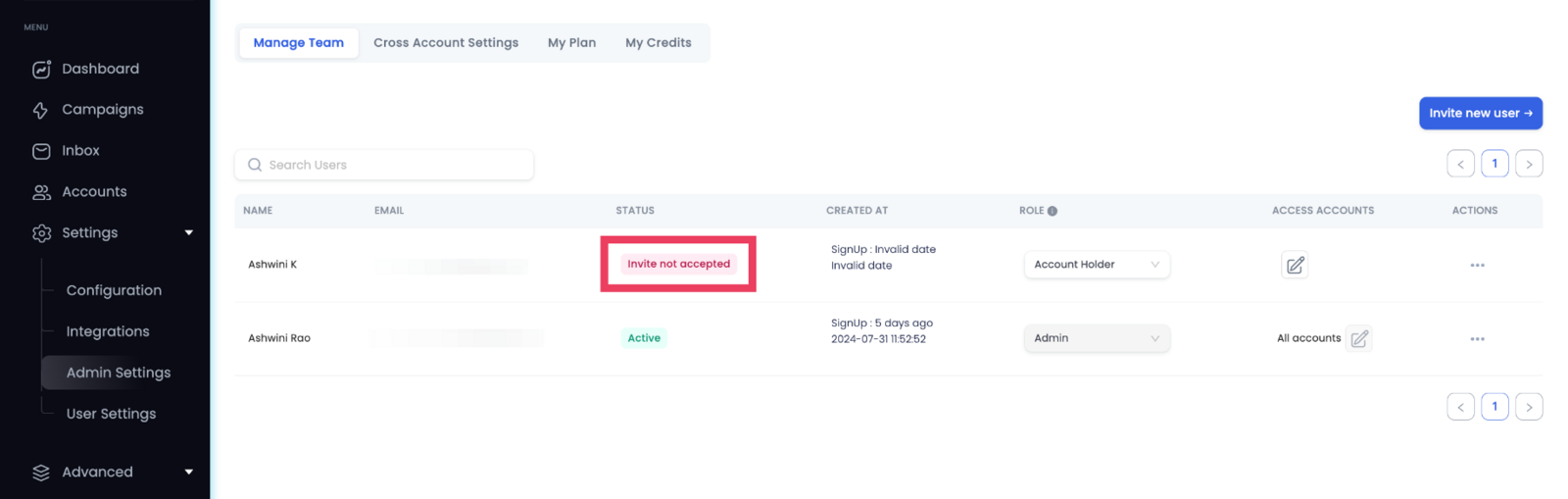
- In case of non-acceptance by the user, his/her status would appear as "Invite Not Accepted."
In this way, you can easily onboard new users and track the status of their invitation in case any issues arise.