There are two ways to block list companies or people in Lead Finesse:
The first method is as mentioned in
Blocklist prospects individually
The second method is:
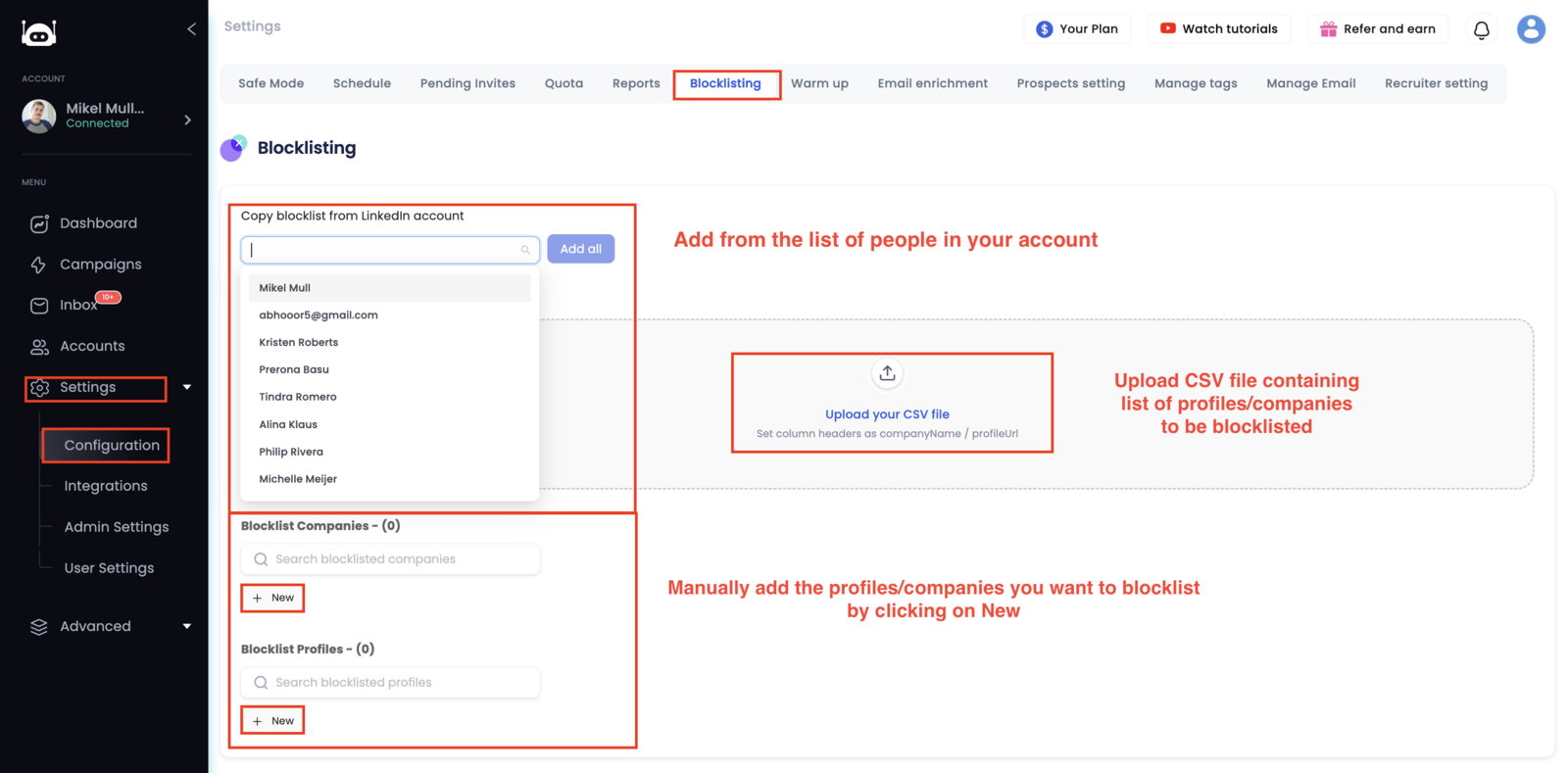
- Go to the Settings -> Configurations page and click on the Blocklisting tab.
- Here you can add individuals or companies one by one, or you can upload a CSV file with a list of individuals or companies to block list.
Note: Once you have block listed an individual or company, you will not be able to reach out to them via your campaigns.