Alert Email
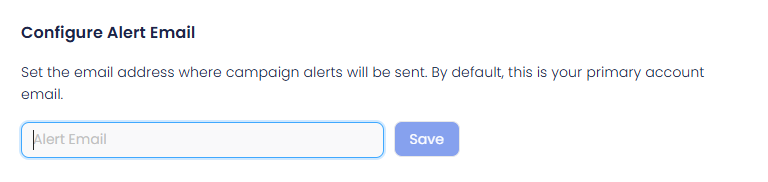
What this is for: Alert Email is used for campaign related notifications. These emails keep you informed about important updates without checking the dashboard.
How it works
- Alerts are sent to the email address you set here
- If no email is added, alerts go to your primary account email
How to set it up
- Go to Settings > Configurations > Weekly Reports
- Find Configure Alert Email
- Enter the email address
- Click Save
Weekly Report Emails
Weekly Reports automatically send campaign performance summaries to clients, teammates, or internal teams. Reports are sent every Monday at 8 AM UTC and only if there is campaign activity.
Create a Weekly Report
- Under Configure Weekly Report Emails
- Click Click to add
- This opens the report template editor
Weekly Report setup
From email: 
Controls which email address the report is sent from.
Recipient emails: who receives the weekly reports.

- Add one or more email addresses
- Separate multiple emails with commas
Add a subject line for the weekly report email:

Report content and metrics
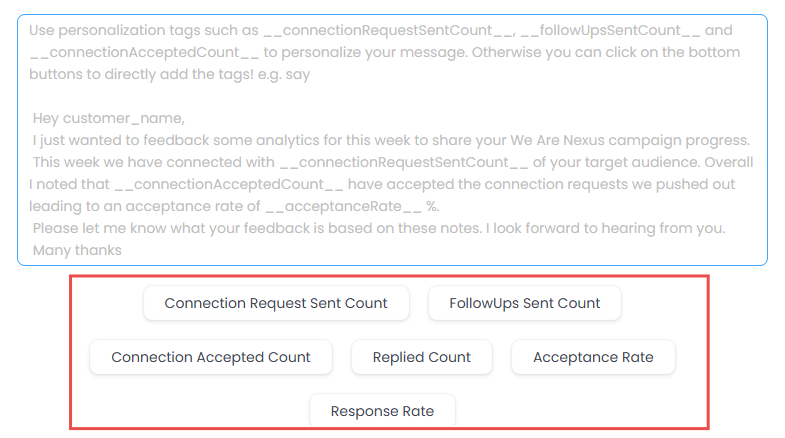
Allows you to include campaign performance data in the email. Available metrics include:
- Connection Request Sent Count
- Follow Ups Sent Count
- Connection Accepted Count
- Replied Count
- Acceptance Rate
- Response Rate Metrics can be added using the buttons below.
Then:
- Click Save Details
- Reports are sent automatically every Monday
Customer Success Reports
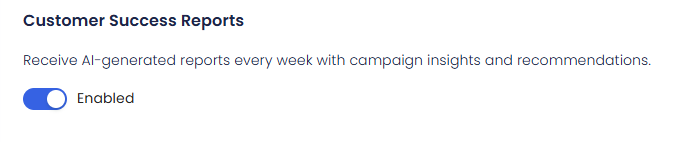
Customer Success Reports add AI generated insights to weekly reports. When enabled:
- Performance summaries are included
- Improvement suggestions are added This option can be toggled on or off from the same page.