You can add your LinkedIn account to Lead Finesse without entering your LinkedIn password by using your browser cookies.
Add your LinkedIn account
Watch this tutorial: Add LinkedIn Account Using Cookies
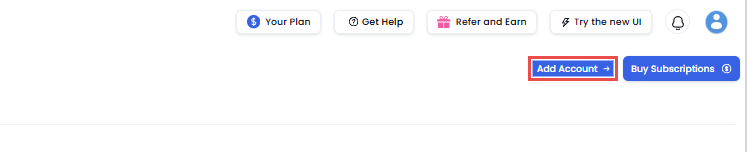
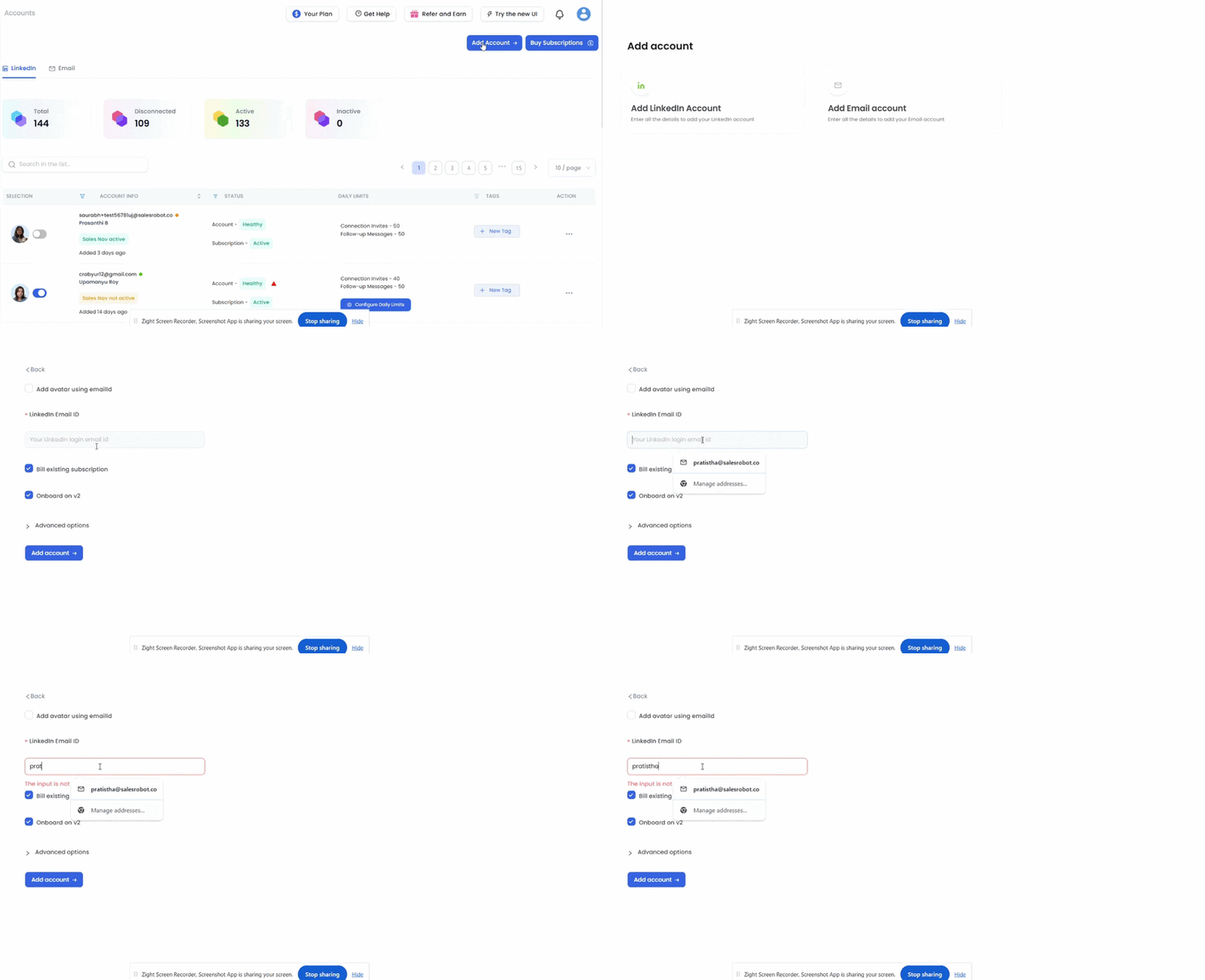
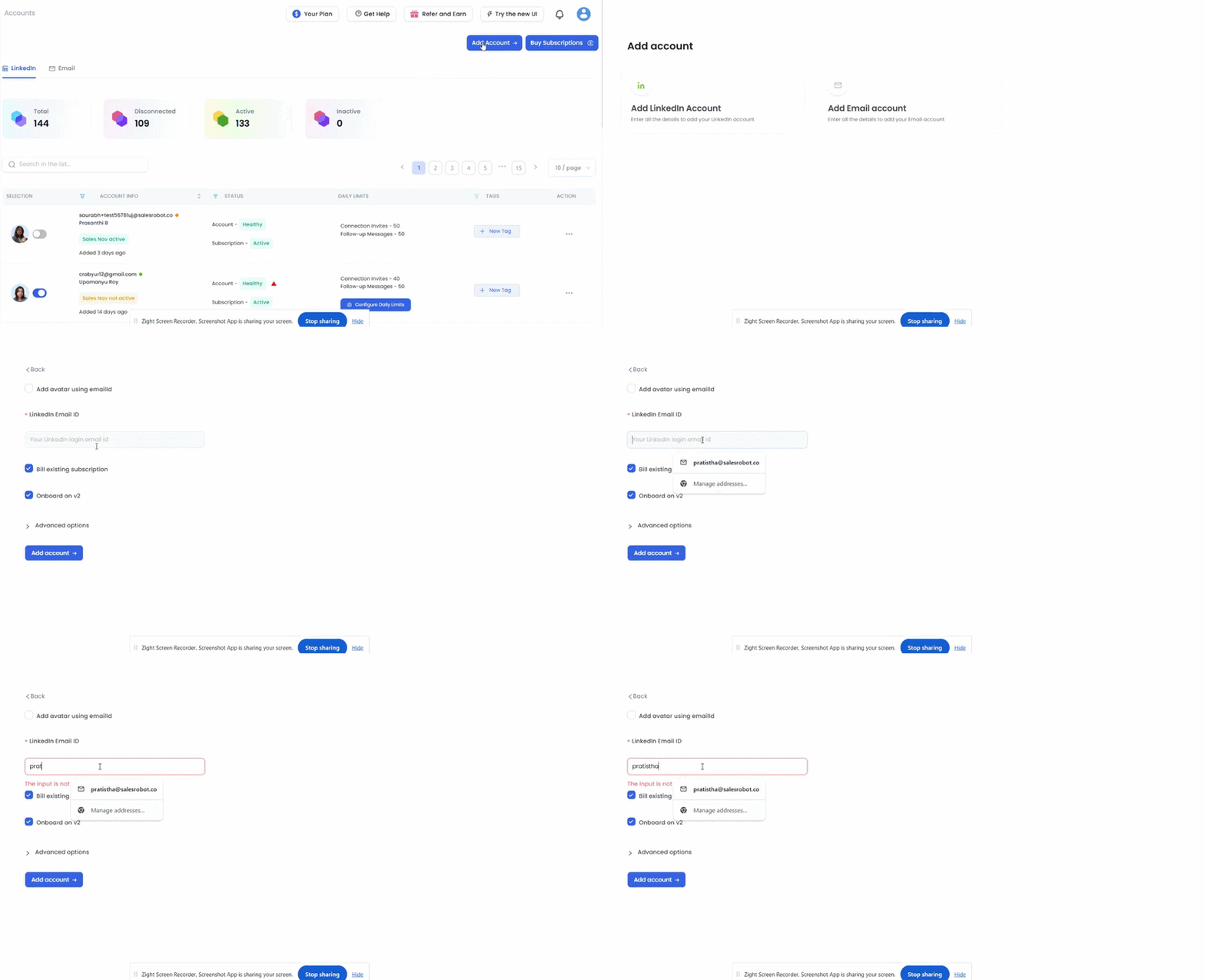
- In Lead Finesse, click Add Account.
Select Add LinkedIn Account, and enter your LinkedIn email address and click Add Account.
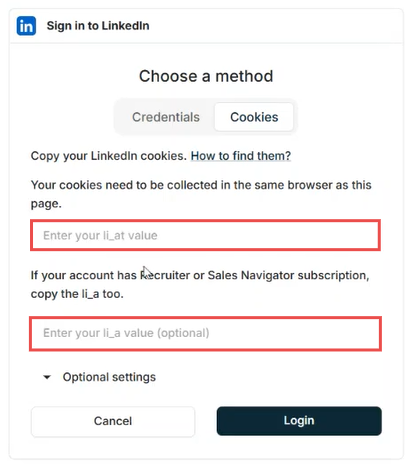
On the sign in screen, click the Cookies tab.
If you're using a regular LinkedIn account, paste your li_at cookie into the first field.
If you have a Sales Navigator or LinkedIn Recruiter subscription, paste:
li_at in the first field. li_a in the second field.
Here's how to find your LinkedIn cookies
Install the EditThisCookie extension from the Chrome Web Store.
Open LinkedIn and sign in to your account.
Click the EditThisCookie extension.
Find the li_at cookie and copy its value, and paste it into the li_at field in Lead Finesse.
If you use Sales Navigator or Recruiter, find the li_a cookie and copy its value, and paste it into the second field.
Click Login.
Your LinkedIn account will be added within about 30 seconds!