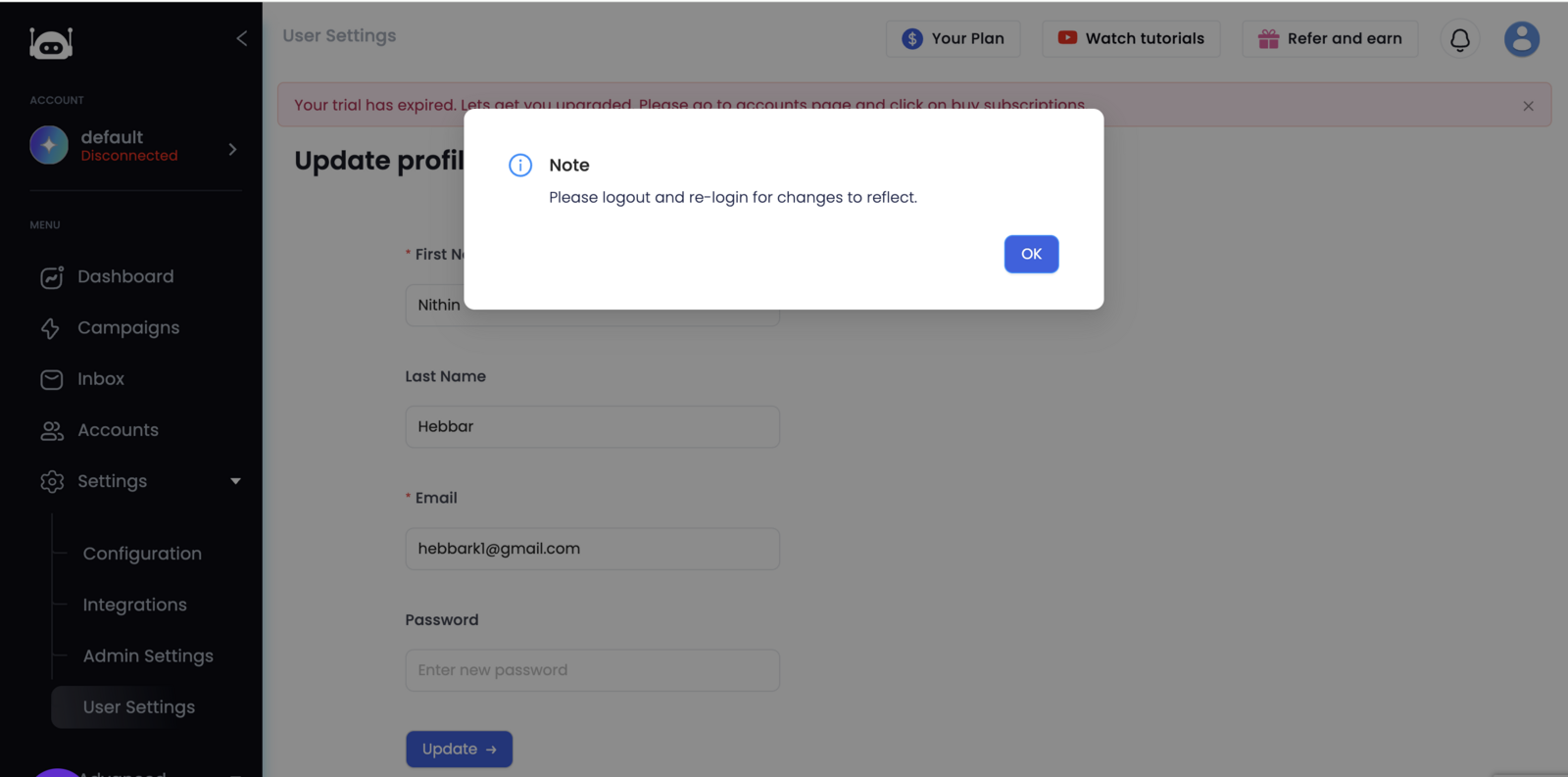
Here is the process of updating the admin email address:
- Log in to the Lead Finesse dashboard.
- Navigate to: Settings -> User Settings
- Enter the new email address in the Email field.
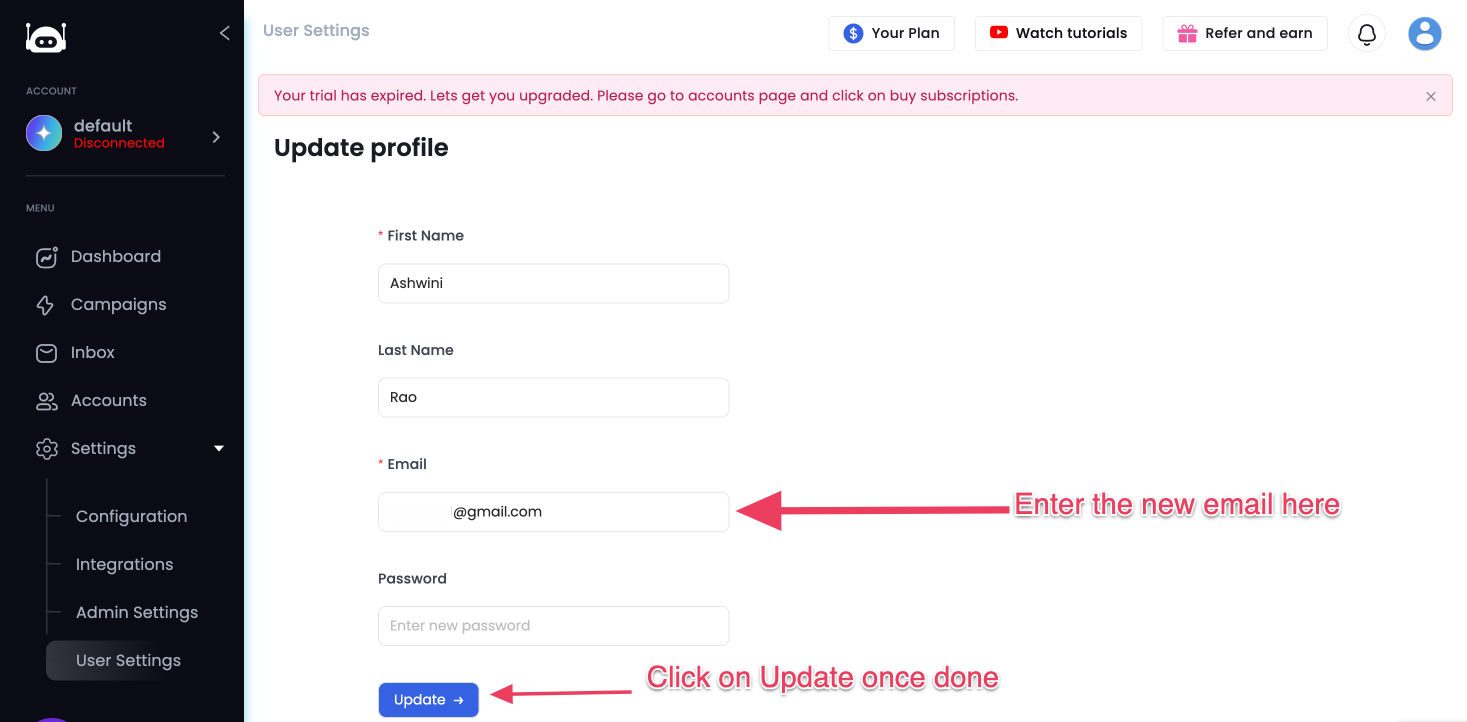
- Click on Update.
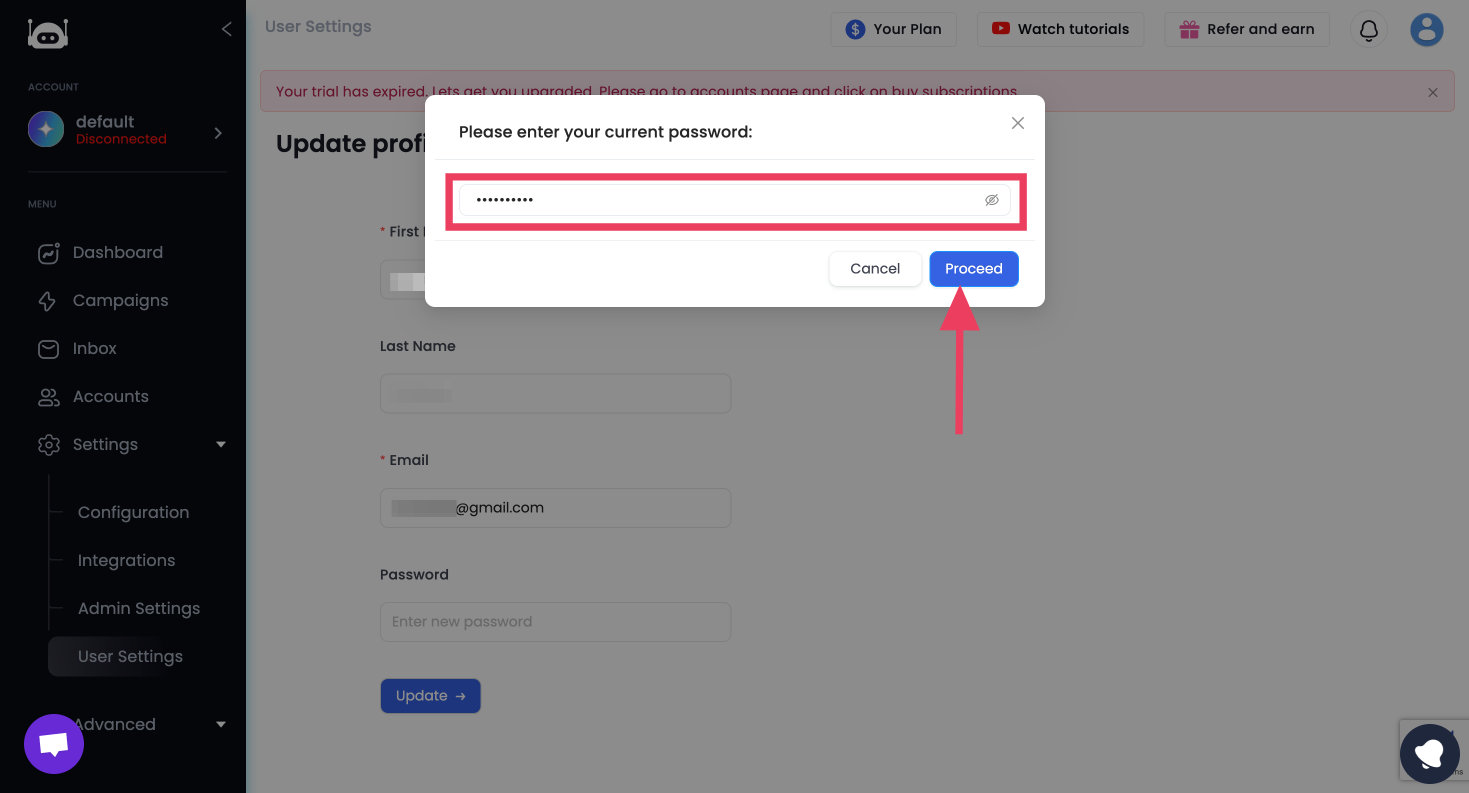
- Enter your current password to confirm the change.
- Log out and then log back in using the new admin email address to ensure the update was successful.