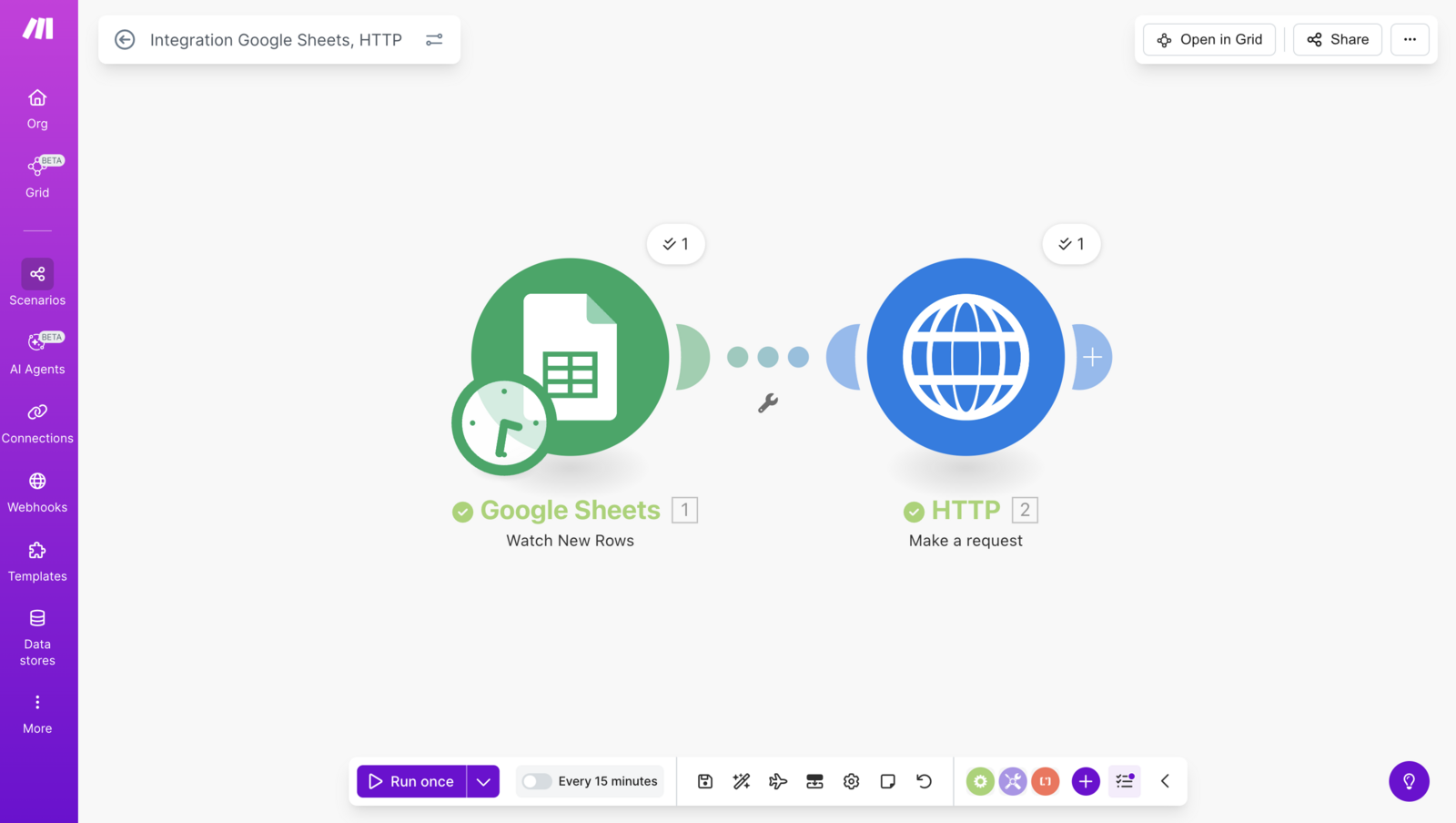
You can easily connect Lead Finesse to your existing workflows using Make. Setting up an API connection is now simpler and faster than ever.
Check out the video tutorial here: https://share.zight.com/4gupER0y
In this article we will create a new scenario in which we will add prospects to Lead Finesse campaign when a new row is inserted in the google sheet
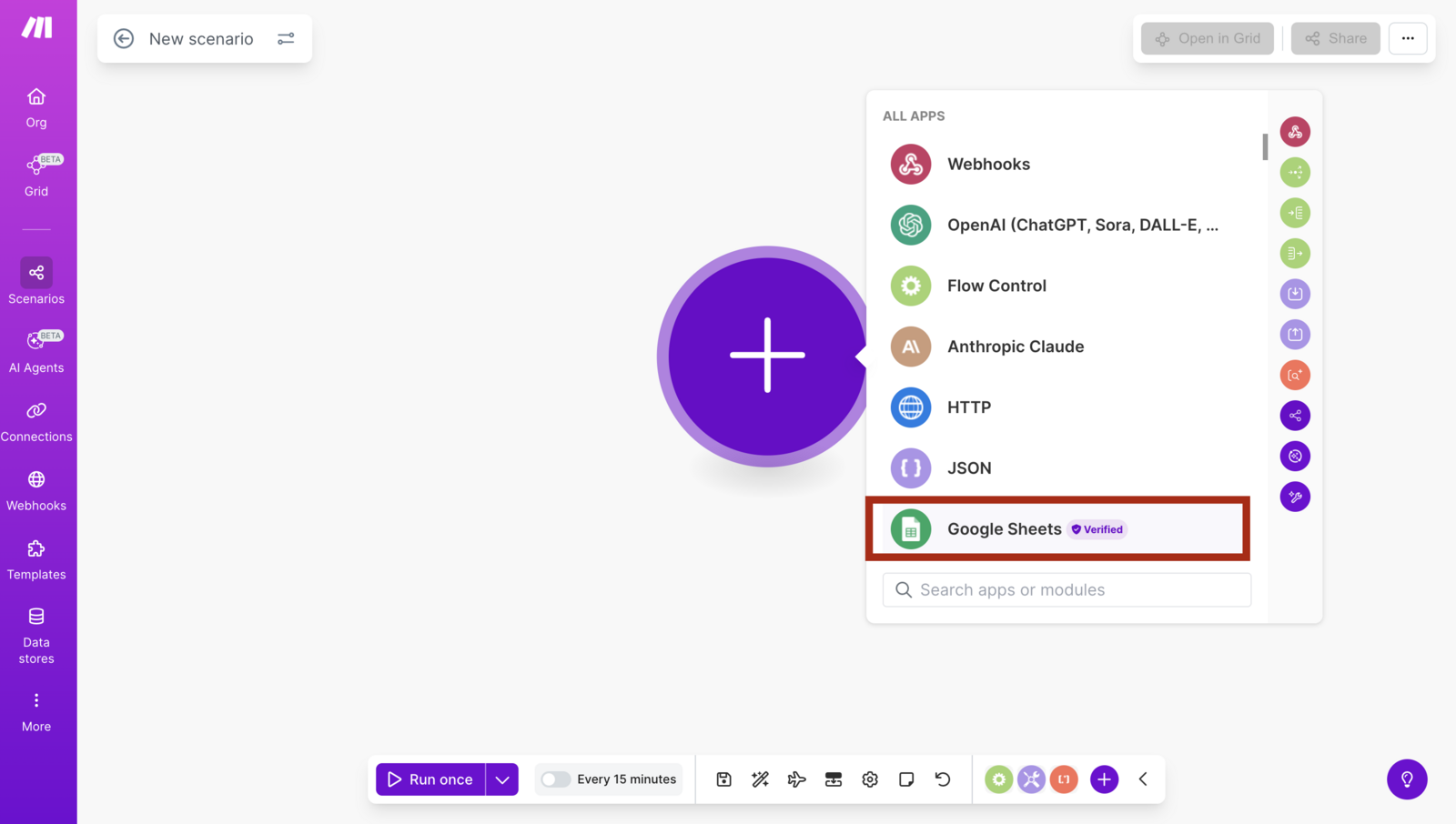
- First create a module for Google sheet.
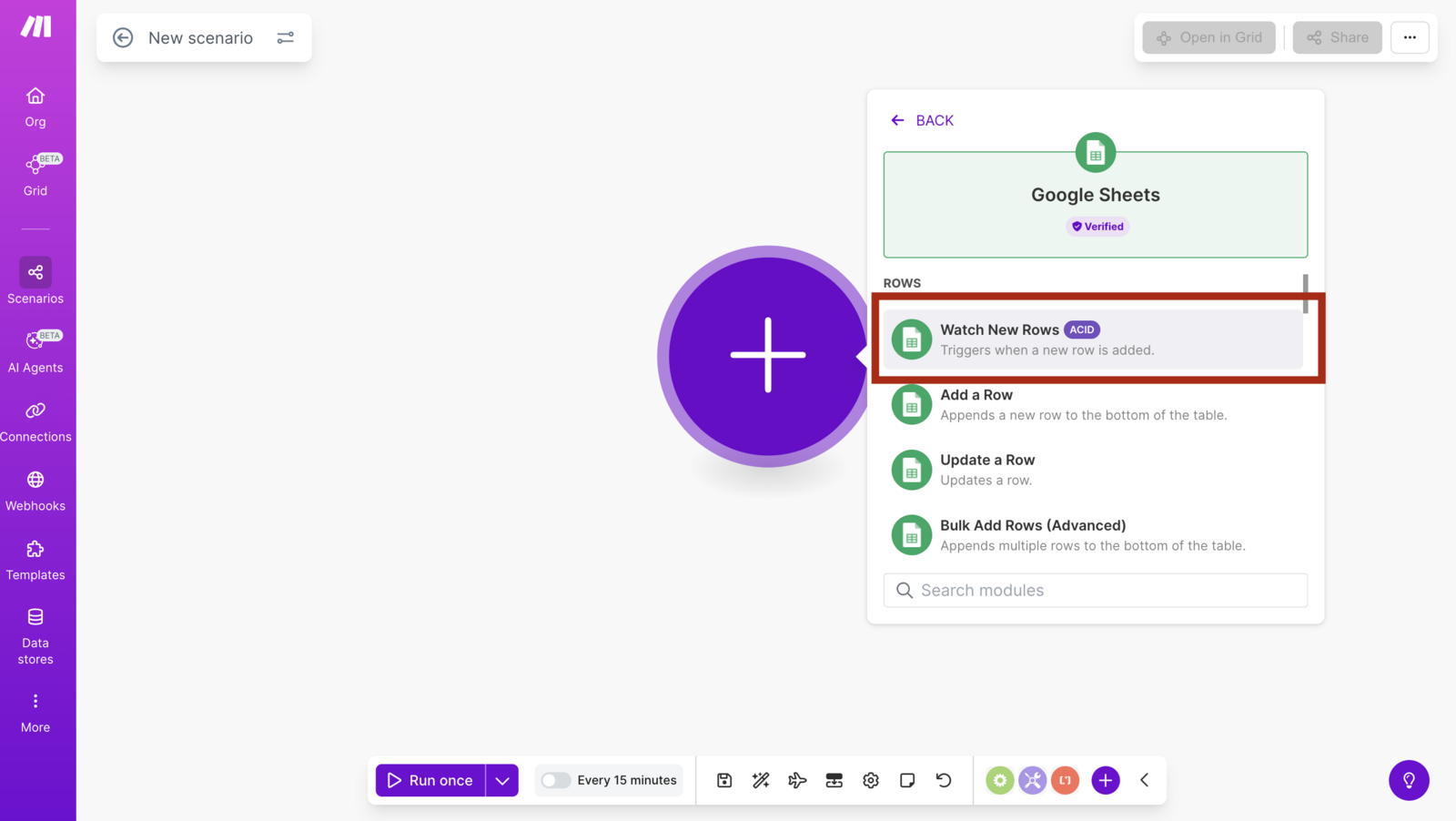
- Select Watch new Rows, it will add new rows to the campaign.
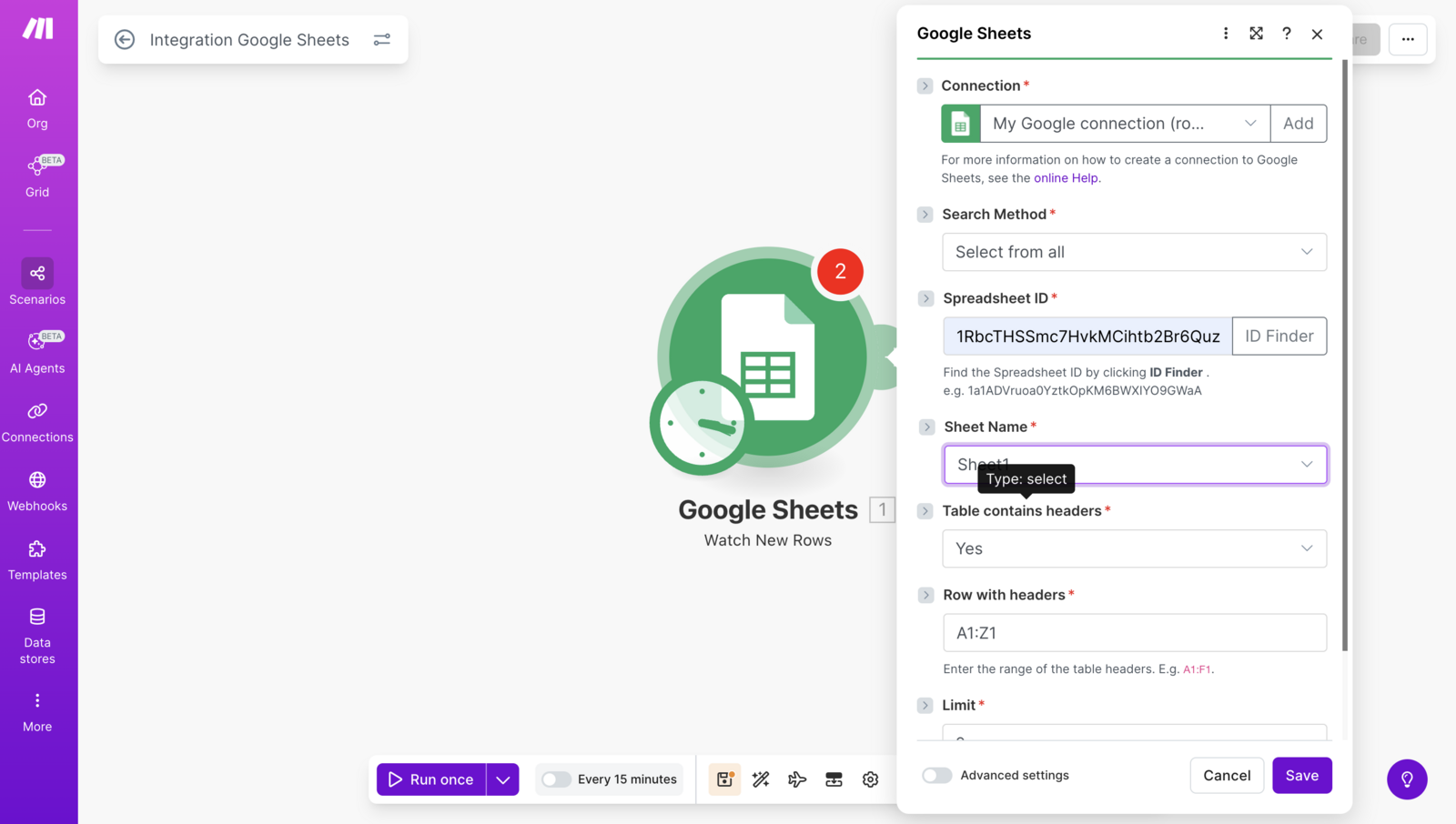
- Connect your google account and select the SpreadSheet id, sheet Name and other details
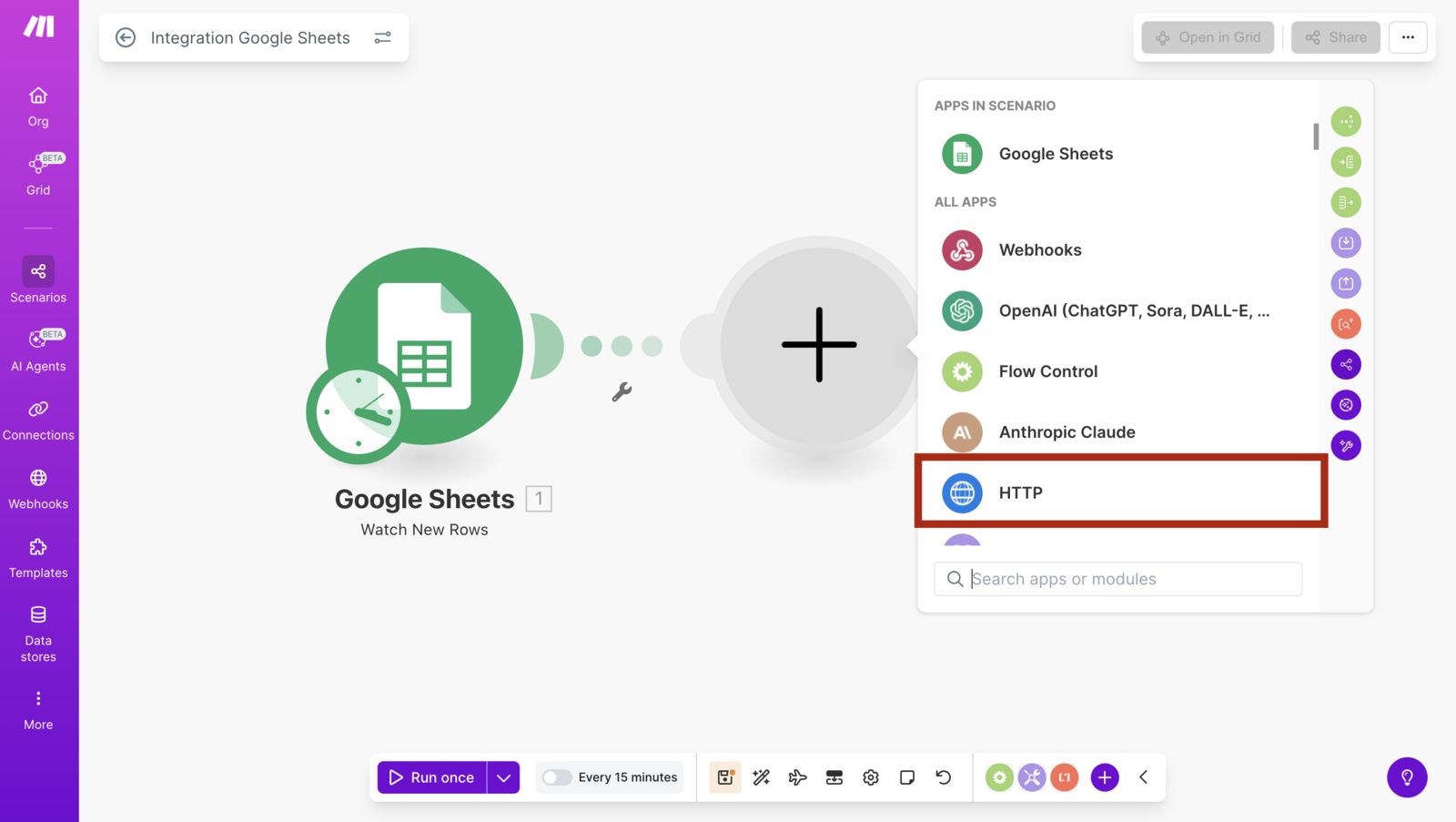
- Now add another Module, we will select HTTP module
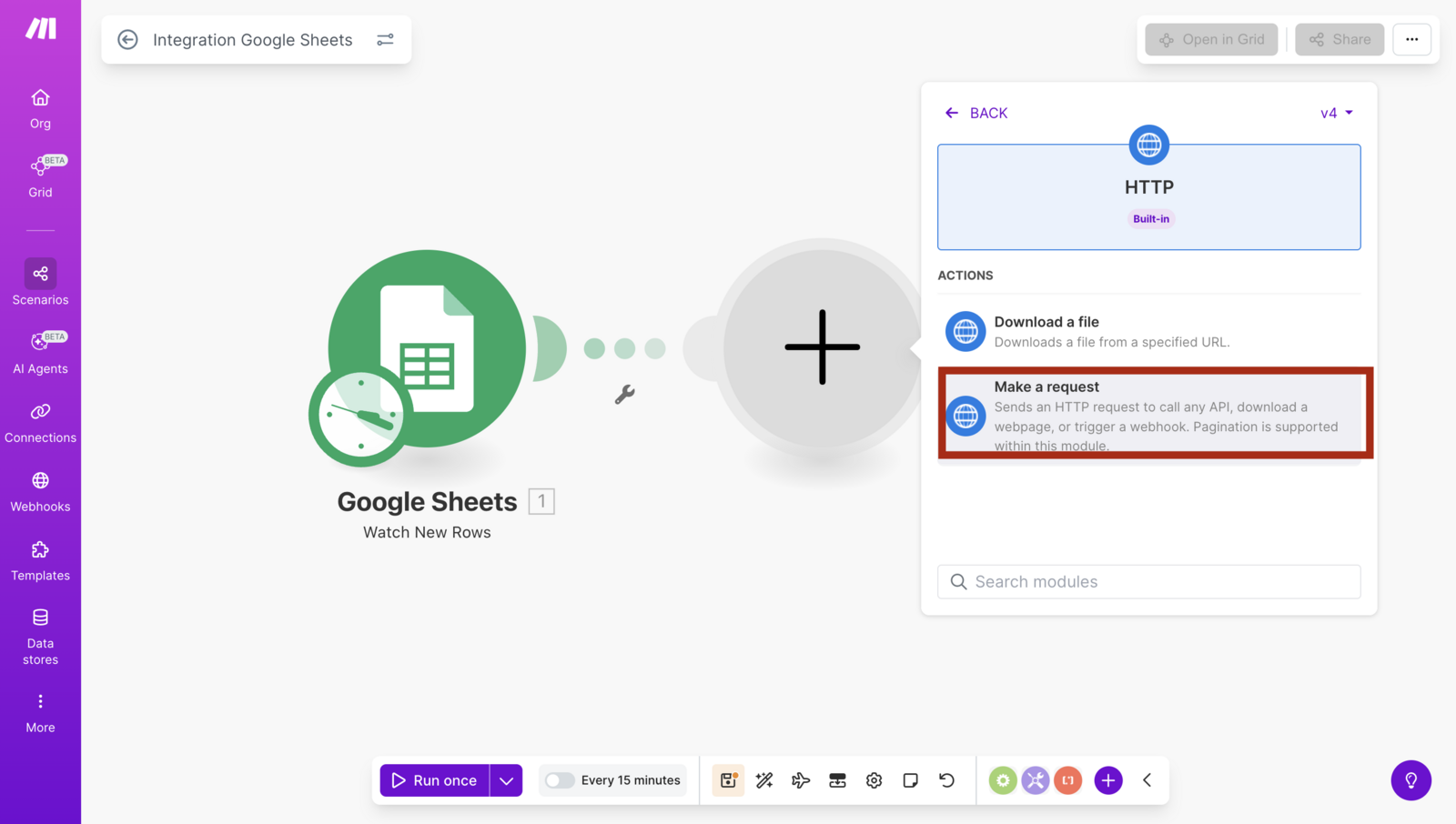
- Click on make a request
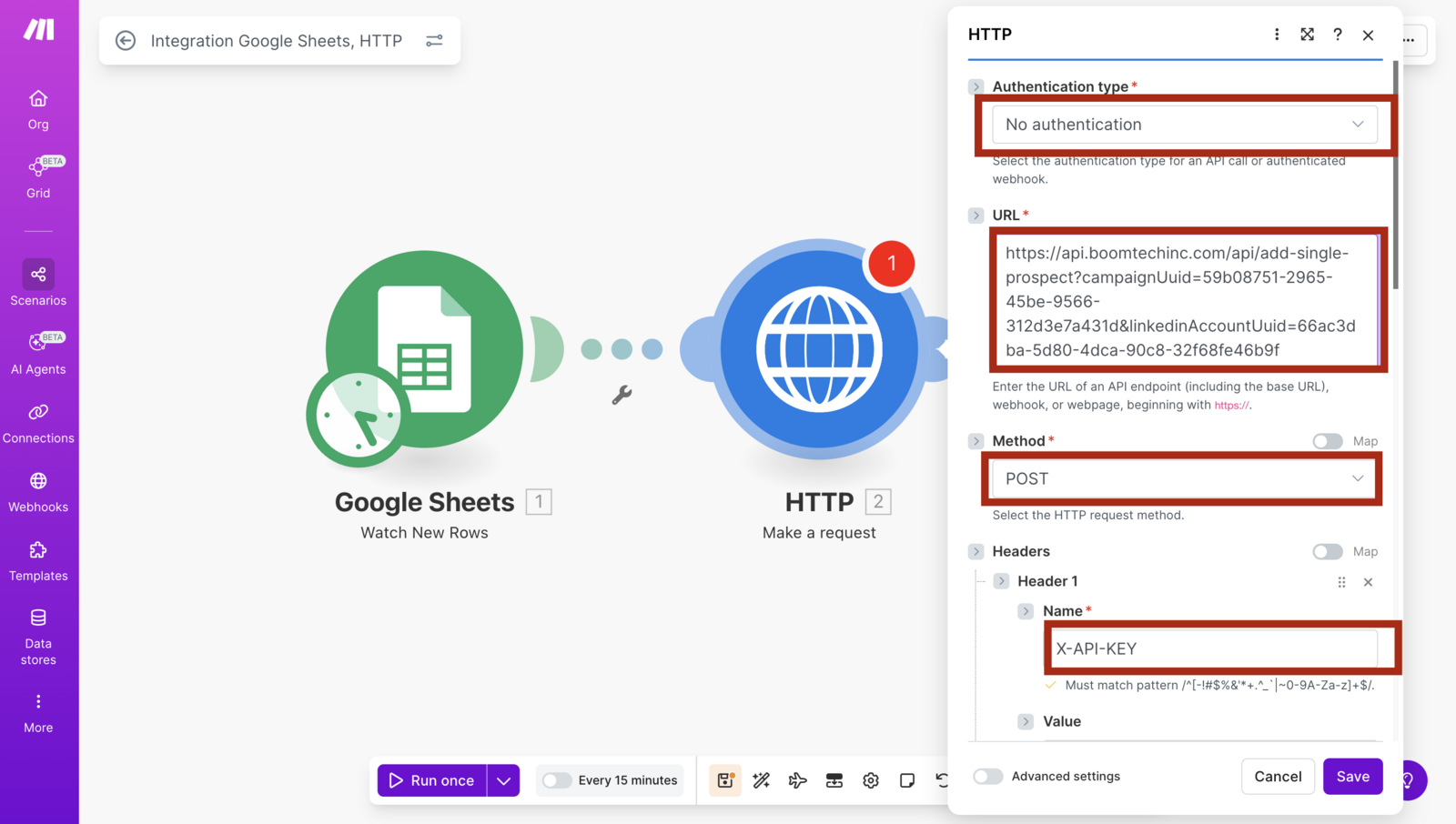
Choose the No Authentication in the authentication type
Paste the URL from the docs for adding a single prospect. In this URL we require CampaingUuid and LinkedinAccountUuid ( following are the steps for getting those )
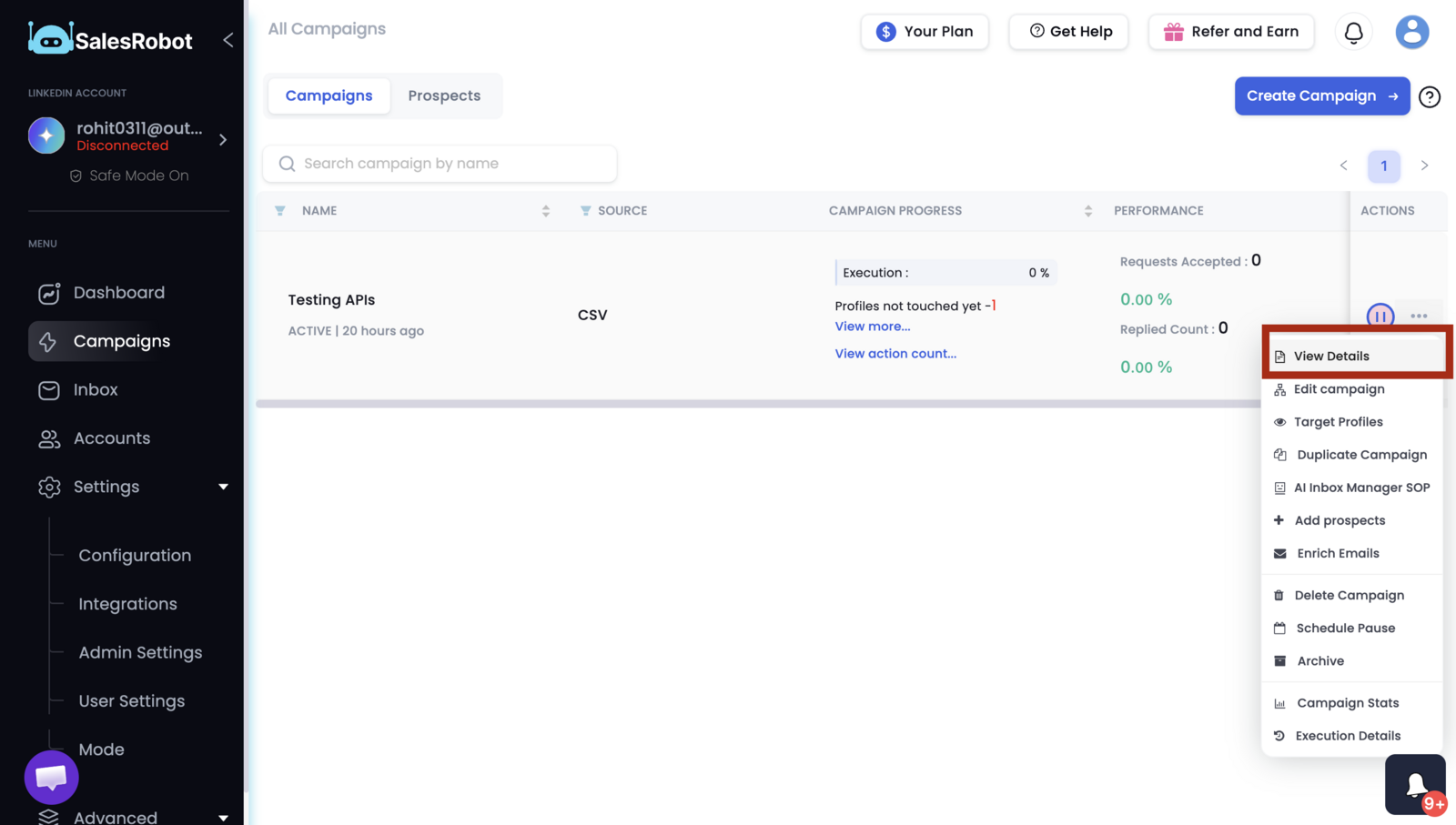
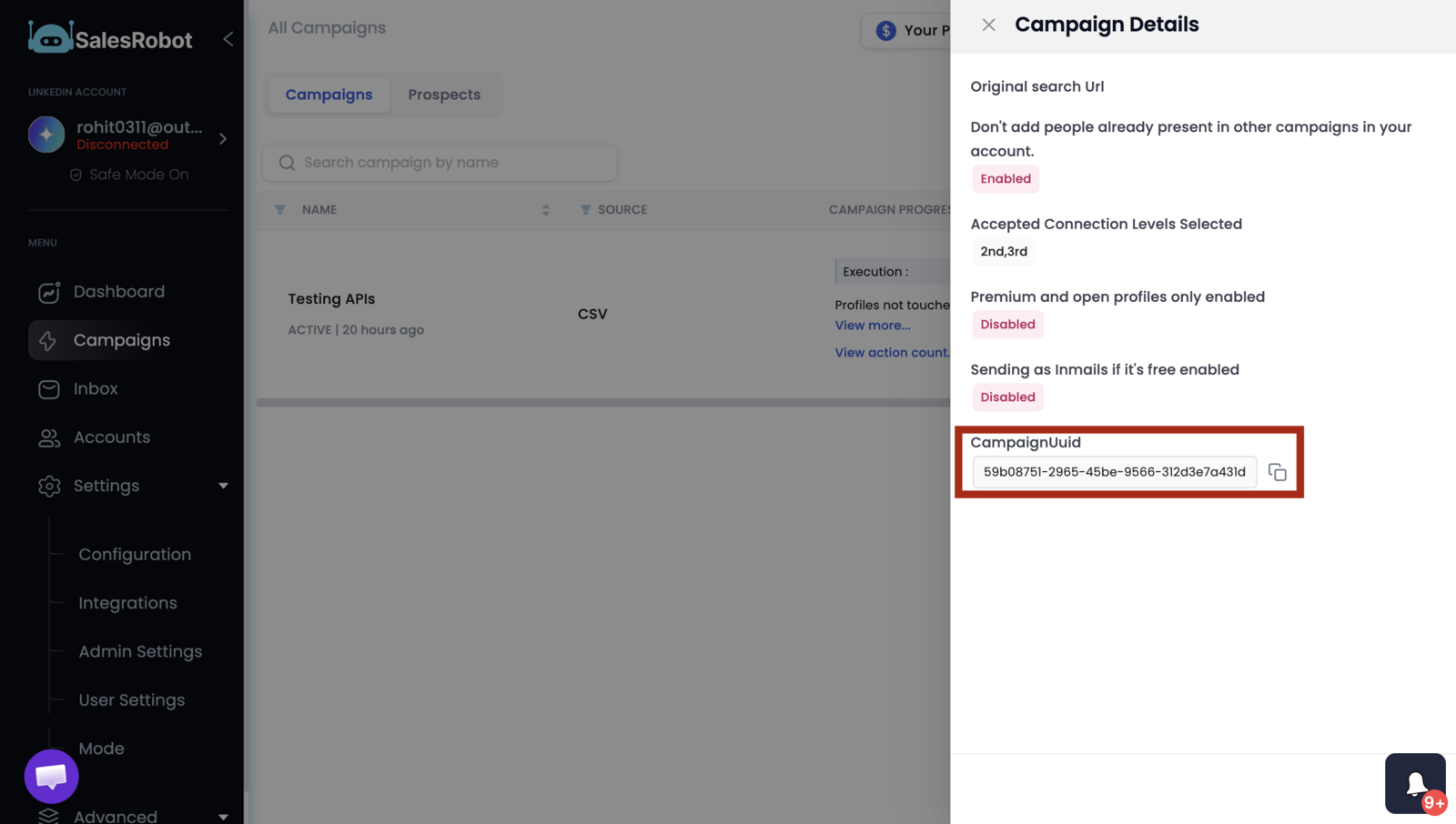
- For getting the campaingUuid go to the campaigns page. click on three dots, click on "View Details".
- Copy the campaignUuid from the bottom
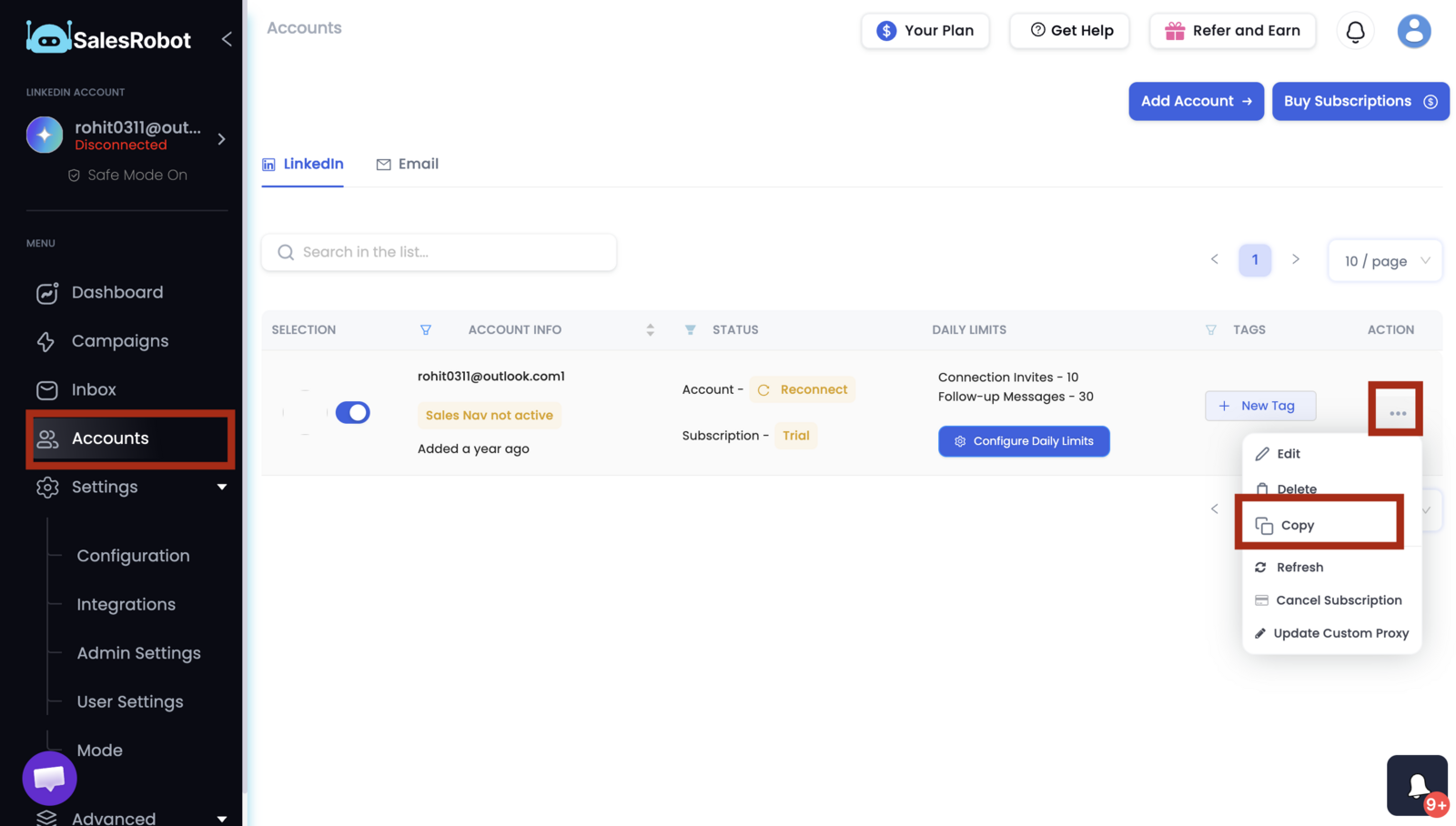
- For getting the LinkedinAccountUuid, go to the accounts page, click on** three dots**, click on copy. It will copy the linkedinAccountUuid to the clipboard.
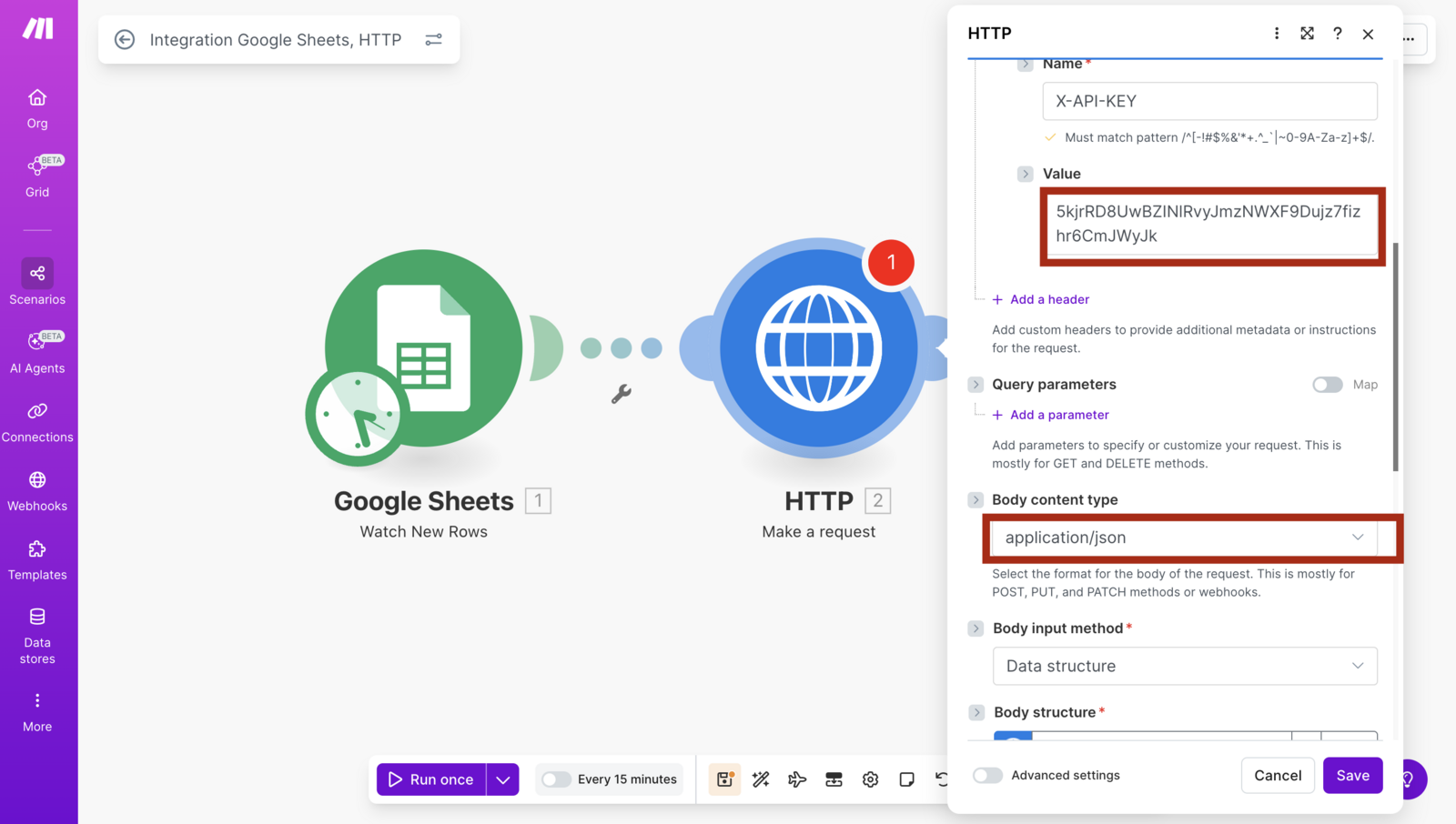
- Inside the Header section, add new Header for X-API-KEY with your API key.
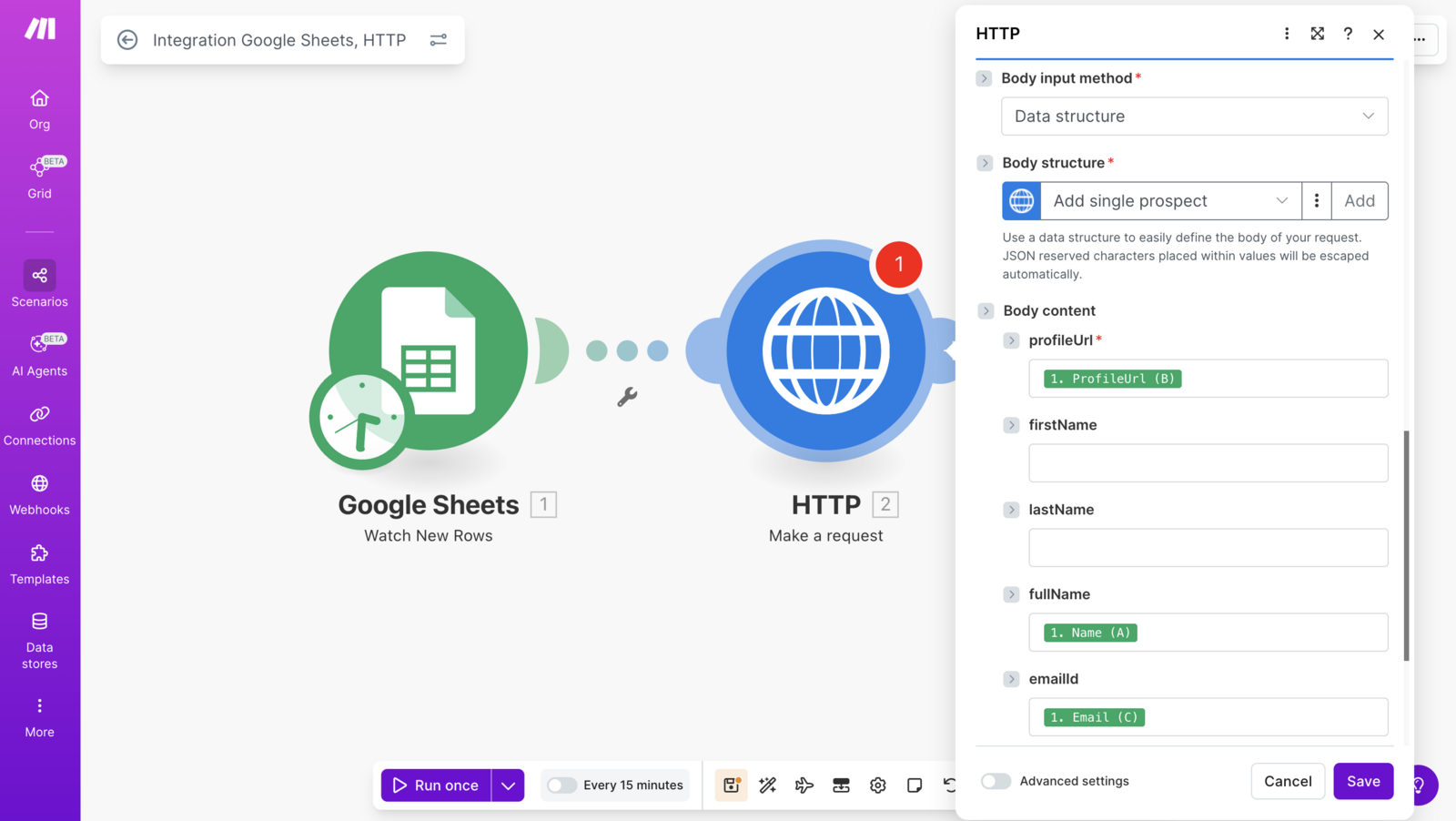
- For adding a prospect to a campaign, profileUrl is the only required field all other are optional.
- Now add a new row in the sheet and test the flow, it will add the prospect into the campaign immediately.