You can easily connect Lead Finesse to your existing workflows using Zapier. Setting up an API connection is now simpler and faster than ever.
Here's the complete video tutorial: Integrate Lead Finesse with Zapier
In this article we will create a new zap in which we will add prospects to Lead Finesse campaign when a new row is inserted in the google sheet
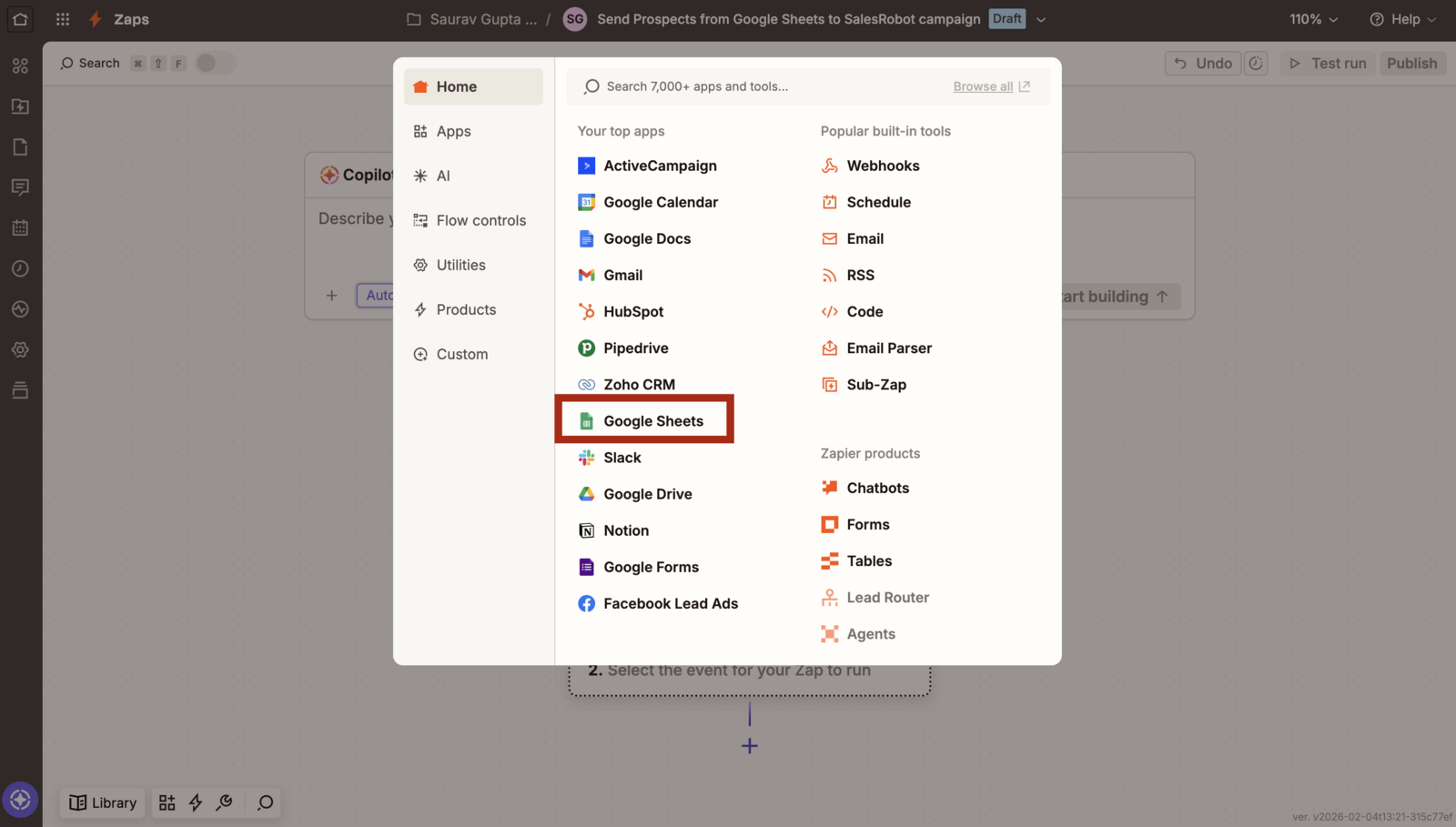
- First select Google sheets as the first step
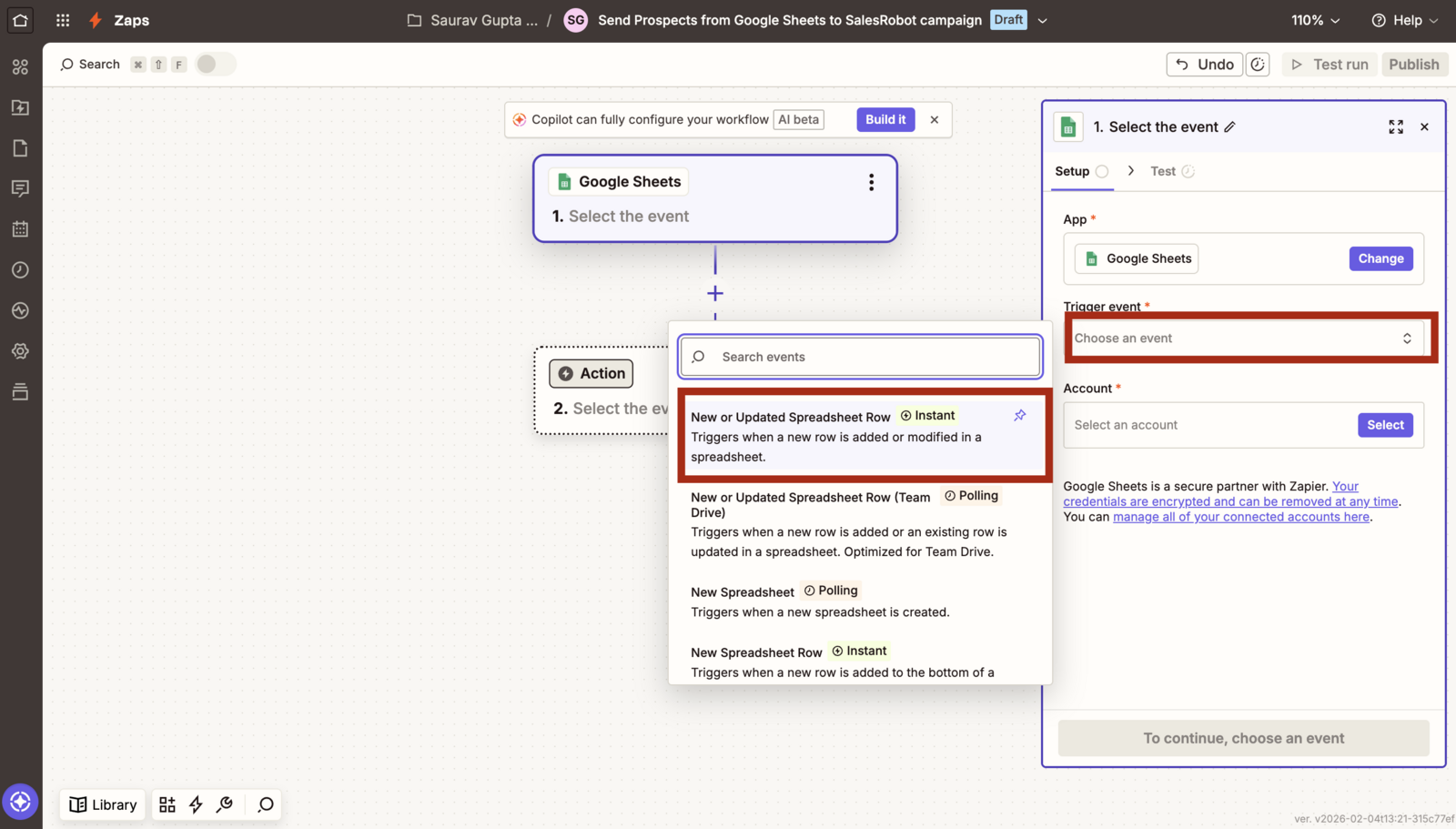
- Choose the New or Updated Spreadsheet Row as the trigger event.
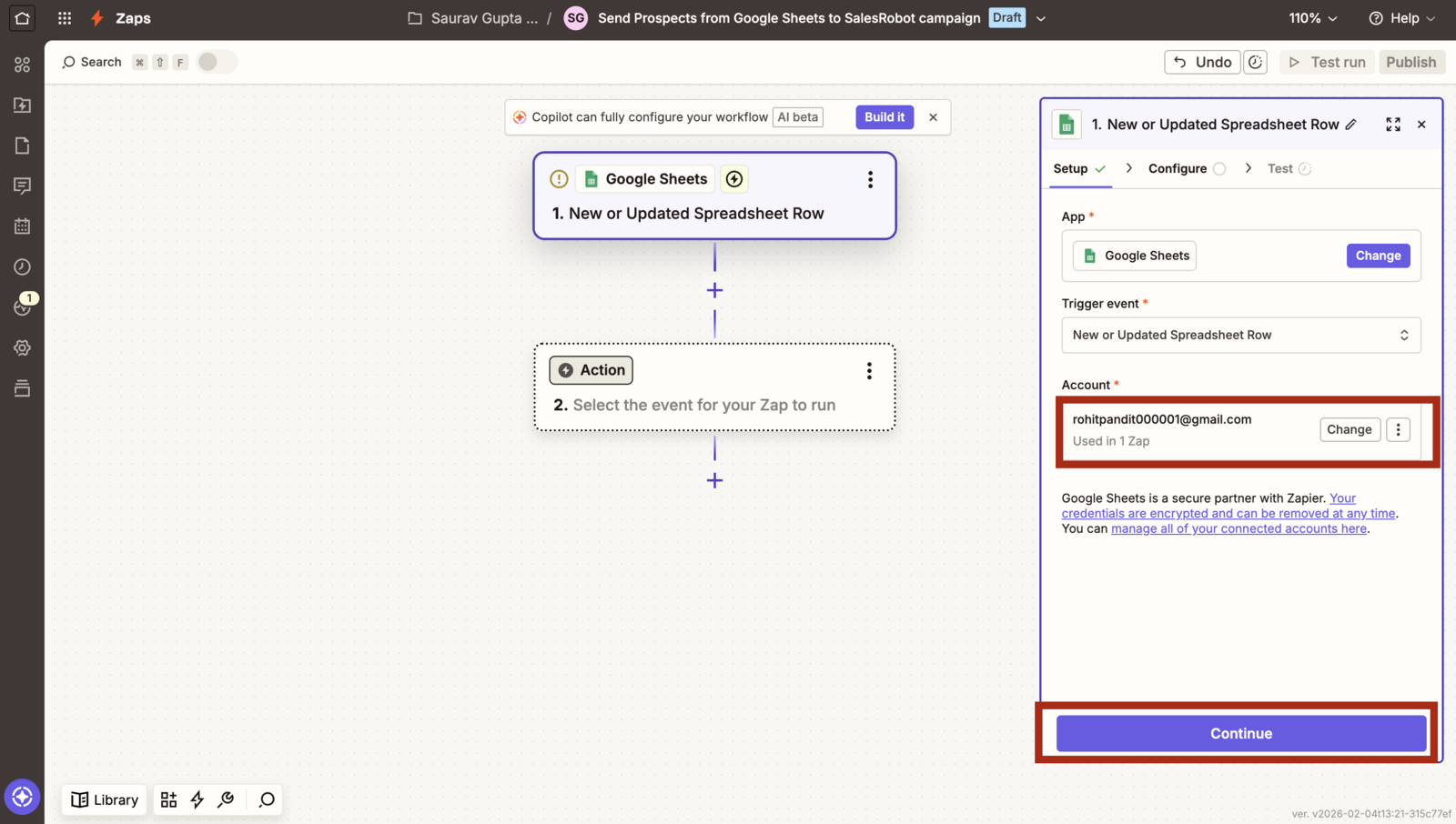
- Choose the Google Account.
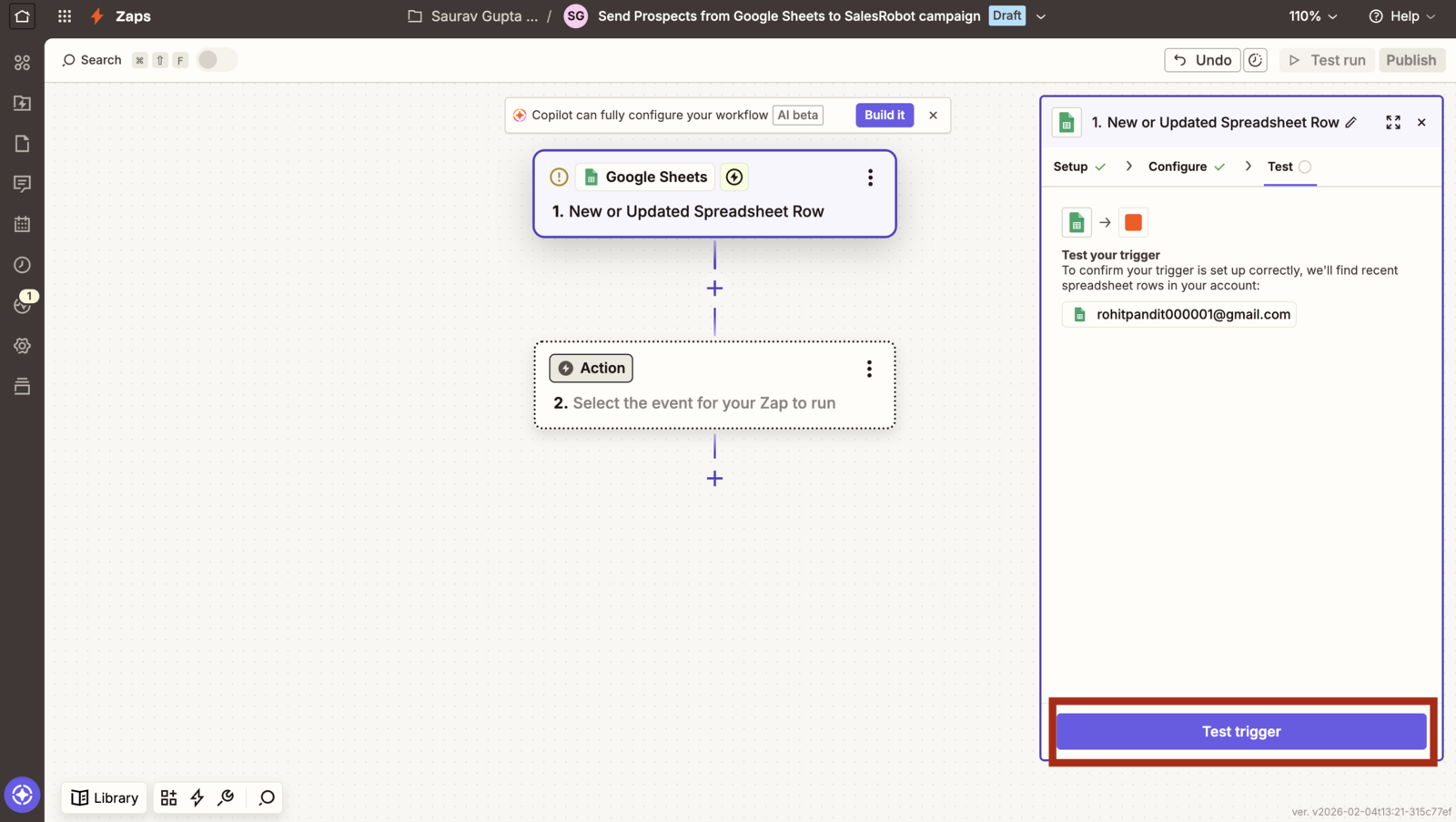
- Click Test Trigger
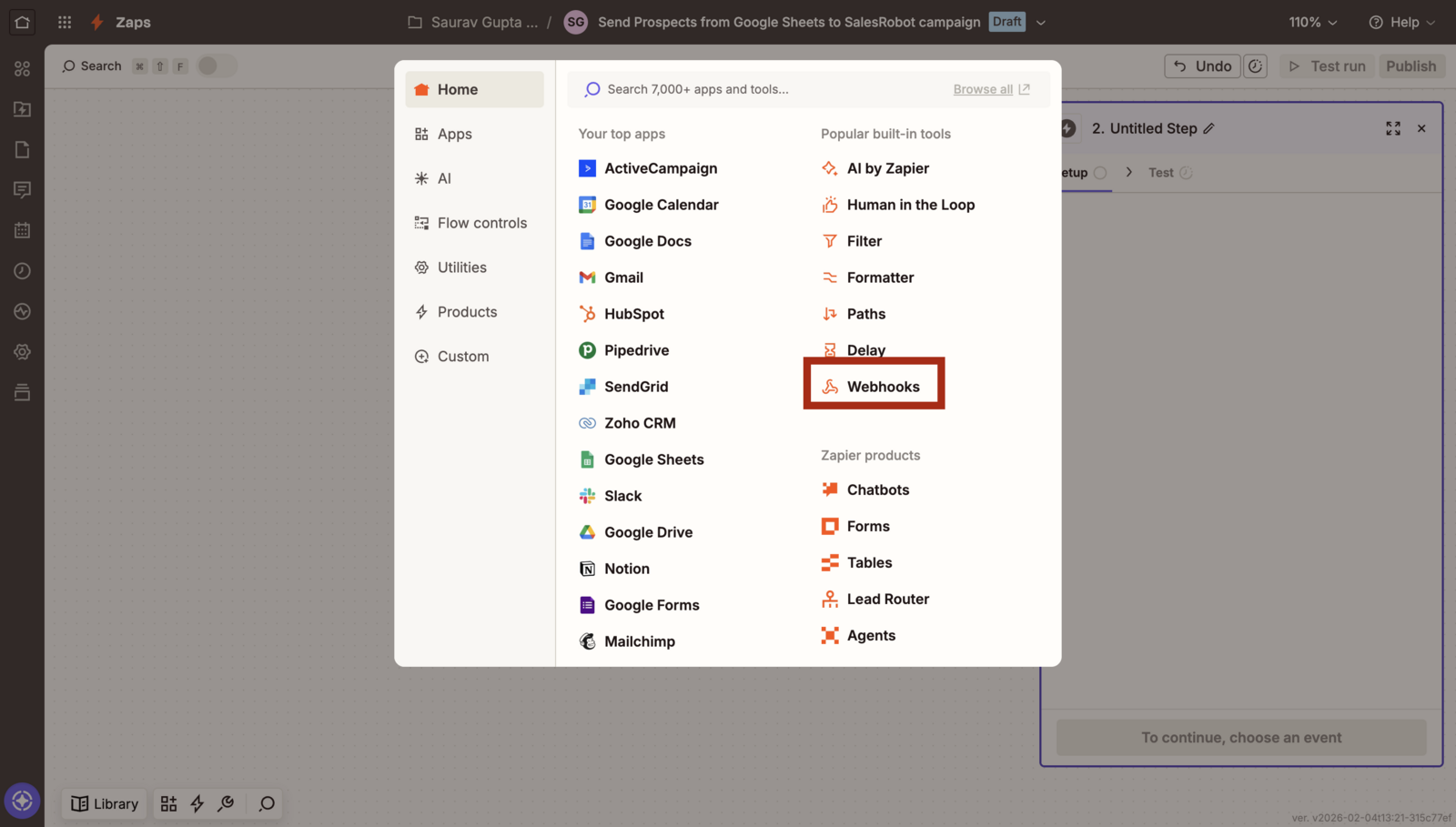
- Now select the Webhooks as the second step
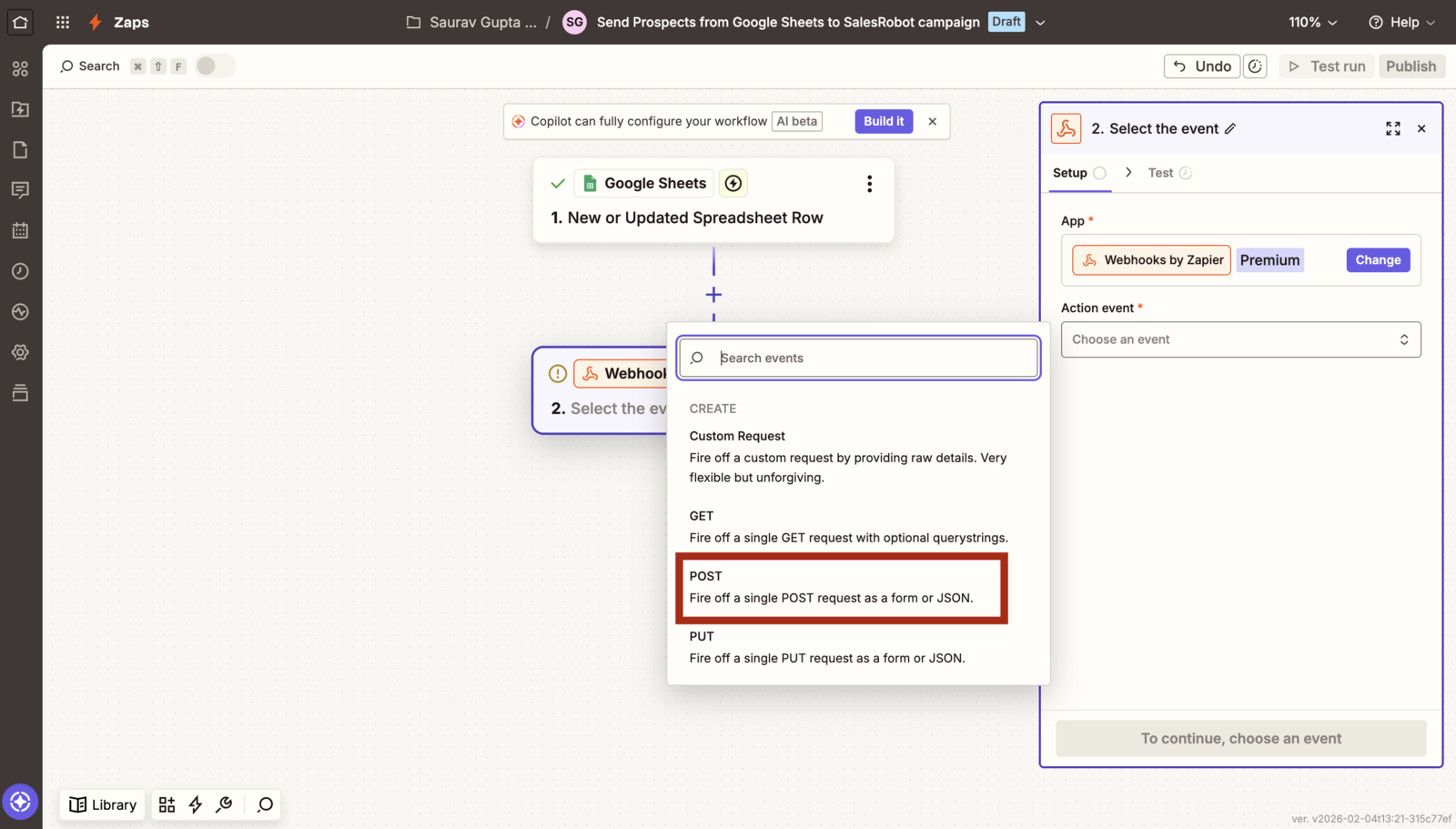
- Select POST as the action event
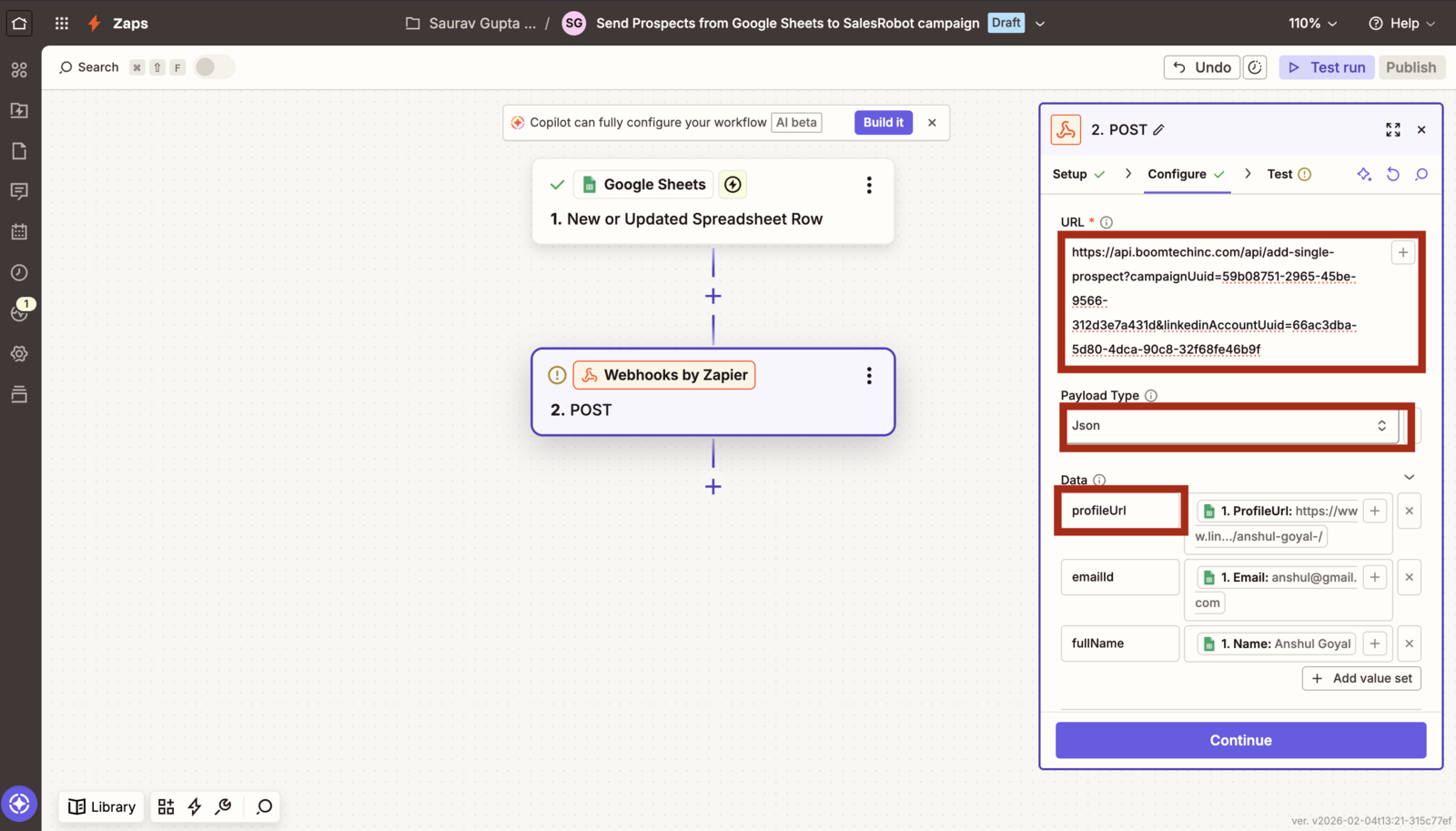
Get the url from the docs [${color}#5349da] , you will need campaignUuid and linkedinAccountUuid.
Set the payload type to JSON, and in the endpoint profileUrl is mandatory for adding a prospect to Lead Finesse campaign.
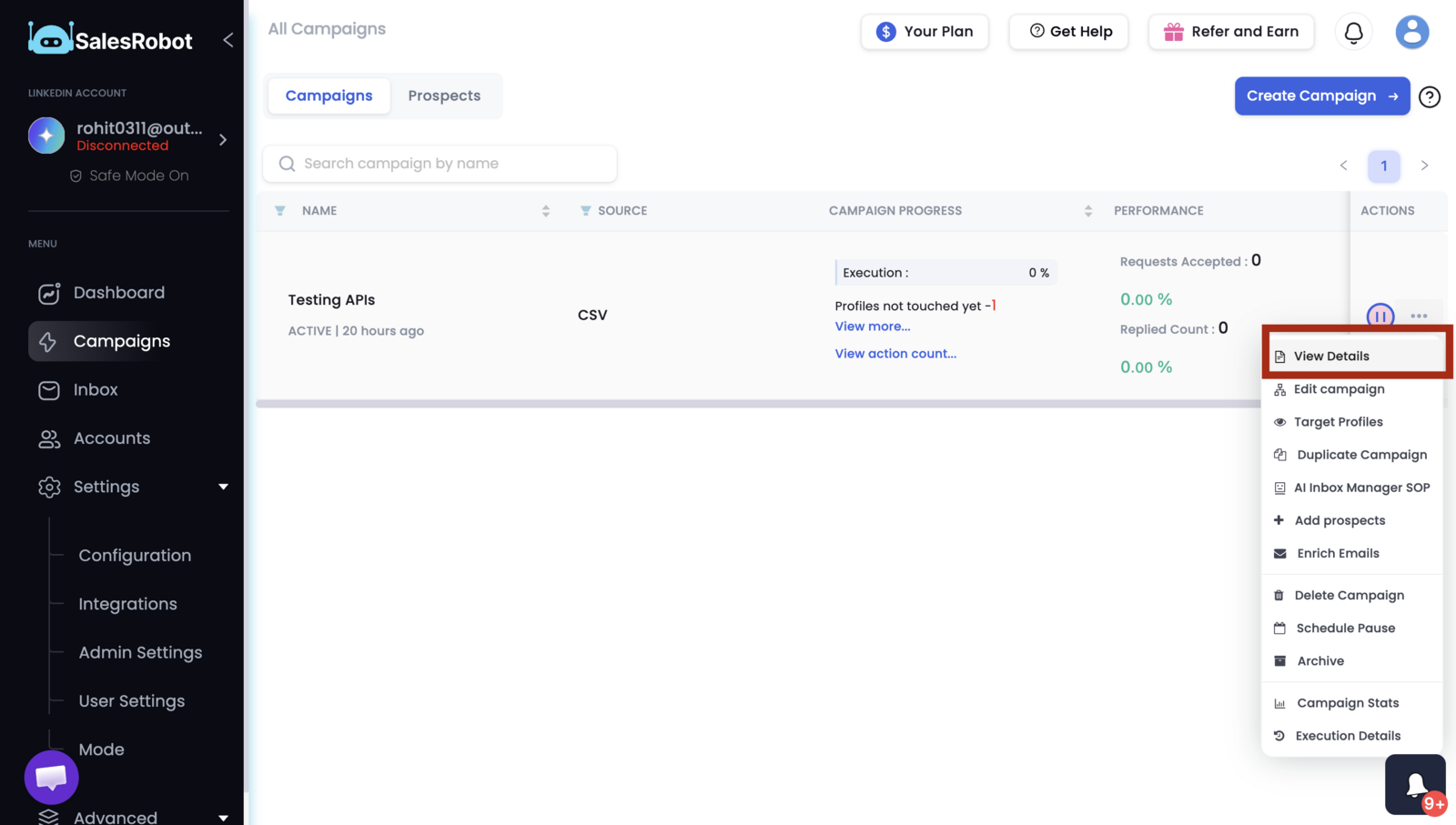
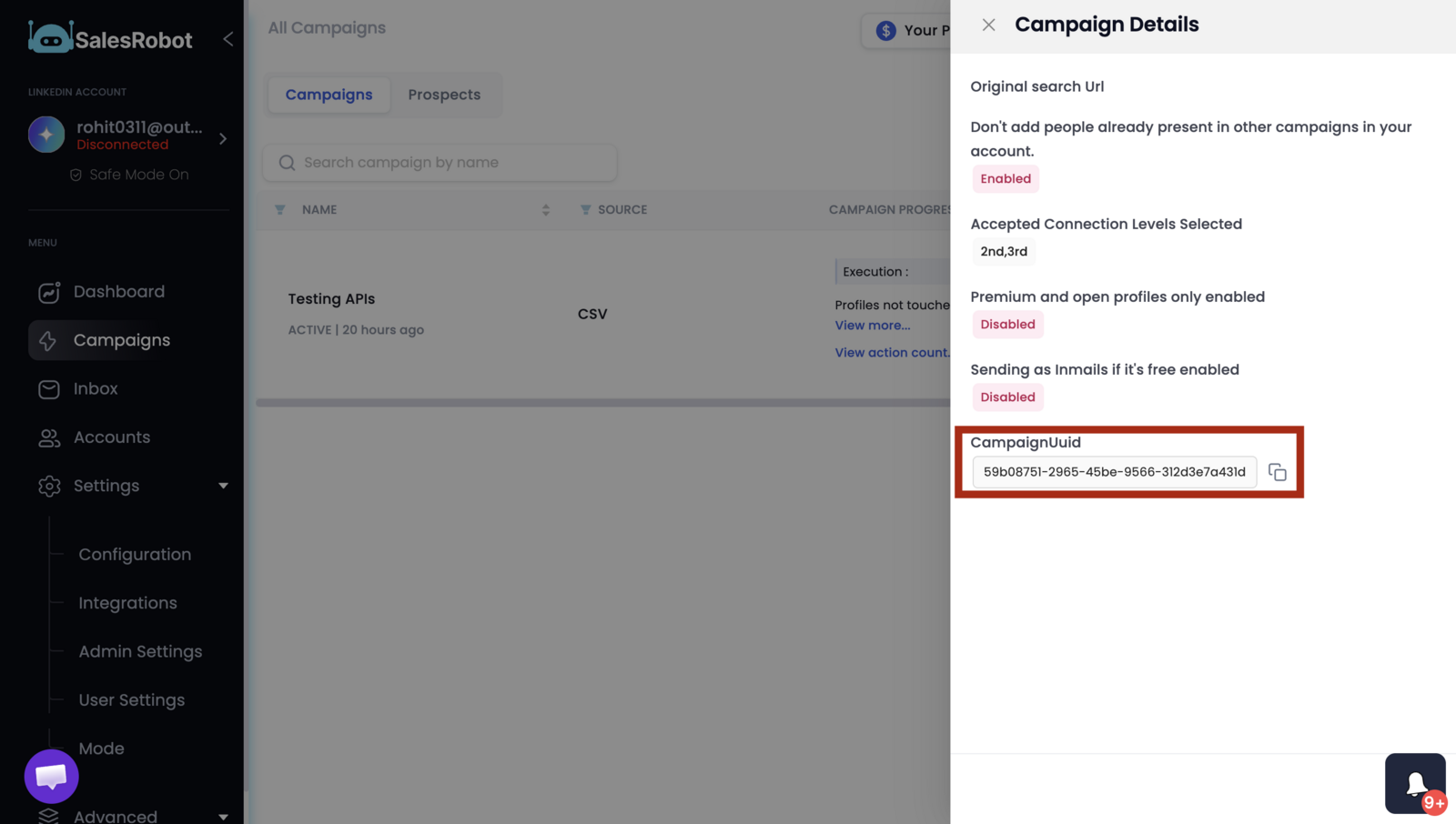
- For getting the campaignUuid go to campaigns page then click on three dots for the campaign you want to add prospects to, and then click view details.
- Then copy the campaign Uuid.
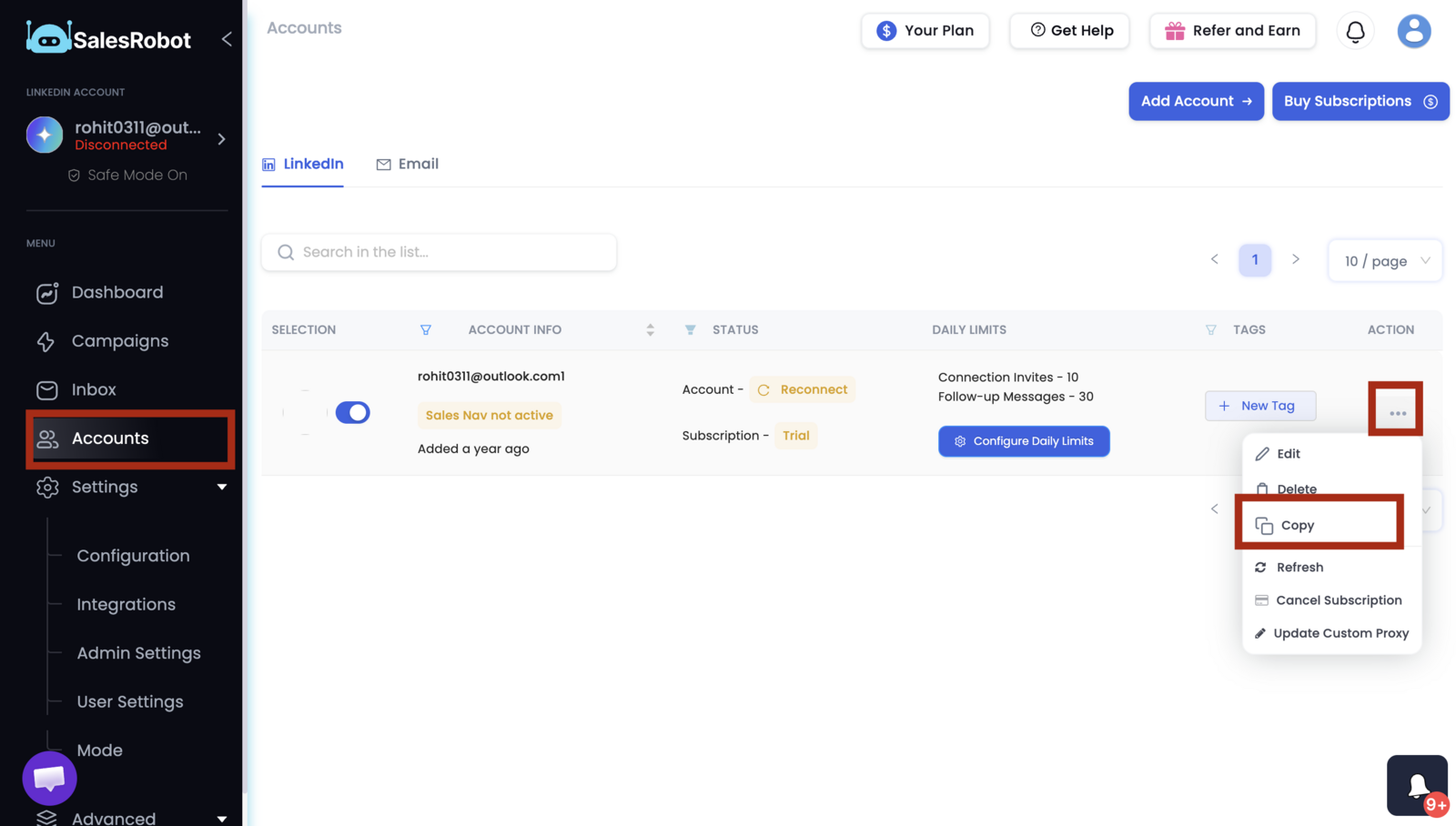
- For getting the linkedinAccountUuid go to the accounts page , click on the three dots and then click copy. this will copy the linkedinAccountUuid to the clipboard.
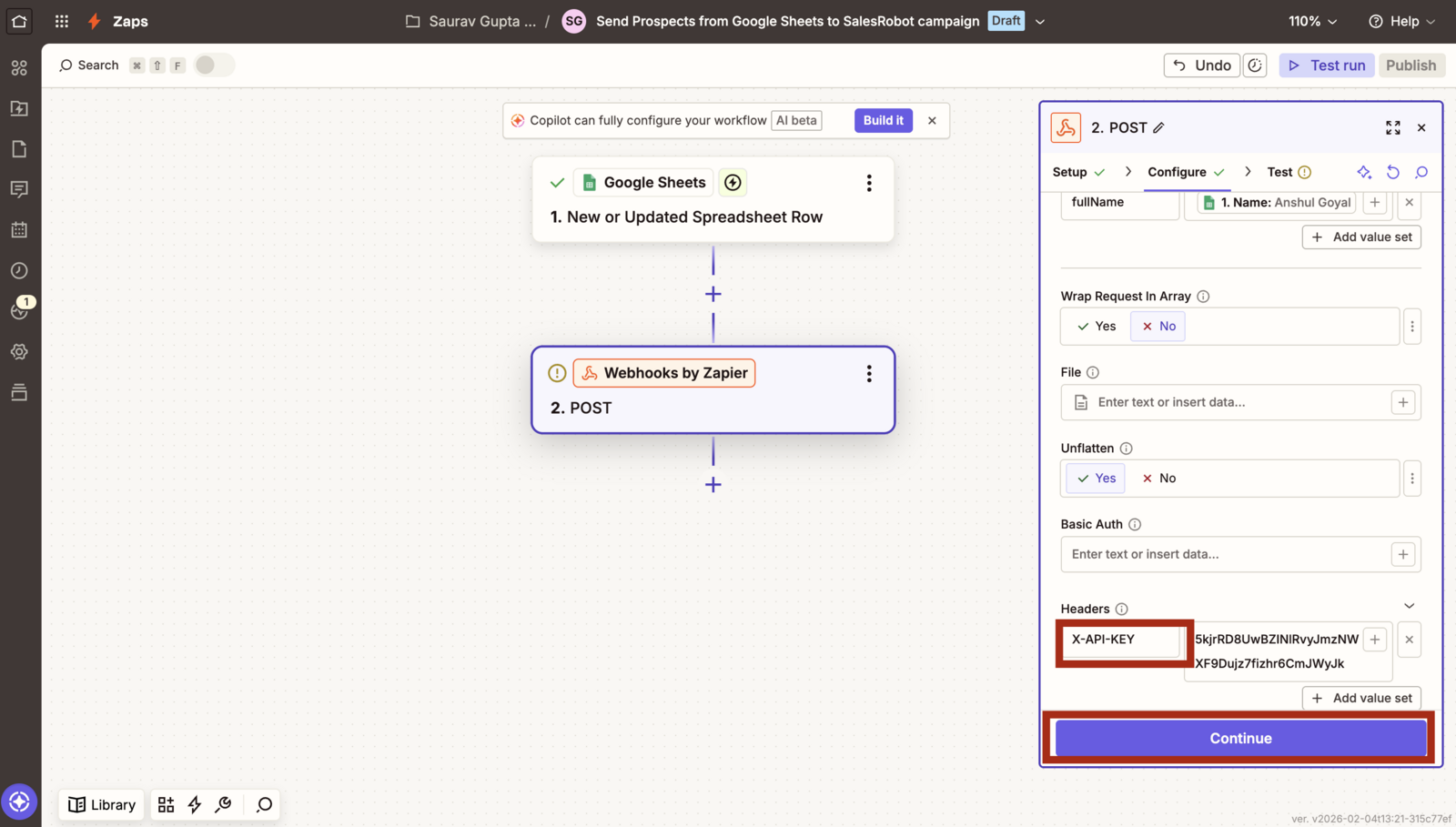
- Then insert the API key under X-API-KEY header, and click continue
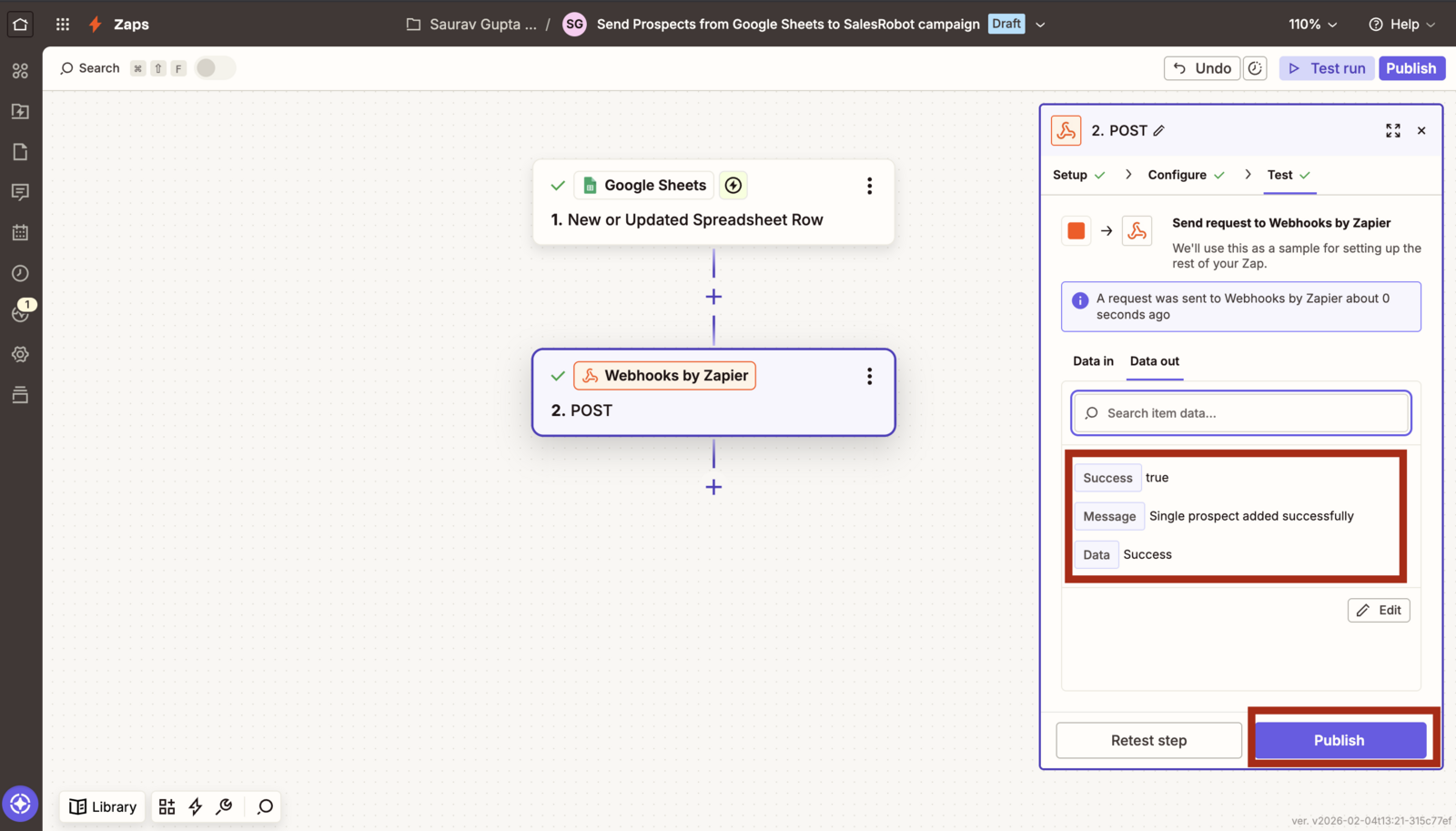
- You should see success as true, and then you can publish the Zap