Text can explain, but it can’t connect.
A quick video lets your prospects see you, hear you, and actually feel like they’re talking to a person, not a screen.
With Lead Finesse’s Personalized Video Messages, you can send short, custom videos that feel completely personal. Without recording each one yourself.
Check out the full tutorial here: See how Video Messages work
Here’s what makes it work so good:
Your AI clone captures both your voice and on-screen presence, making it feel like the real you
Scripts can be customized with variables like {{firstName}}, {{company}}, or {{jobTitle}} for a truly personal touch
Videos are delivered automatically within your LinkedIn outreach, so it’s like sending a one-on-one message at scale
The difference you’ll see: prospects actually stop scrolling, watch your video, and respond, because it feels like a real human reaching out, not another text in a wall of notifications.
How to use Personalized Video Messages
Step 1: Create your AI video avatar
Go to Settings → Configuration → AI Personalization.
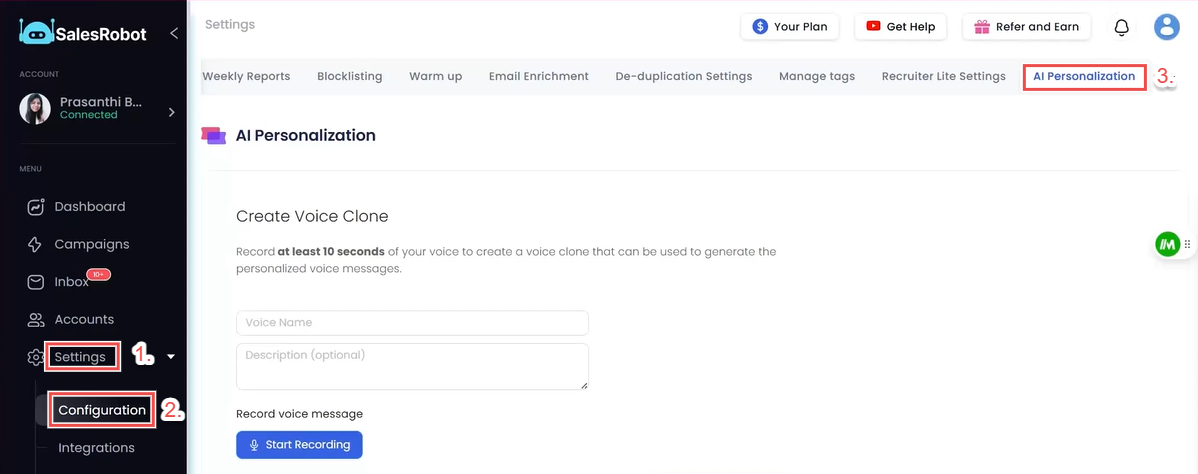
Record a short natural video of yourself (30–45 seconds is enough)
Name it and save it as your video clone
This clone will be the foundation for all your personalized videos.
Step 2: Create a Campaign
Click Create Campaign (with LinkedIn)
Choose Advanced user flow
Step 3: Add Your Prospects
Import via CSV, LinkedIn Search, or Sales Navigator URL
Configure campaign settings
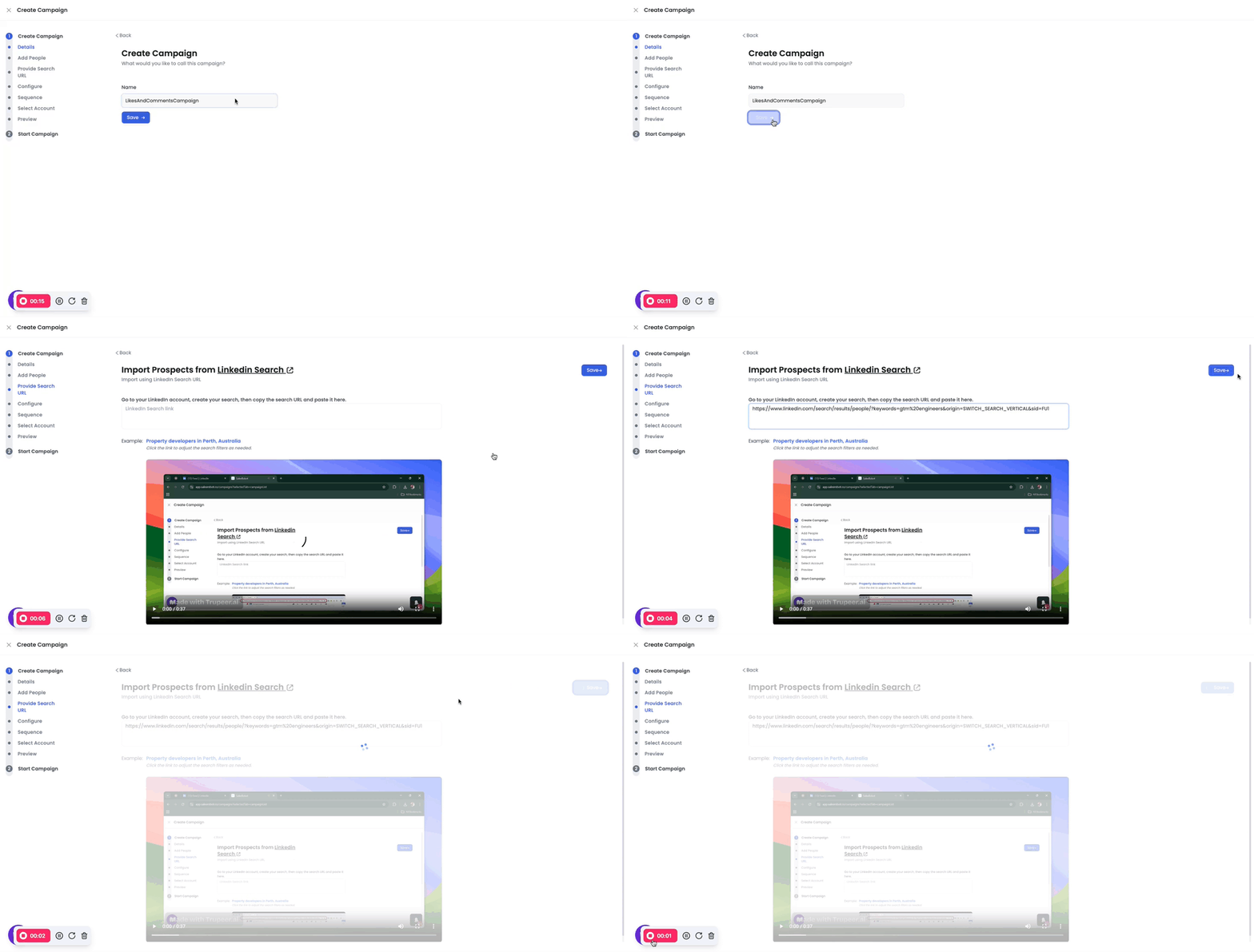
Step 4: Build Your Sequence
Step by step, for example:
Start with a Connection Request
Follow up with a Send Video Message step
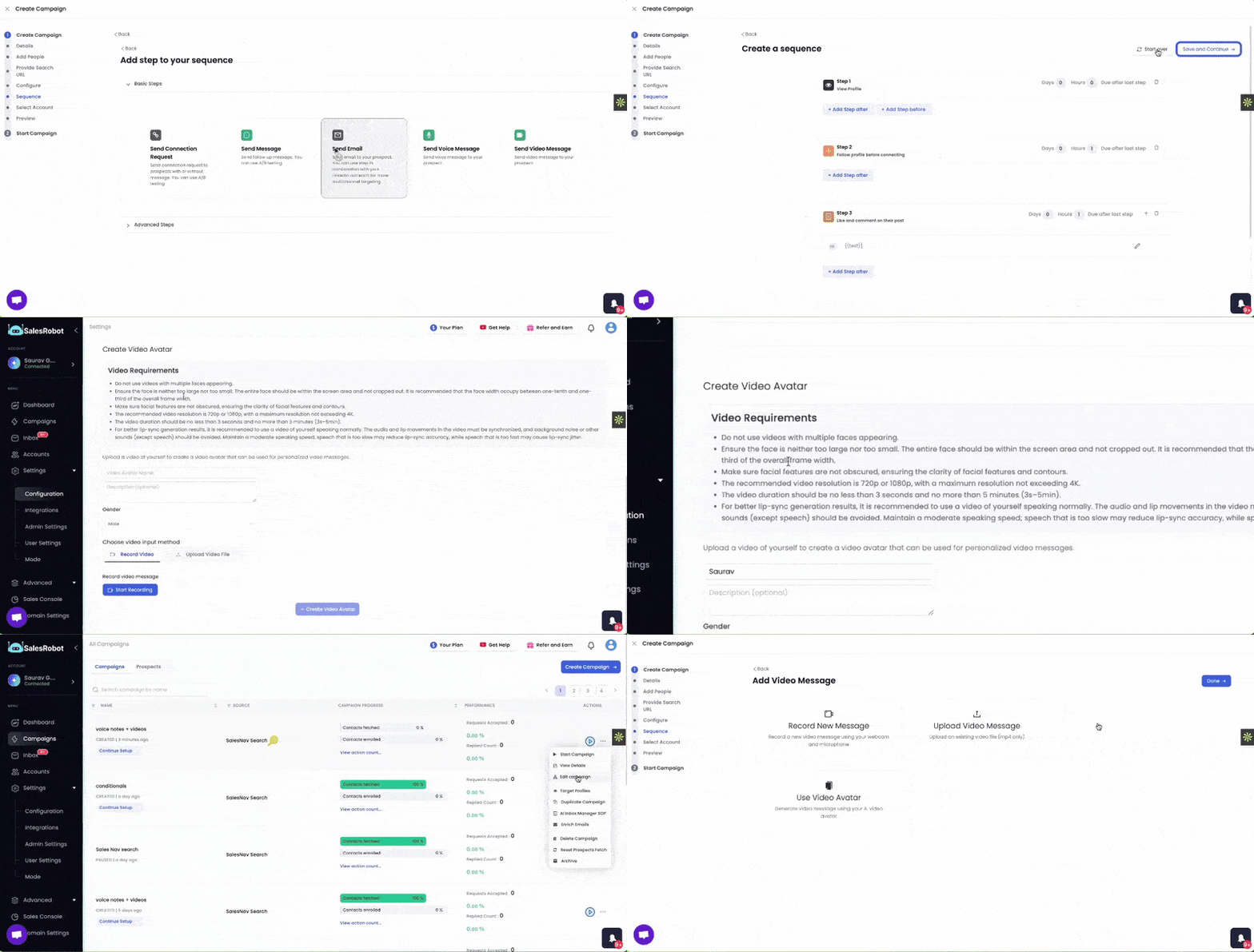
Step 5: Add a Video Message
When adding a Send Video Message step, you’ll see:
Record a new video
Upload an existing video
Use your AI video avatar
If using the clone:
Write your script
Add personalization variables like {{firstName}}, {{lastName}}, {{jobTitle}}
Save the message
Pro tip: Attach a short text line with your video. It gives context and encourages prospects to click play.
Video Best Practices:
Only one face should appear; avoid multiple people in the frame.
Keep your face fully visible and well-sized (roughly 1/10–1/3 of the frame width).
Ensure facial features are clear and unobstructed.
Use 720p or 1080p resolution (maximum 4K).
Video length should be between 3 seconds and 5 minutes.
Speak naturally with synced audio; avoid background noise and extreme speaking speeds for accurate lip-sync.
Max video file size is 20 MB.