Text messages can do the job, but sometimes, they just don’t cut through the noise.
When you want to stand out in someone’s inbox, nothing feels more genuine than hearing a real human voice.
So, what are Personalized Voice Notes?
Check out the full tutorial here: See how Voice Notes work
Lead Finesse’s Personalized Voice Notes feature uses AI voice cloning to generate short, natural-sounding audio messages for your prospects that sound just like you.
Here’s what it does for you:
Clones your own voice (so it still sounds like you)
You write a short script and personalize it with basic variables (like {{firstName}}, {{company}}, or {{jobTitle}}).
Delivers them as a part of your LinkedIn outreach sequence, just like a personally recorded note
The end result: a scalable way to build trust, while still feeling 1:1.
How to use Personalized Voice Notes?
Step 1: Create your voice clone
- Go to Settings → Configuration → AI Personalization.
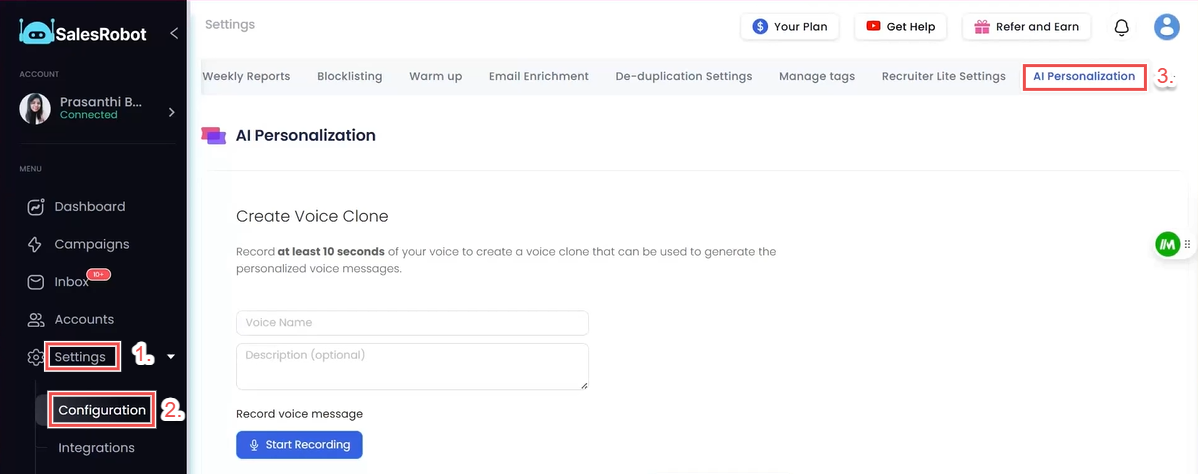
Record a short sample in your natural tone (20–30 seconds is enough).
Give it a name and save it as your voice clone.
This is what the AI will use to generate personalized notes that sound exactly like you.
Step 2: Create a Campaign
Click Create Campaign (with LinkedIn).
Choose Advanced user flow.
Step 3: Add Your Prospects
Import prospects via CSV, LinkedIn Search, or Sales Navigator URL.
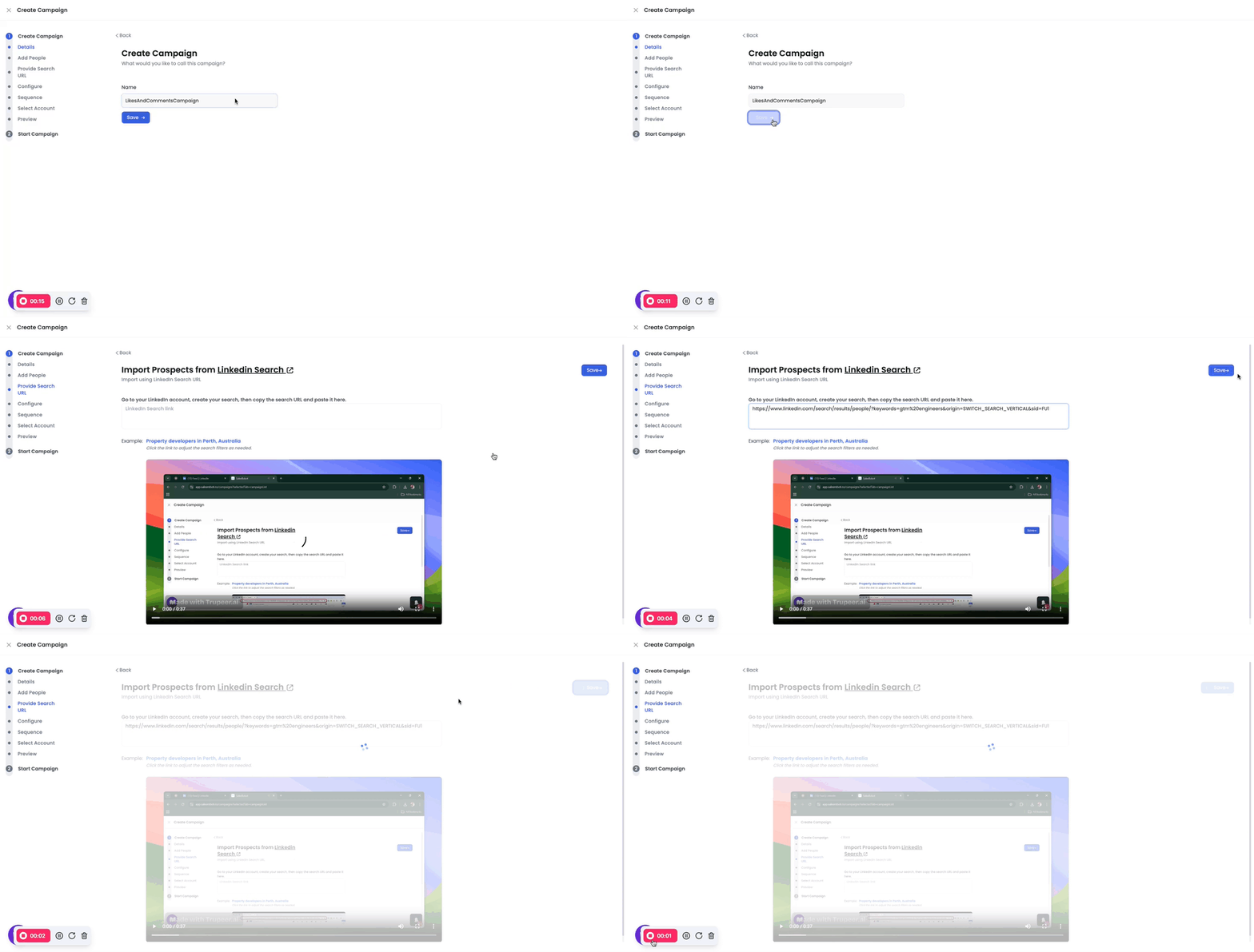
Once added, configure your campaign settings.
Step 4: Create Your Sequence (From Scratch)
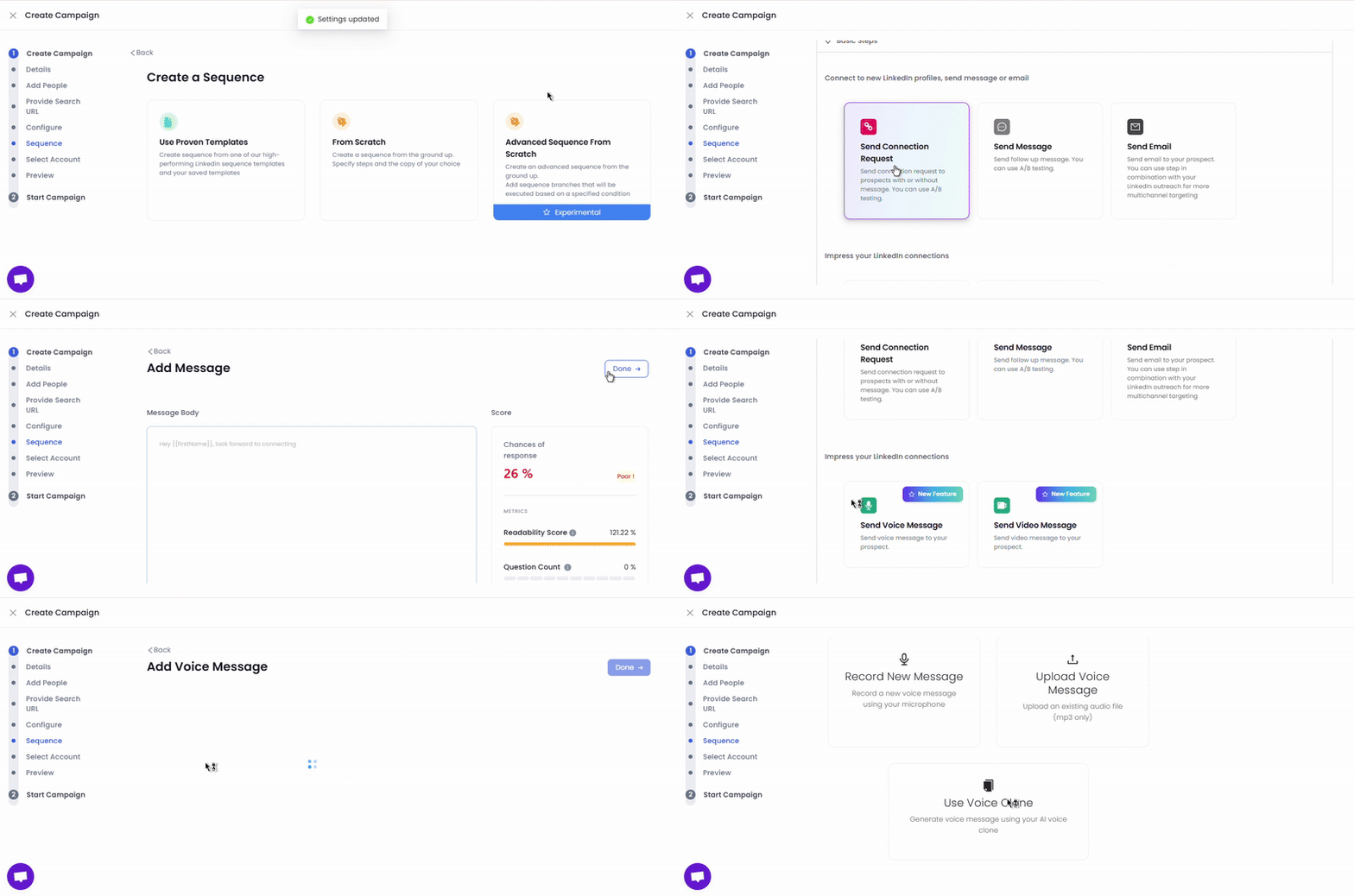
Build your sequence step by step.
For example:
- Start with a **Connection Request **
- Follow up with a Send Voice Note step
** **
Step 5: Add a Voice Message
When you add a Send Voice Note step, you’ll see three options:
Record a new voice message
Upload an existing audio file
Use your AI voice clone
If you choose the voice clone option:
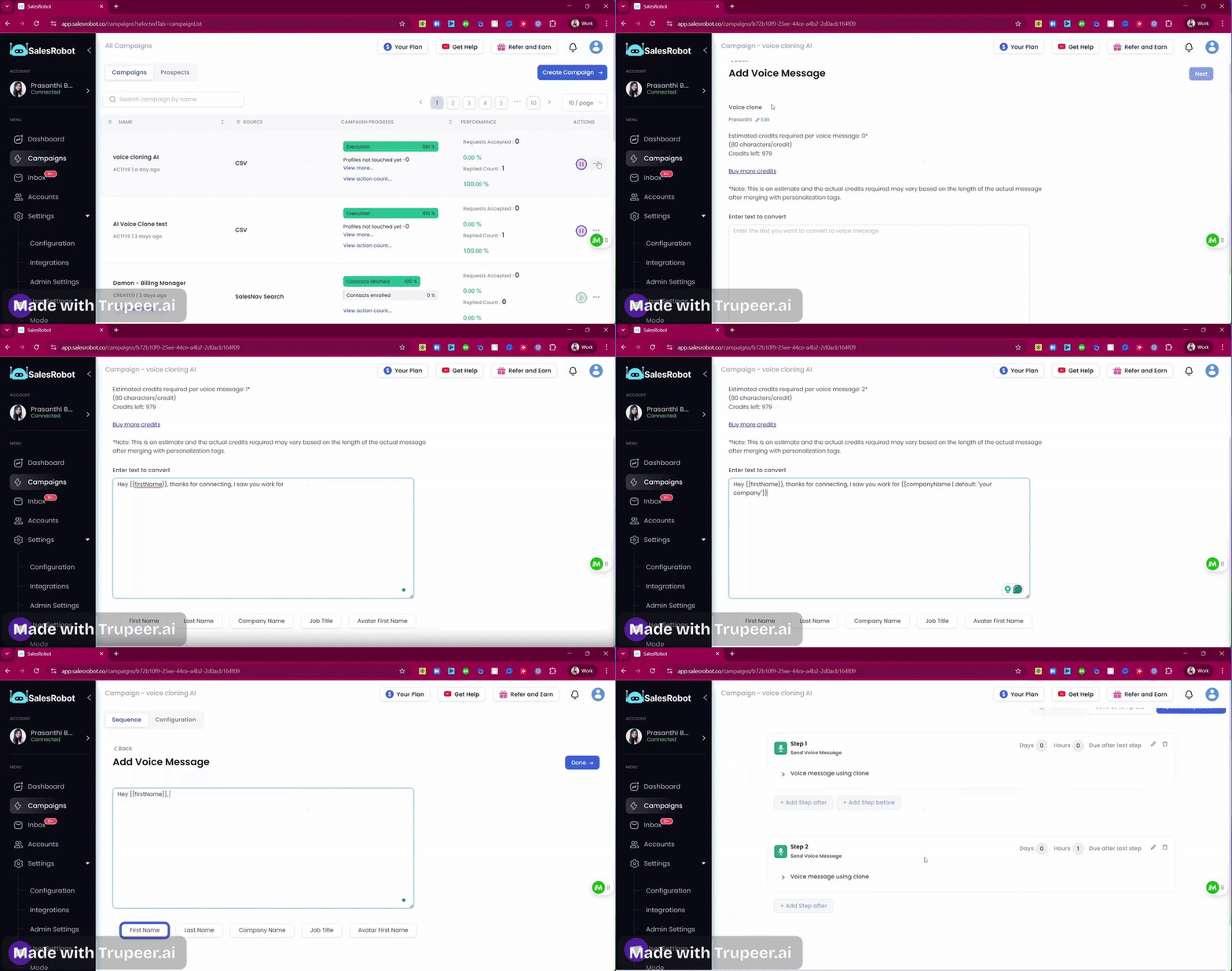
Write the script you want the AI to generate in your cloned voice
Add basic variables like {{firstName}}, {{lastName}}, {{jobTitle}} for personalization
Save the message
Note: You can also attach a text message to go along with the voice note. Adding a short line of text can ensure your voice note has context, so prospects know what to expect before clicking play.
Best Practices:
Keep your voice notes short (20–30 seconds works best)
Use them as a warm opener before your main outreach
Pair with text follow-ups to balance personal touch with clarity
Max file size: 20 MB