To enable automatic meeting booking in co-pilot mode, follow these steps:
Step 1: Go to Campaigns
Open Lead Finesse and navigate to the Campaigns section.
Step 2: Open Campaign Settings
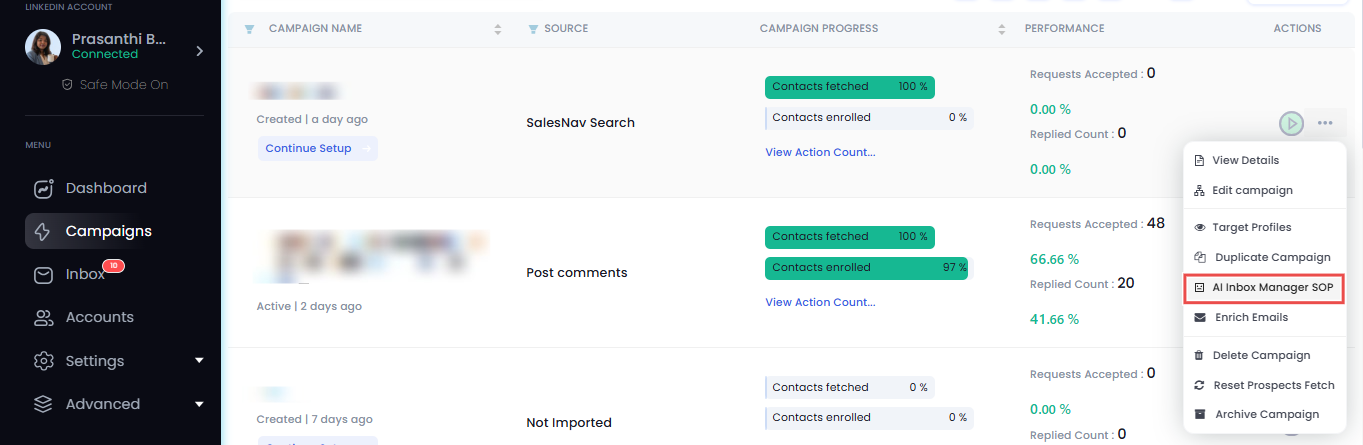
Find your campaign, click the three dots on the right side.
Step 3: Access AI Inbox Manager SOP
From the dropdown, select AI Inbox Manager SOP.
Step 4: Enable Calendar Integration
Turn on the toggle for “Book meetings automatically via Calendly.”
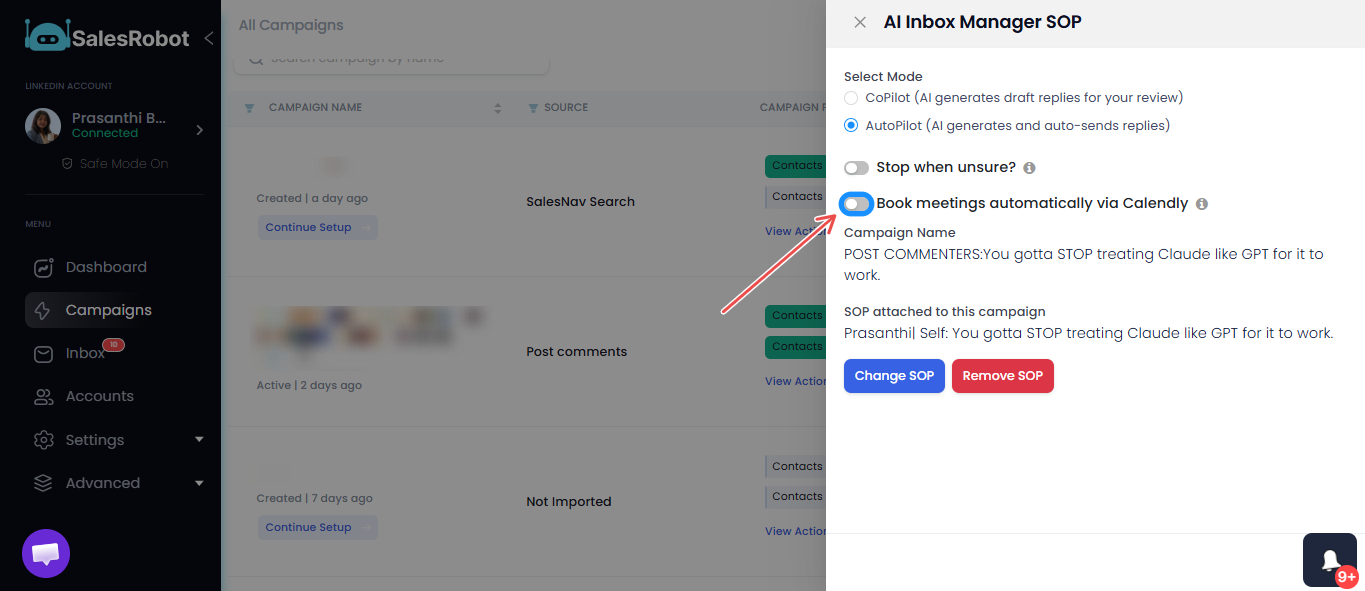
Once enabled, your campaign can automatically schedule meetings through Calendly during conversations.