If you want to reuse an existing campaign structure instead of building everything again, Lead Finesse lets you duplicate any campaign in just a few clicks.
This copies the sequence and configuration so you can quickly launch a similar campaign.
Follow the steps below:
Step 1: Open the Campaigns Page
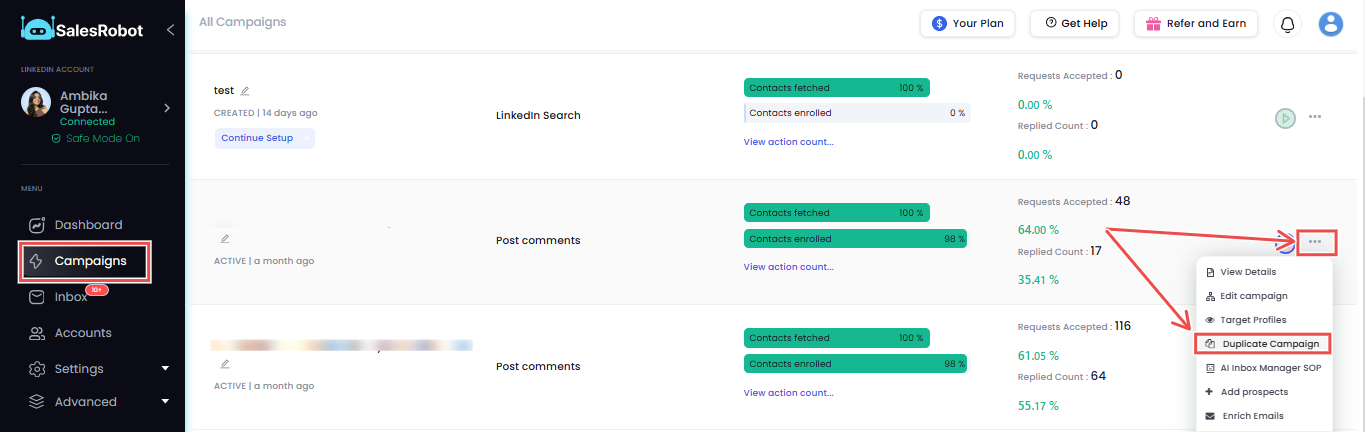
Go to the Campaigns section inside Lead Finesse, where you will see a list of all your campaigns.
Find the campaign you want to duplicate.
Step 2: Select “Duplicate Campaign”
Click the three dots on the right side of the campaign, and from the dropdown menu, select Duplicate Campaign.
Step 3: Choose “I'm an Advanced User”
Step 4: Add Prospects
Next, choose how you want to add prospects.
Lead Finesse provides multiple options, such as:
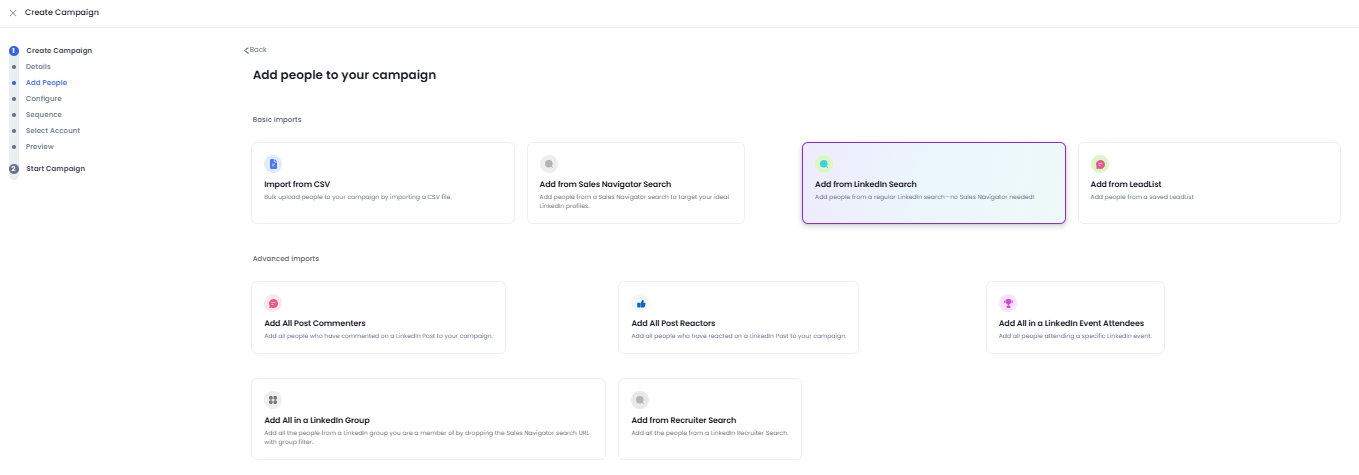
Select the option that fits your campaign.
Step 5: Configure Campaign Settings
Continue through the setup and configure the campaign settings.
Step 6: Review the Campaign Sequence
The duplicated campaign already includes the original sequence.
You can:
- Edit the messages
- Add new steps
- Remove steps you do not need
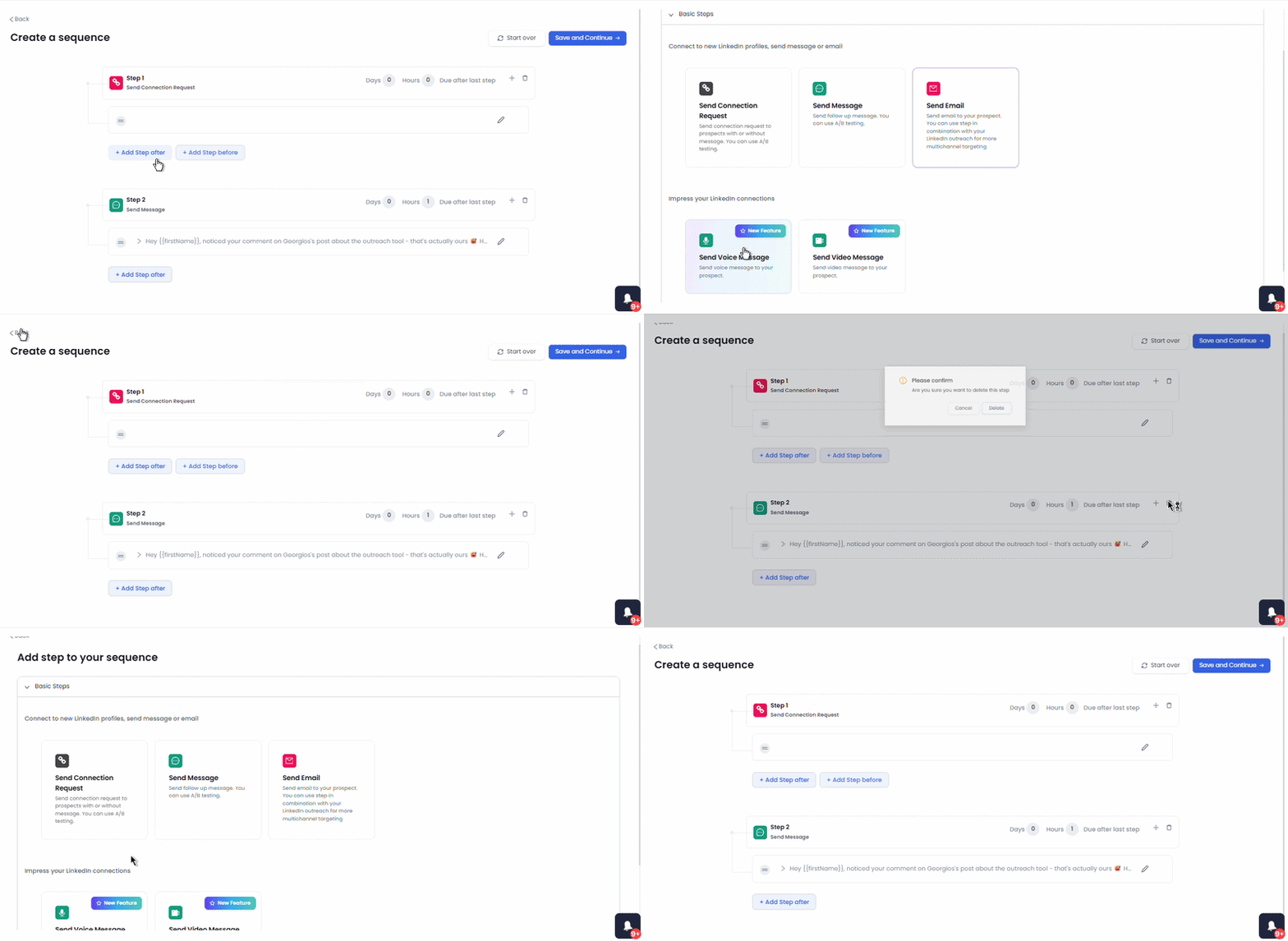
This lets you reuse the structure while adjusting the messaging for the new campaign.
Step 7: Launch the Campaign
Once everything looks correct, start the campaign.
Your duplicated campaign will now begin running with the updated prospects and settings.