Here's a step-by-step guide on how to create a targeted campaign in Lead Finesse using Sales Navigator leads:
Identify your target group:
- In Sales Navigator, go to Lead Filters.
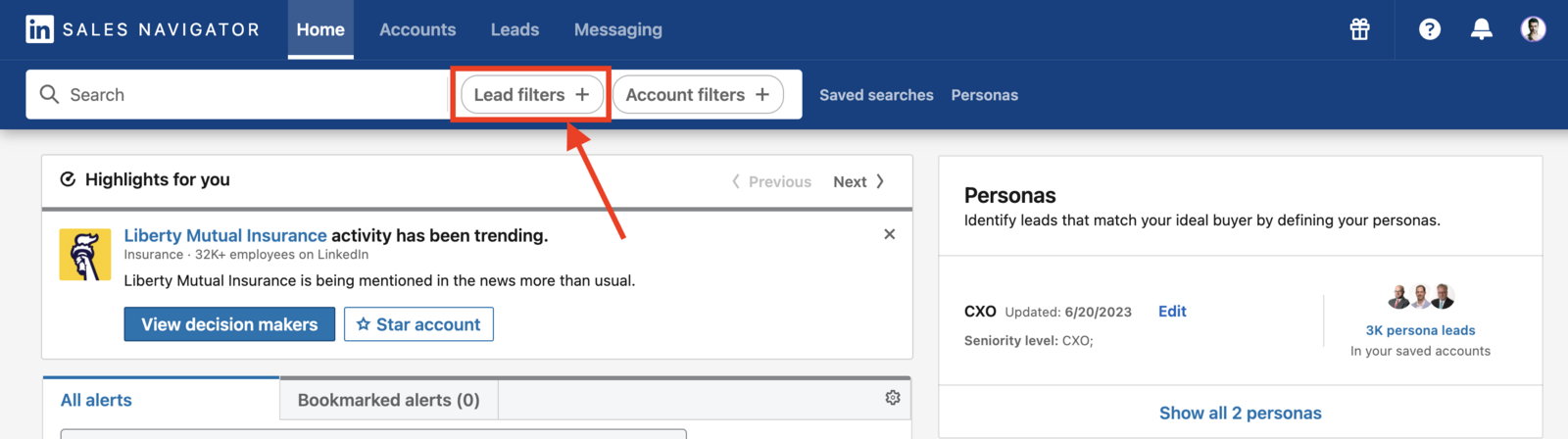
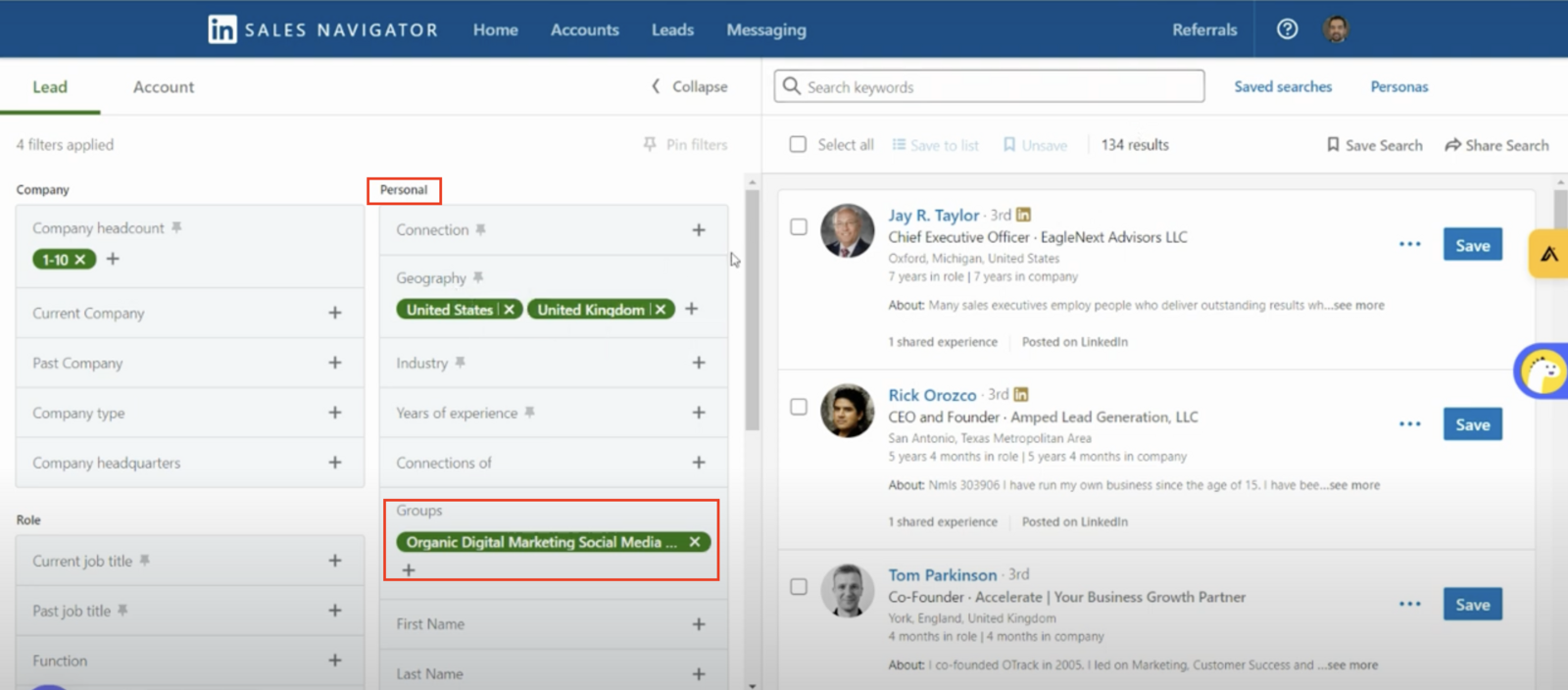
In the Personal section, select Groups.
Choose the specific group that you're a part of whose members you want to target.
Add more filters as needed to refine your target audience.
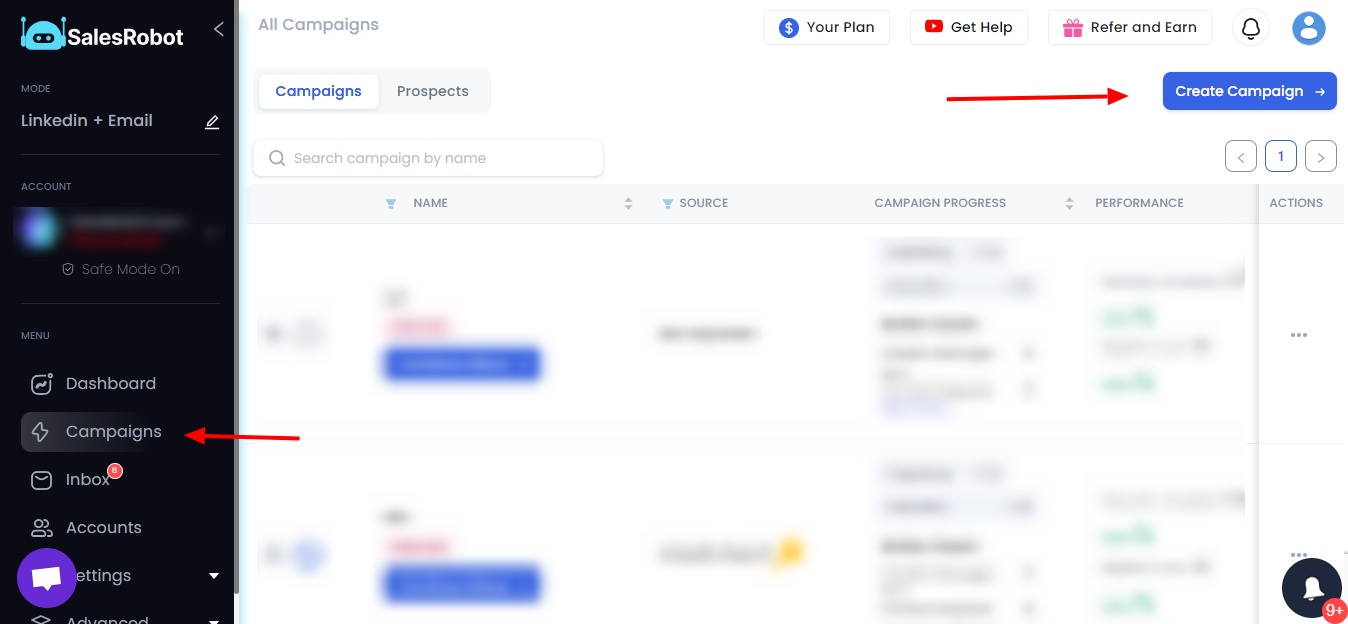
- Go to Lead Finesse and create a campaign from the Campaigns page
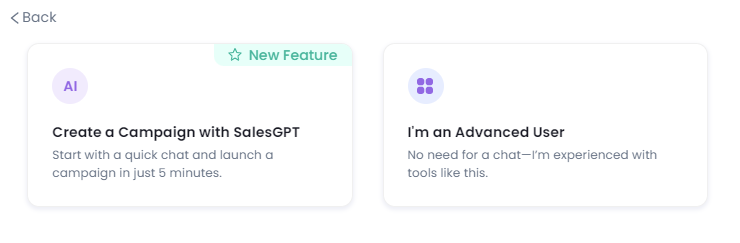
- Next, pick how you want your campaign (just LinkedIn or LinkedIn+Email). And then go for the “I’m an advanced user” option.
- Now, in Lead Finesse, pick the “Add all in a group” option.
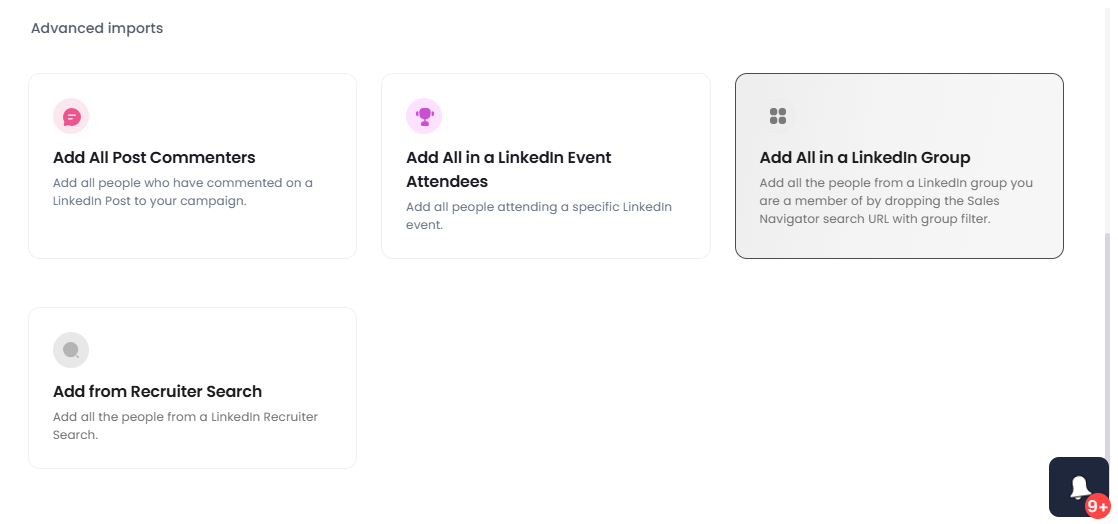
- Paste the search URL here with the group filtered that you want to target.
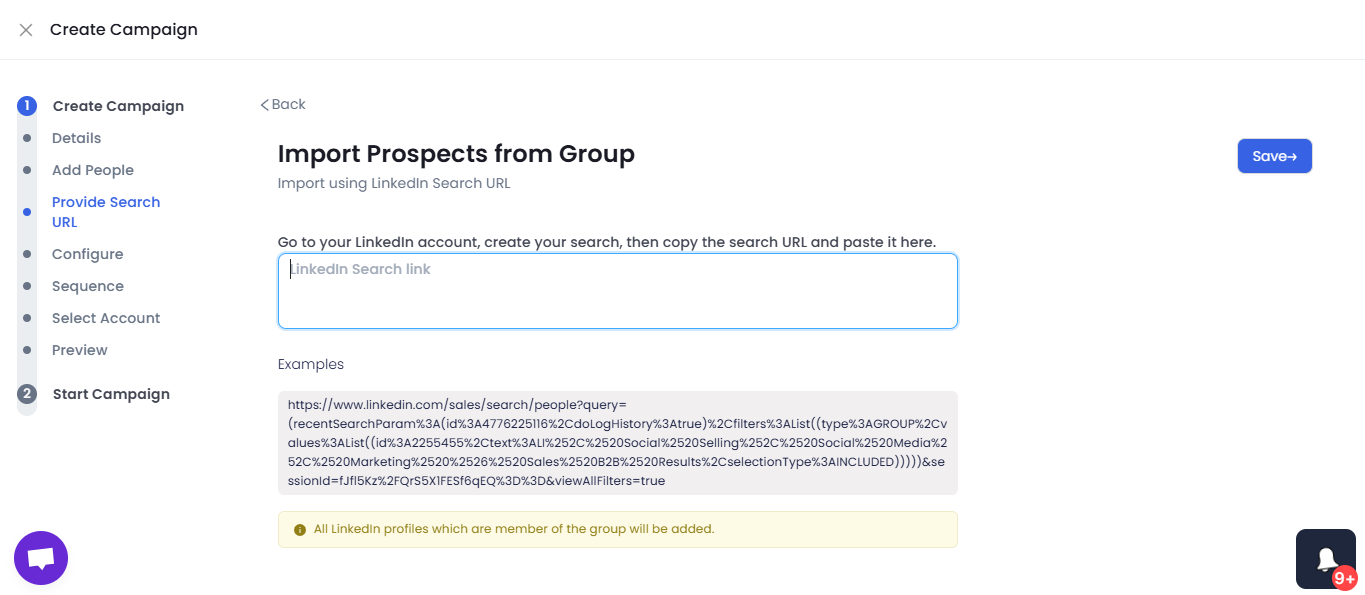
In the next steps select how you want to create your sequence and later configure your campaign by:
First adding a connection request message, follow-up messages, and setting the timing for when the messages will be sent.
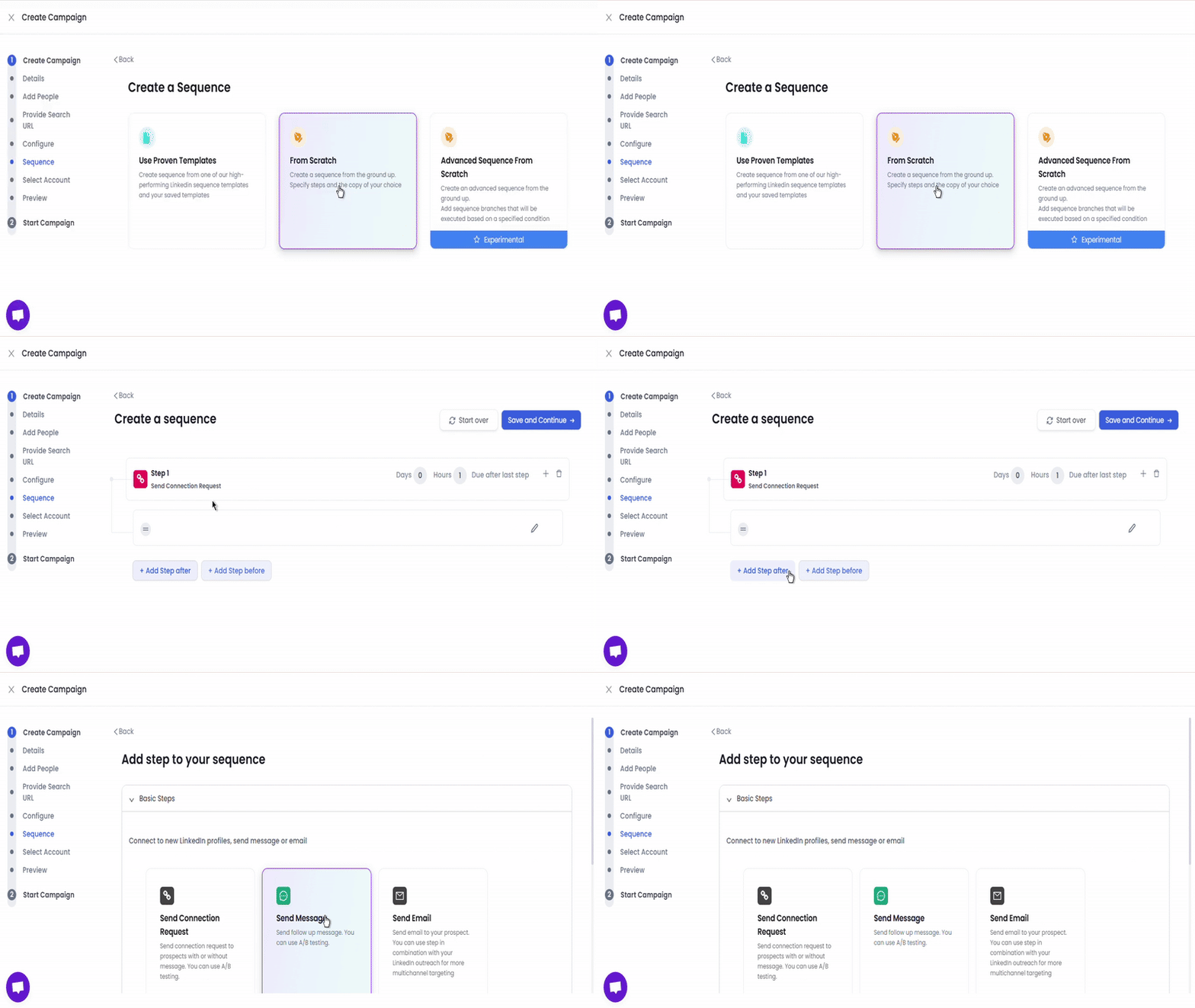
- Once you are happy with your campaign sequence, click on Start Campaign to begin your outreach.
By following these steps, you can effectively target members of a specific LinkedIn group using Sales Navigator and Lead Finesse.