Need to remove specific prospects from your Lead Finesse campaign?
Here are the steps on how to delete prospects from a running campaign in Lead Finesse.
Steps:
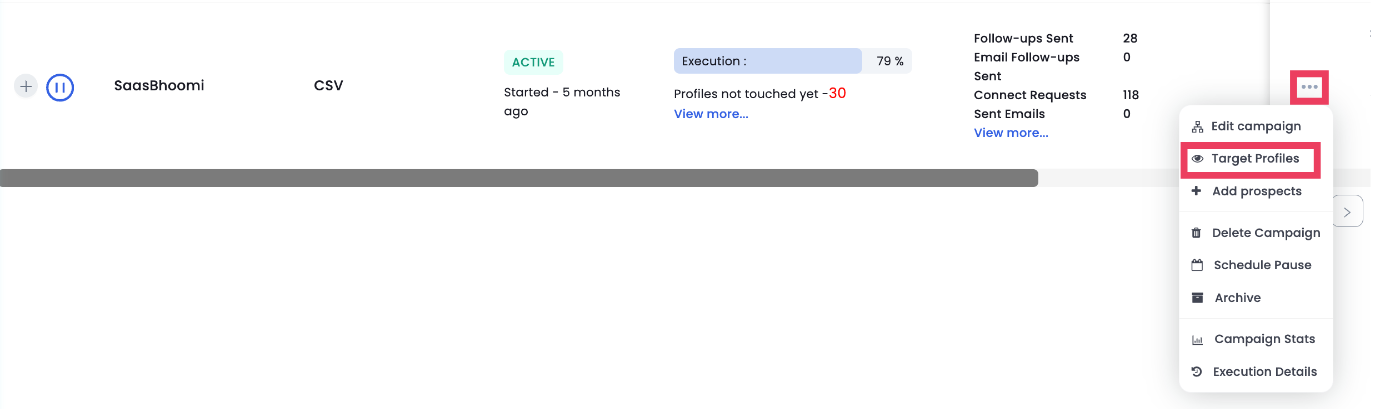
Click on the three dots next to the campaign that you want to delete prospects from.
Click on Target profiles.
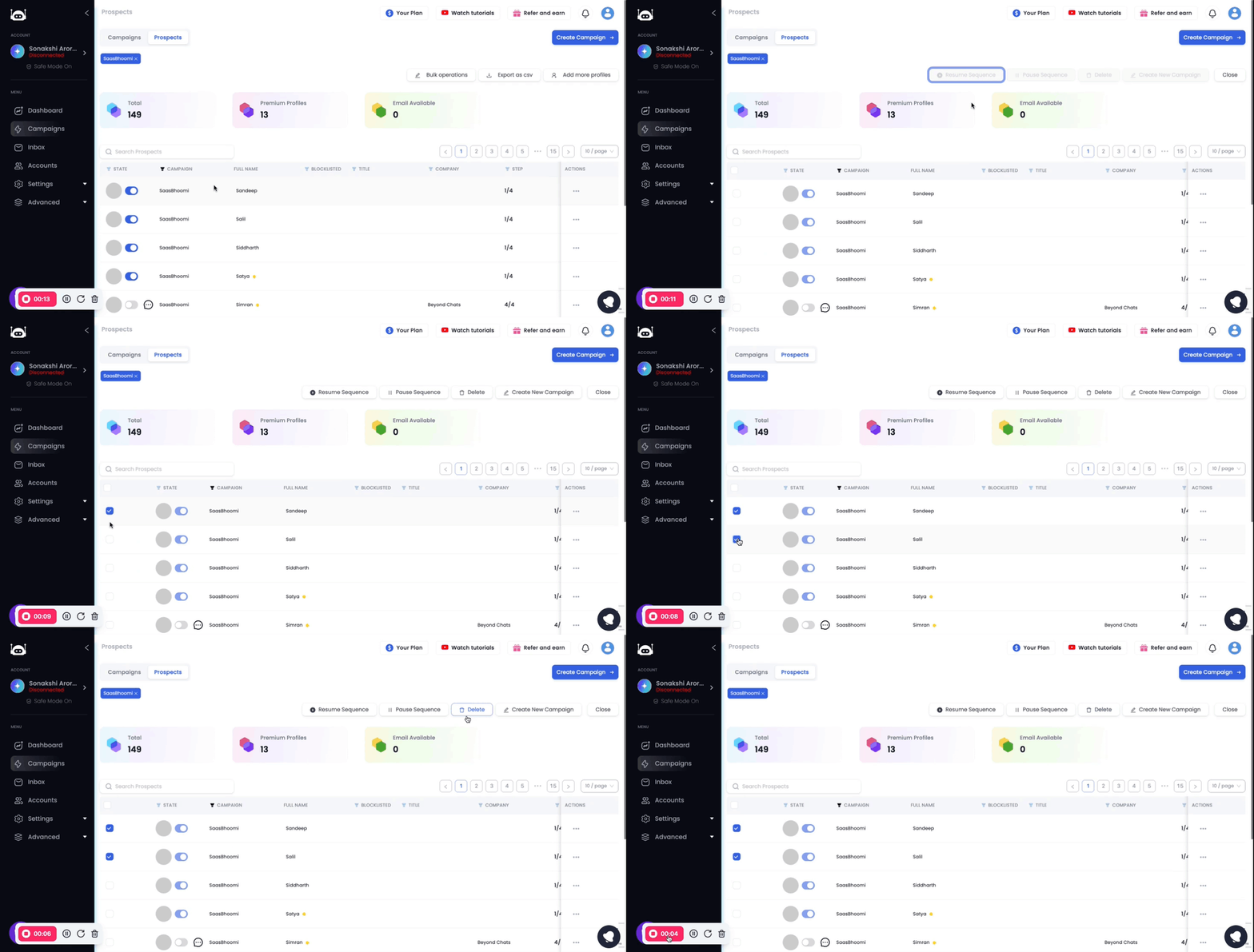
In the Prospects screen, click on Bulk Operations.
Select the prospects that you want to delete.
Click on the Delete button.