If you are managing multiple LinkedIn accounts and want to scale your outreach, you can use Lead Finesse’s Bulk Campaign feature inside Agency View.
This guide shows you how to create a bulk campaign in Lead Finesse and run the same campaign across multiple LinkedIn accounts at once.
Check out the video tutorial here: Bulk Campaign Creation Using Agency View in Lead Finesse
Steps:
Go to Lead Finesse and under Advanced options, click on Agency View.
Click on Create Bulk Campaign.
Choose between a LinkedIn or a LinkedIn + Email campaign, and give a name for your campaign and click Save.
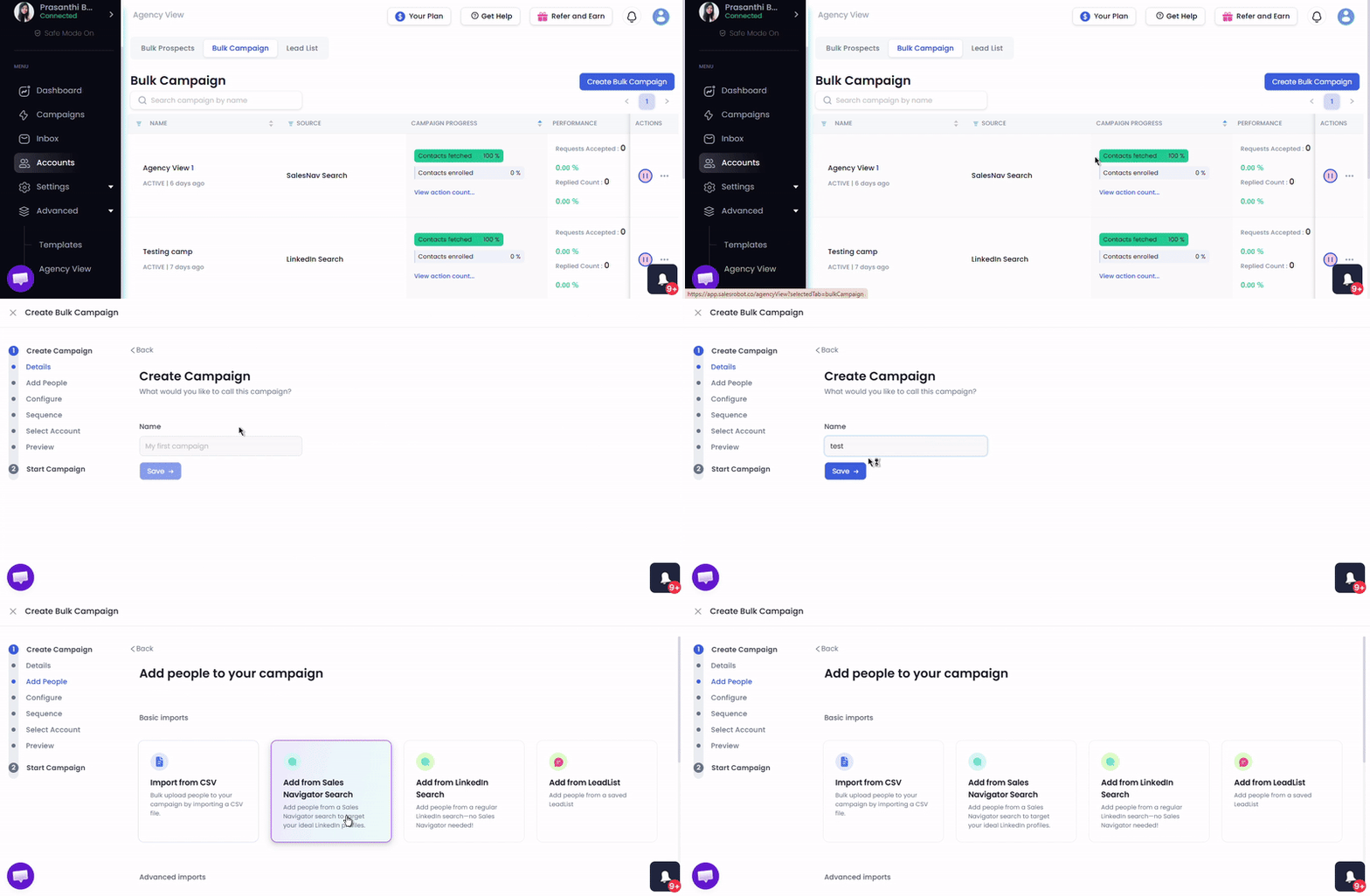
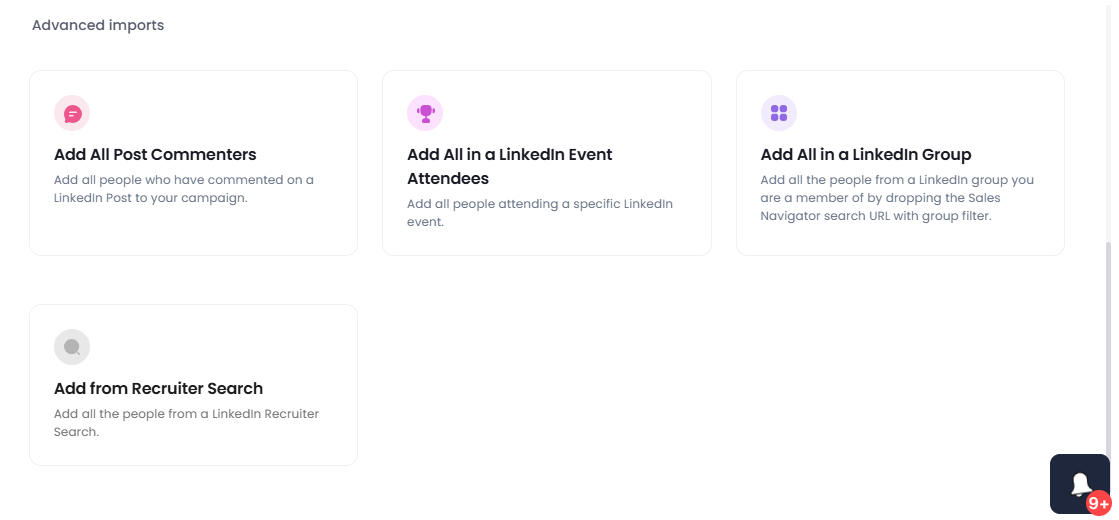
- Next you'll see multiple options for adding prospects to your campaign.
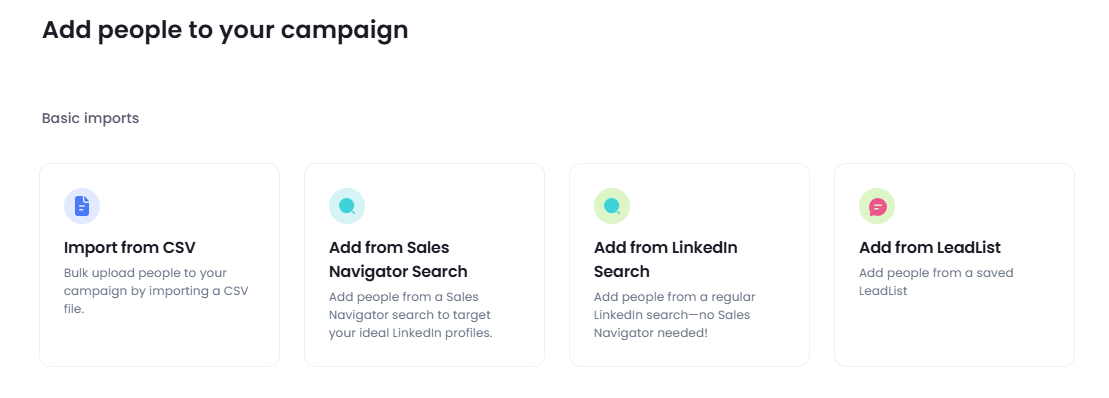
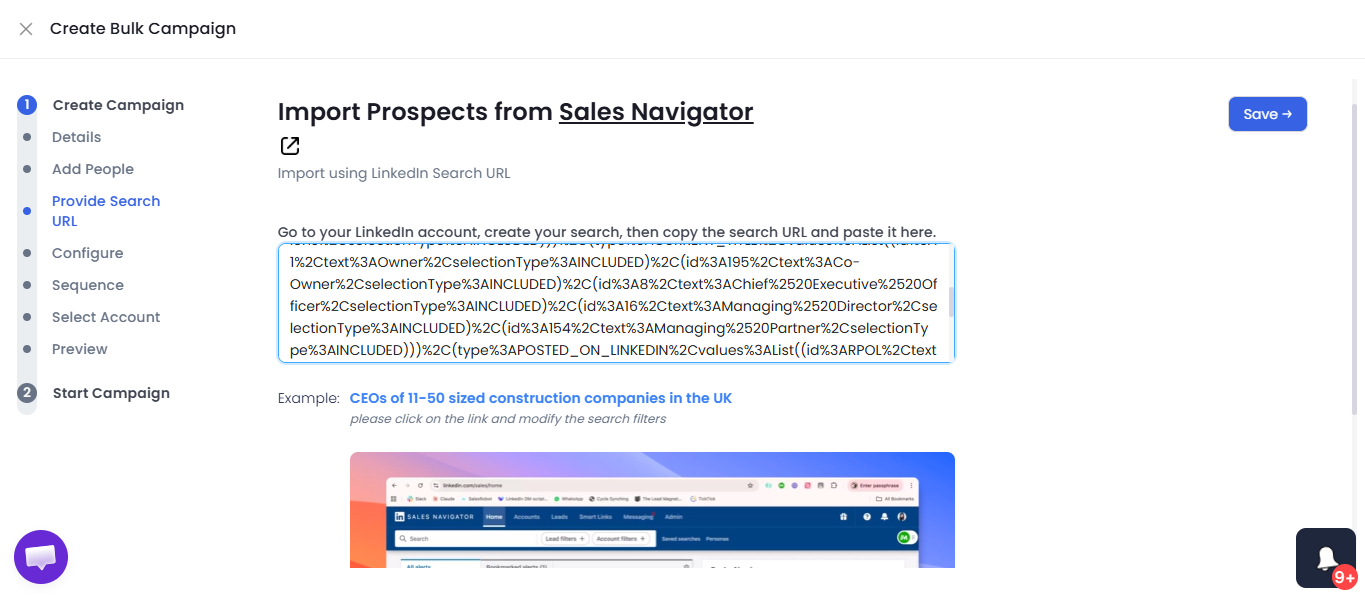
If you choose LinkedIn Sales Navigator, open it in a new tab, apply your preferred filters and copy the Sales Navigator search URL.
Paste the URL into Lead Finesse and click Save.
Next, on the configurations page, choose whether you want to enable the AI inbox manager and configure other settings and click Save and continue.
Choose how you want to create a sequence, you'll see three options:
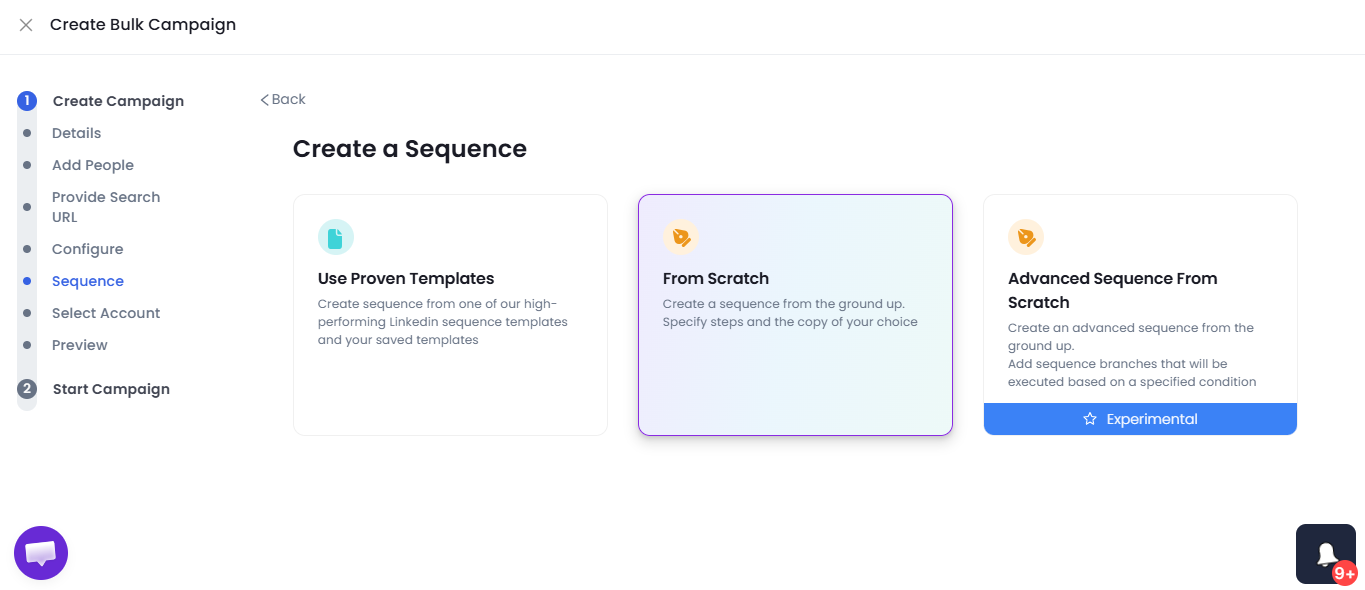
If you select the "From Scratch" option, add the first step of your sequence as sending a connection request.
Click Add step and include follow up actions like a personalized message or introduction.
Once your sequence is ready, click Save and continue.
You will now be asked to select a LinkedIn account for scraping, so choose a LinkedIn account that has Sales Navigator access
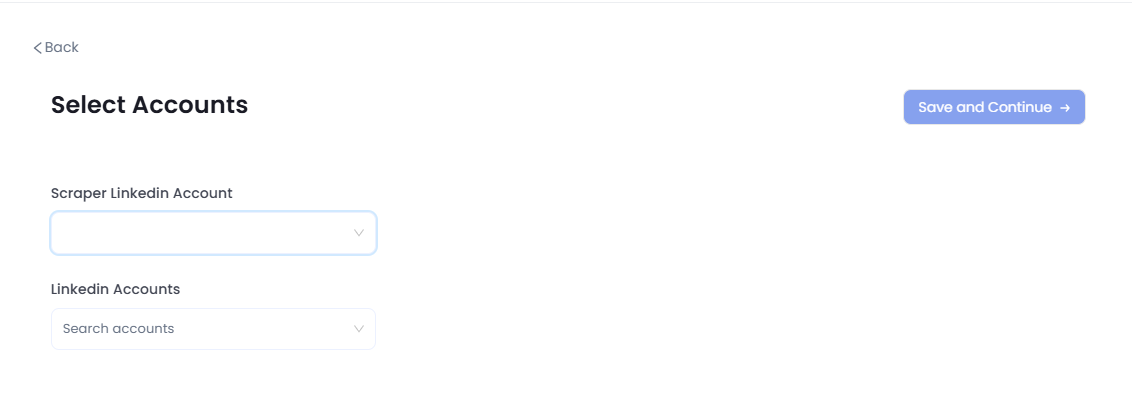
In the LinkedIn Accounts drop down, select the LinkedIn accounts you want to run this campaign on.
Lead Finesse will automatically distribute the profiles from the Sales Navigator list across the selected accounts.
Click Save and continue.
Profiles will start fetching, and the campaign will be ready to launch.
Click Start campaign to begin outreach across all selected LinkedIn accounts.
If you ever need to replace or switch LinkedIn accounts: Go to the campaign settings > Click on Update accounts > Replace or select new LinkedIn accounts > Save the runner accounts. Your bulk campaign will continue running with the updated accounts.
That’s it. You have successfully created a bulk campaign in Lead Finesse.