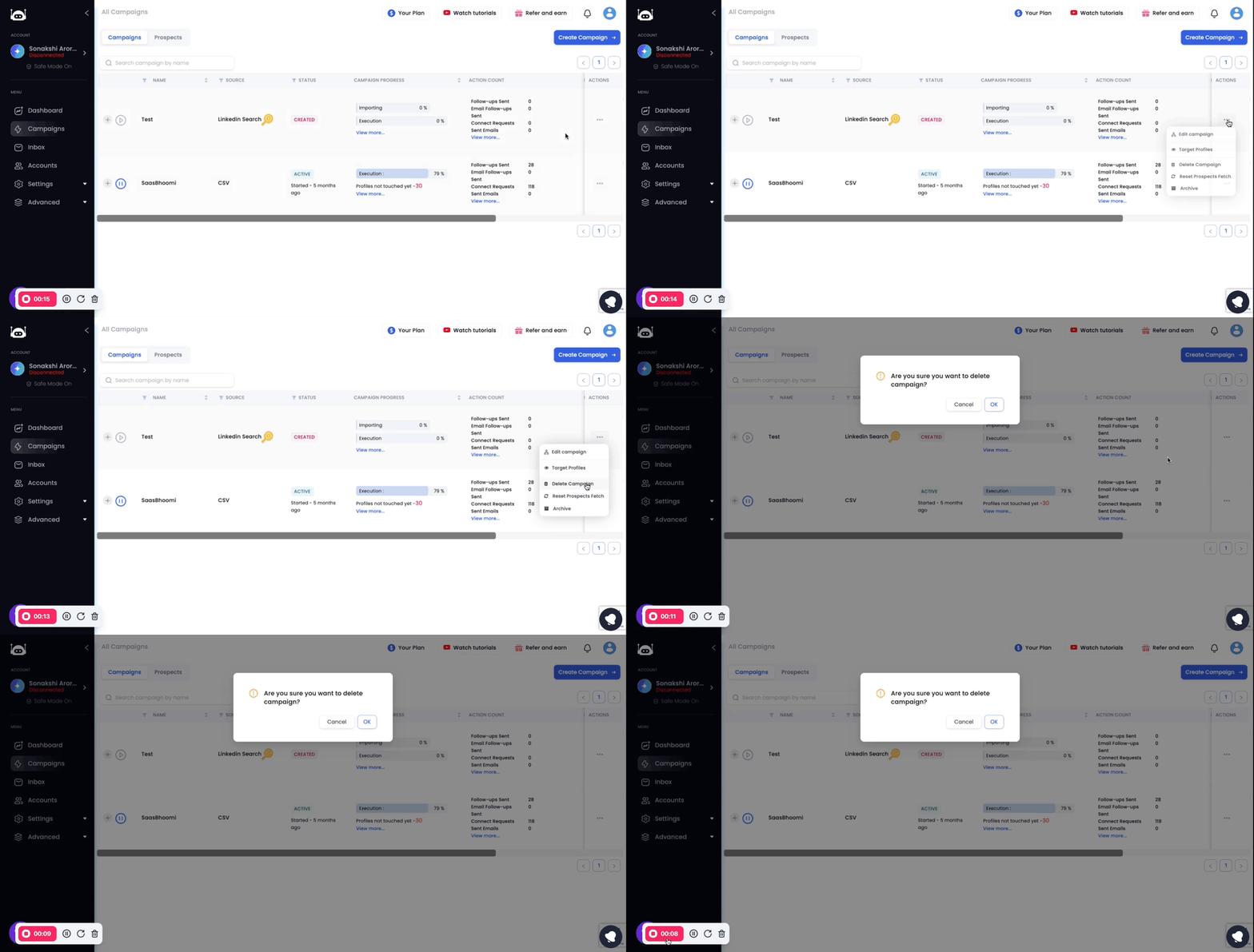
To delete a campaign, follow these steps:
Go to the Campaigns page.
Click on the three dots next to the campaign you want to delete.
Select Delete Campaign.
A confirmation box will appear. Click on OK to delete the campaign.
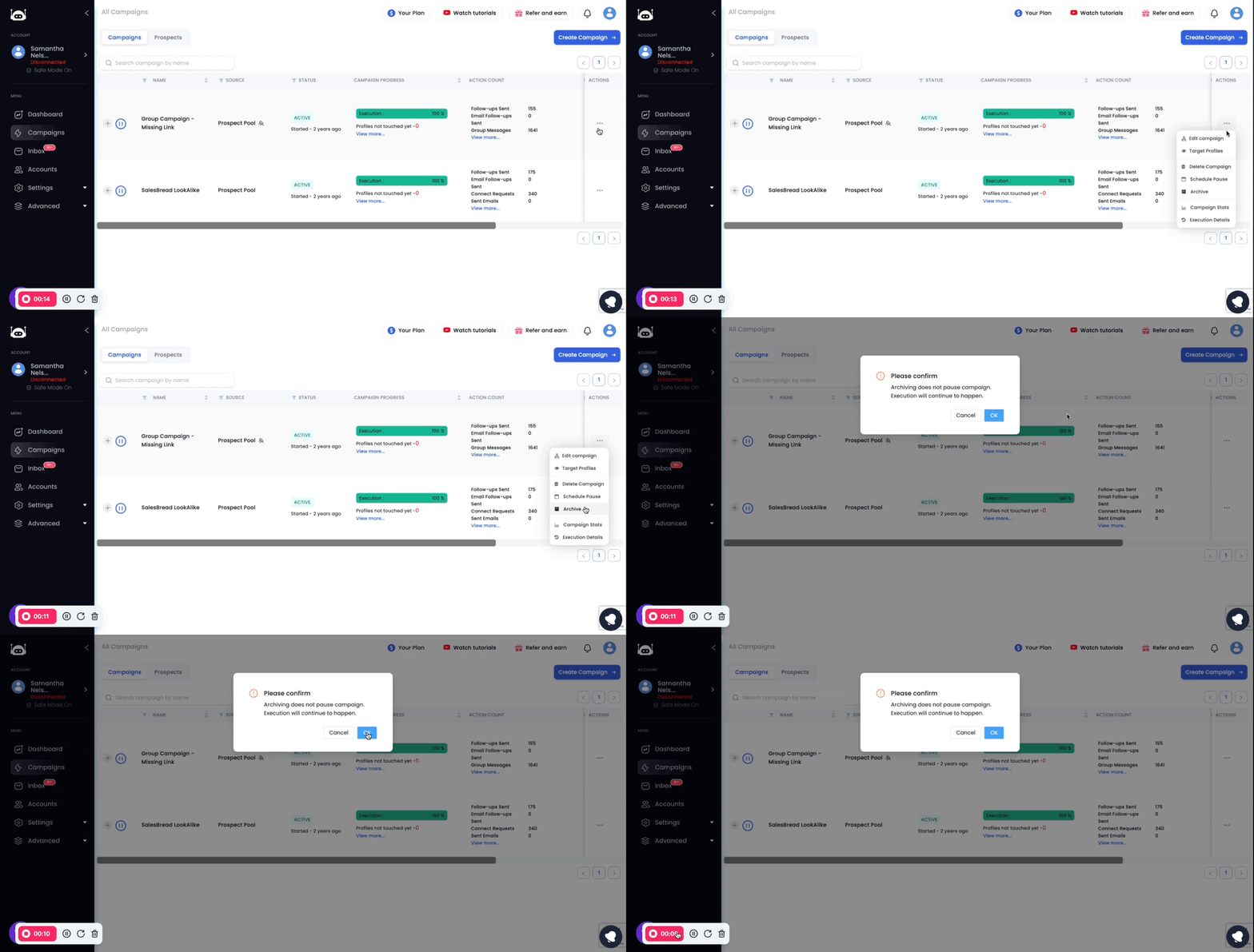
To archive a campaign, follow these steps:
Go to the Campaigns page.
Click on the three dots next to the campaign you want to archive.
Select Archive.
The campaign will be removed from the Campaigns page.
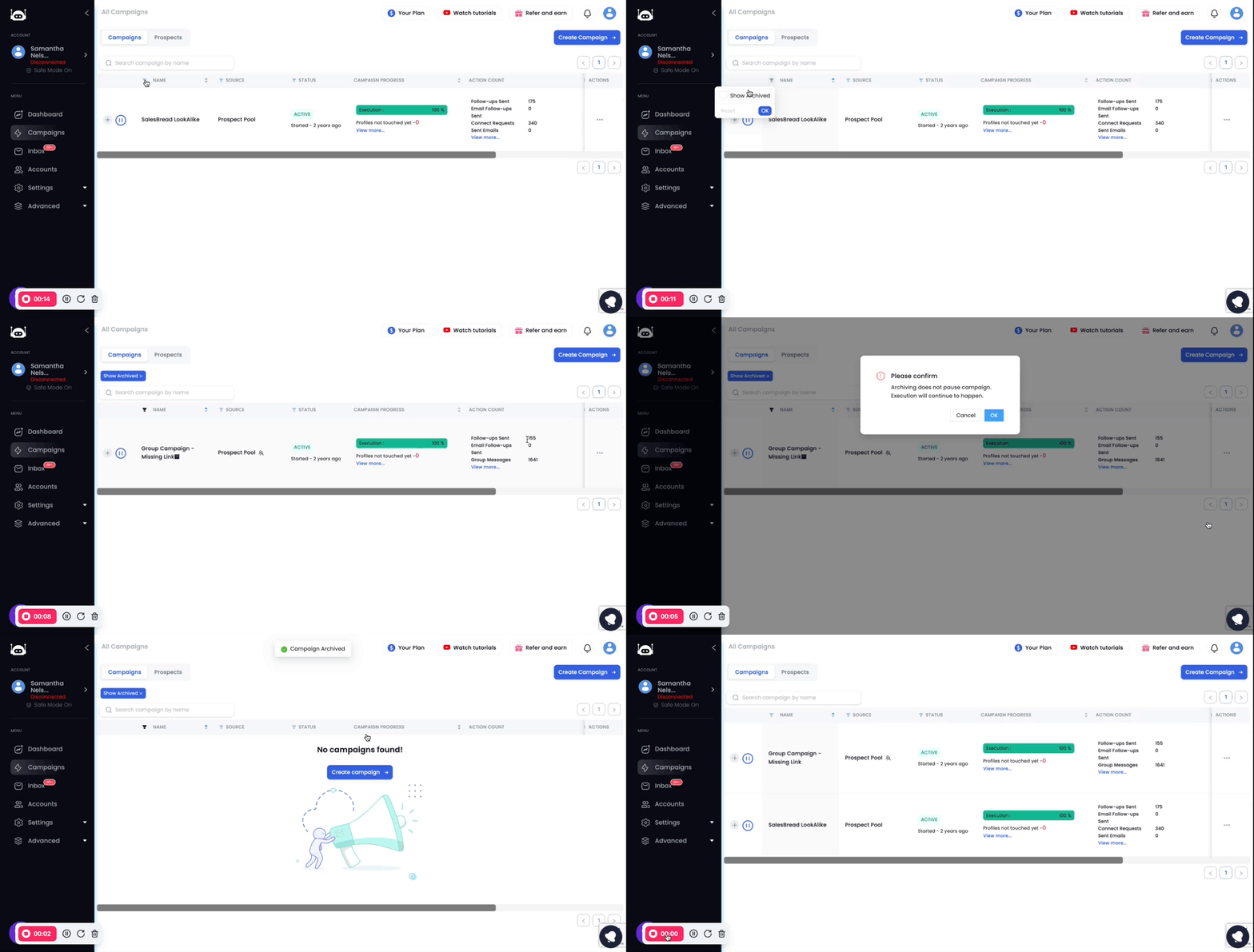
To unarchive a campaign, follow these steps:
Go to the Campaigns page.
Click on the Filters button present to the left of the column title Name.
Select Show Archived.
Click on the three dots next to the archived campaign you want to unarchive.
Select Unarchive. The campaign will be restored to the Campaigns page.
Please Note:
Archiving a campaign does not pause the campaign. If the campaign is still running, it will continue to run even after it is archived.
Deleting a campaign permanently deletes the campaign. There is no way to recover a deleted campaign.