To pause a campaign in Lead Finesse, follow these steps:
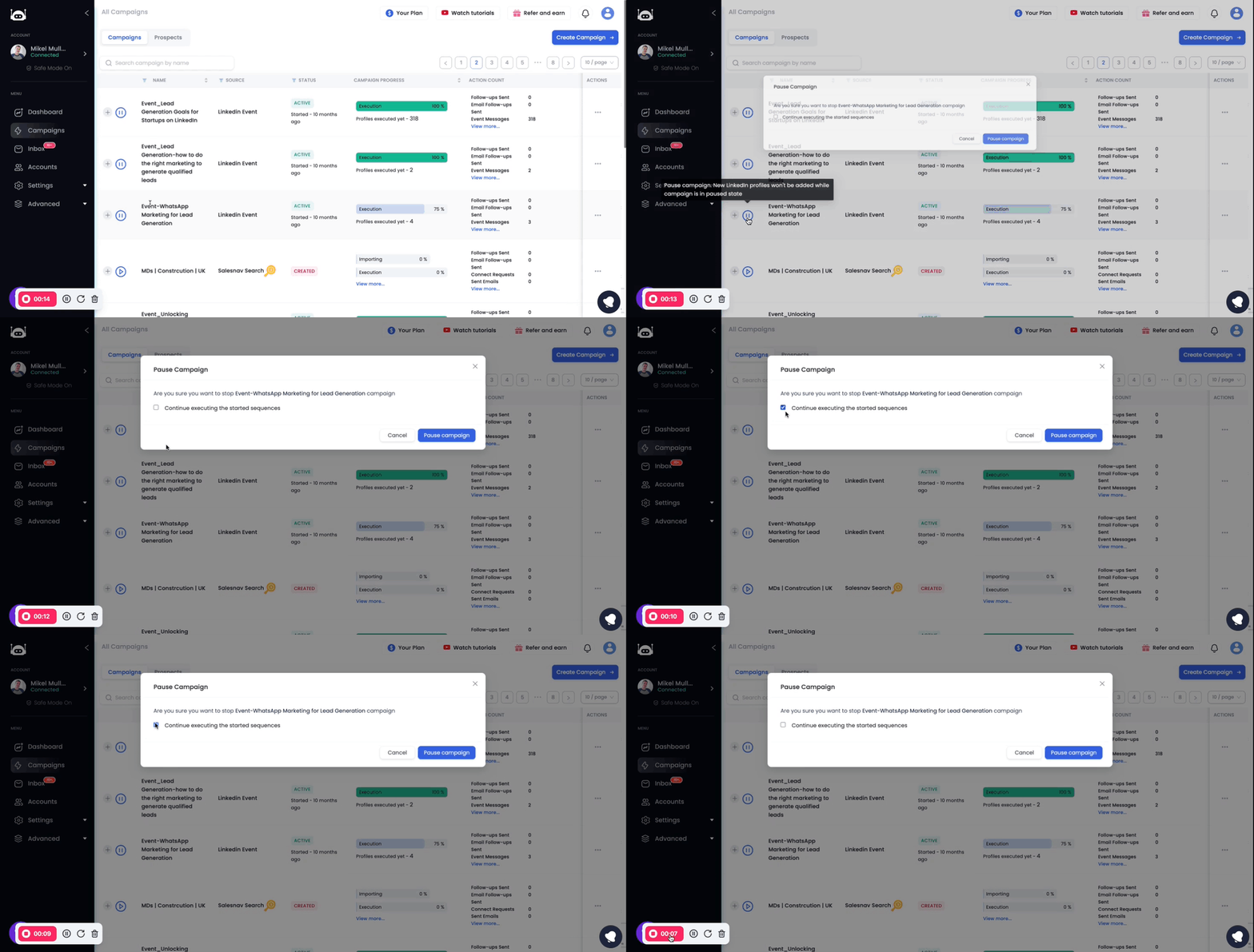
Go to the Campaigns page.
Click on Pause icon present in front of the campaign name, of the campaign you want to pause.

A confirmation box will appear.
Pausing a campaign does not pause the follow-ups that have already been sent. If you want to pause all follow-ups, you must uncheck the Continue executing the started sequences box before pausing the campaign.
Click on Pause campaign to pause the campaign.
Note:
Pausing a campaign does not delete the campaign. You can resume the campaign at any time.
Pausing a campaign does not pause your subscription. Your subscription will remain active even if you pause all of your campaigns.